AllMacWorld MAC Apps One Click Away
Download QuakeNotch 4.0 for Mac free latest full version standalone setup. QuakeNotch 2026 for MacOS is an app that turns the notch at the top of your MacBook screen into a multifunctional tool.
QuakeNotch 2026 for Mac Review
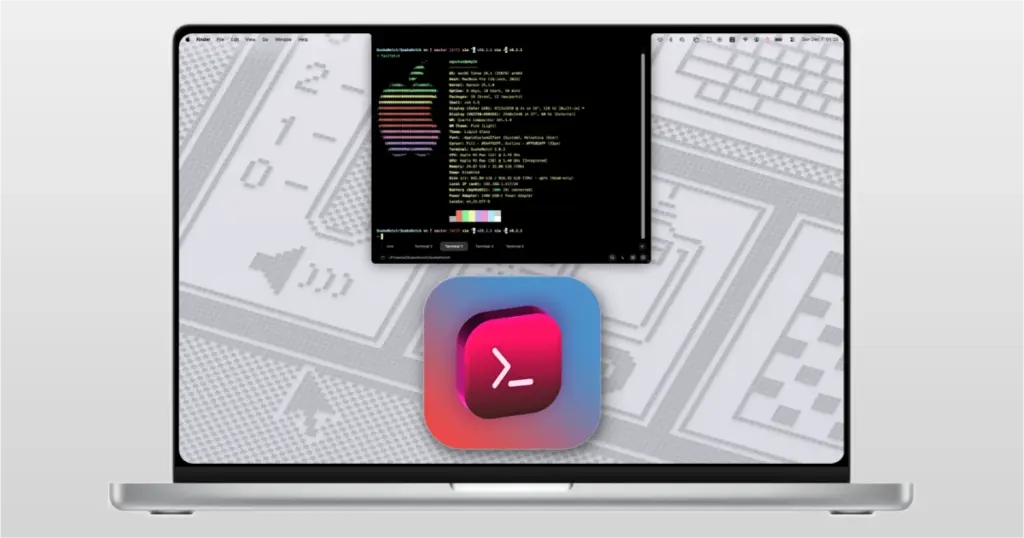
QuakeNotch is a Mac app that turns the space around the MacBook notch into a useful tool. Its main feature is a terminal that drops down from the top of the screen when you need it. It also supports Apple Music, music effects, file sharing, screen effects, shortcuts, and QPilot. It is mainly designed for people who use Terminal often. Instead of opening Terminal from the Applications folder or searching for it, you can press Control + Escape and bring it down from the top of the screen. You can also download Sidebar for MacOS
This is the main reason to use QuakeNotch. The terminal works like a normal Mac terminal. You can run commands, work with files, use Git, connect to another computer, and run scripts.
For example, you can use commands such as:
git status
brew update
npm install
You can also open several terminal windows inside QuakeNotch. Tabs let you keep different sessions separate, while split views let you see more than one session at the same time.
This can be useful when working on a website or software project. You could keep one session for your project, another for Git, and another for a server connection. The biggest difference between QuakeNotch and a normal terminal app is the way you open it. It is always close to the top of the screen.
QuakeNotch also includes Apple Music support. When music is playing, the app can show the song and add moving music effects around the notch. This can look good, but it is not an important feature for everyone. If you do not use Apple Music, you can turn this feature off.
Apple Music also needs permission to work with QuakeNotch. Some users have reported problems when Apple Music stops responding. The developer has made changes to reduce this problem in newer versions. QuakeNotch also includes QPilot. It is designed to help with tasks such as working with files, running commands, searching for information, and handling other tasks from the QuakeNotch window.
The developer says QPilot works on the Mac and keeps its processing local. This is a claim from the developer, so users who care about privacy should still review the app’s permissions before using it. Another useful feature is file drag and drop. You can drag a file toward the notch and use it with the terminal or QPilot. This can save time when a command needs the exact location of a file.
QuakeNotch also gives you many ways to change how it looks. You can change the font, font size, colors, shadows, shortcuts, and other settings. There are also several moving background effects. These include stars, falling characters, snow, fireflies, Sakura, and other visual effects. These effects are mostly for appearance. They do not make the terminal itself more useful.
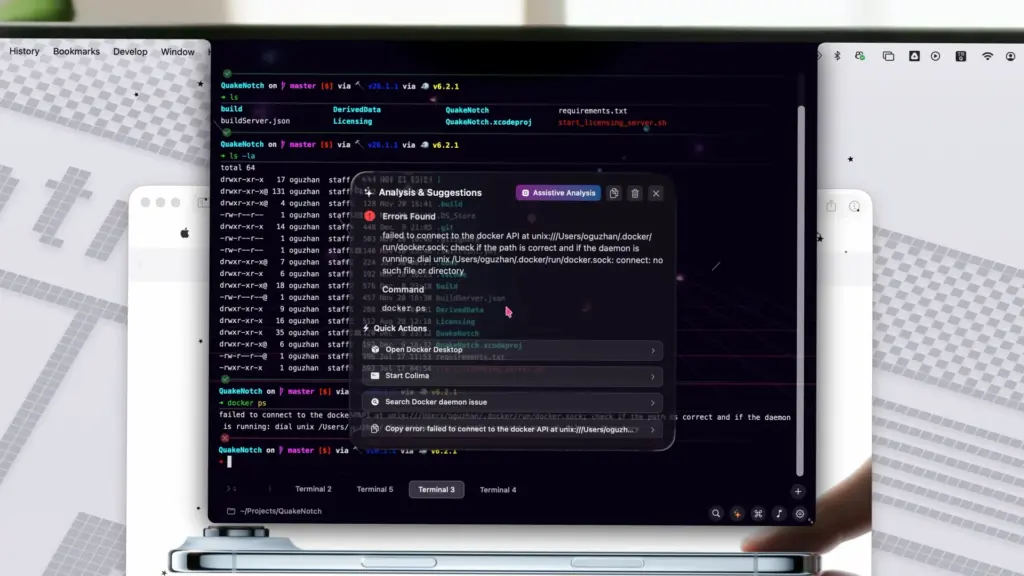
QuakeNotch can also show progress for some commands. This is helpful when a command takes time to finish and you want to know that it is still running. The app includes a battery-saving option as well. This can reduce some background activity when the Mac is running on battery.
QuakeNotch is not an open-source app. Its official license describes it as proprietary software. It may also be more than you need if you only open Terminal once or twice a week. If you already use iTerm2 or Ghostty and are happy with it, there may be little reason to switch.
Some users have also reported issues with animations, memory use, Apple Music, and certain shell setups. These are individual user reports and do not mean that everyone will experience the same problems. Overall, the terminal is the strongest reason to use QuakeNotch. The music controls, effects, and other features are useful extras.
Features of QuakeNotch for Mac
- Drop-down Terminal: Open a terminal from the top of the Mac screen.
- Keyboard shortcut: The default shortcut is Control + Escape.
- Multiple tabs: Keep several terminal sessions open.
- Split views: Use more than one terminal session at the same time.
- Font settings: Change the font and size.
- Themes: Change the look of the terminal.
- Notch settings: Change parts of the notch appearance.
- Apple Music: See music information while listening.
- Music effects: Add moving effects around the notch.
- File drag and drop: Move files into the terminal or QPilot.
- QPilot: Get help with files, commands, searches, and other tasks.
- Command progress: See progress for supported commands.
- Custom shortcuts: Change available keyboard shortcuts.
- Moving effects: Choose from several screen effects.
- Battery option: Reduce background activity when using battery power.
- Search: Find text inside terminal sessions.
- Launch at login: Start QuakeNotch when you sign in to your Mac.
- Terminal settings: Change the way the terminal looks and behaves.
Technical Details:
- Software Name: QuakeNotch MacOS
- Software File Name: QuakeNotch 4.0.dmg
- Version: 4.0
- File Size: 15 MB
- File Extension: DMG
- License Type: Premium
- Developer: Meowing Cat
System Requirements
- Operating System: macOS 10.10 or later
- Processor: Apple Silicon (M1, M2, M3, M4, M5) or Intel Core 64-bit
- RAM: 4 GB minimum, 8 GB recommended
- Storage: 200 MB free disk space
Best Alternatives to QuakeNotch for Mac
If you like the idea of QuakeNotch but do not need all of its features, there are several alternatives.
Ghostty is a good choice if you mainly want a fast and simple terminal. It does not focus on the MacBook notch, but it can be set up to open quickly from the top of the screen.
iTerm2 is a better choice for users who want many terminal settings. It has been popular on Mac for years and supports tabs, split views, shortcuts, and many other options.
Boring Notch takes a different approach. Instead of focusing on the terminal, it turns the MacBook notch into a general tool for music, files, calendar information, and other features. It is also open source.
NotchDrop focuses mainly on files. It gives you a place around the notch where you can temporarily keep files and quickly use sharing features.
QuakeNotch is a good choice for Mac users who want fast Terminal access and enjoy using the MacBook notch for more than its normal purpose.
QuakeNotch 4.0 for Mac Free Download
Click the button below to download QuakeNotch 2026 for Mac latest full version setup free. It is a complete standalone installer for macOS with a single-click download link.