AllMacWorld MAC Apps One Click Away
Download Sidebar 2.0.8 for Mac free latest full version standalone setup. Sidebar 2026 for macOS is a fully customizable Dock replacement that turns your default Apple Dock into a powerful vertical app launcher. It is built for Mac power users, multi-monitor setups, and anyone switching from Windows who wants more control over their workflow.
Sidebar for Mac Review
The default macOS Dock is fine for casual use. But if you run multiple monitors, manage many apps, or simply want more from your workspace, it falls short fast. There is no window preview on hover. There is no per-screen control. There is no built-in app launcher. Sidebar fixes all of that. You can also download Downie 4 for Mac Free Download.
Sidebar is a native macOS app developed by Oliver at sidebarapp.net. It replaces the Apple Dock entirely with a vertical panel that sits on the edge of your screen. It is not a browser sidebar tool. It is a full Dock replacement built specifically for macOS power users.
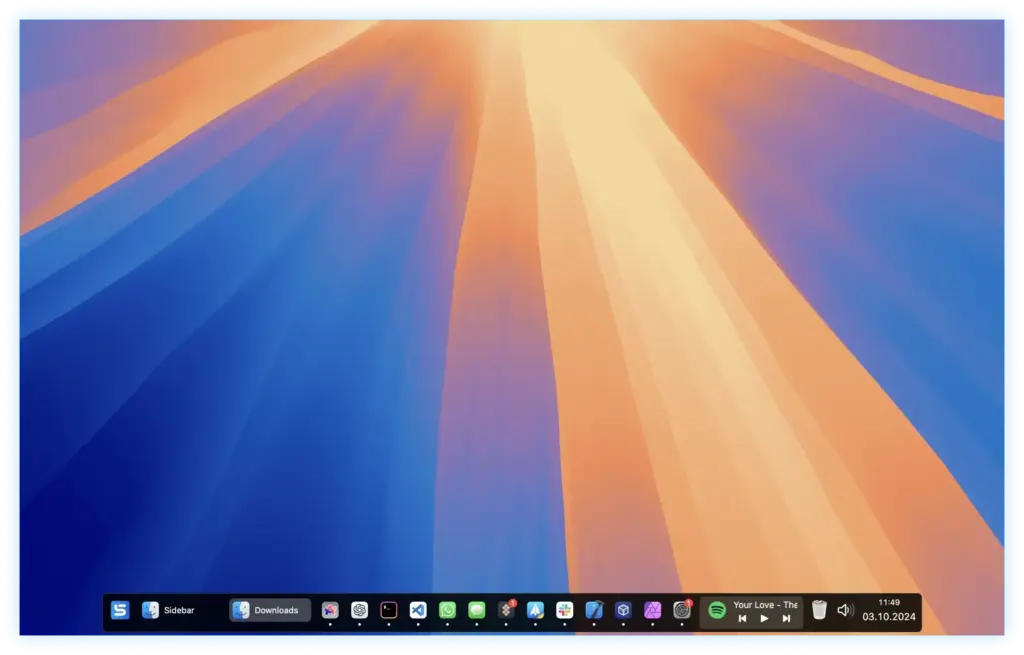
The setup experience is one of the best in its category. The onboarding flow walks you through every permission and preference in a clean, guided way. Within minutes, Sidebar is running. The original Dock hides automatically. Your apps, folders, and spaces are exactly where you put them.
The interface feels native to macOS. Icons render sharply. Hover states are smooth. The panel can float above your windows or lock to the edge and reserve screen space so no app window ever slides underneath it. Both modes work well depending on how you use your screen.
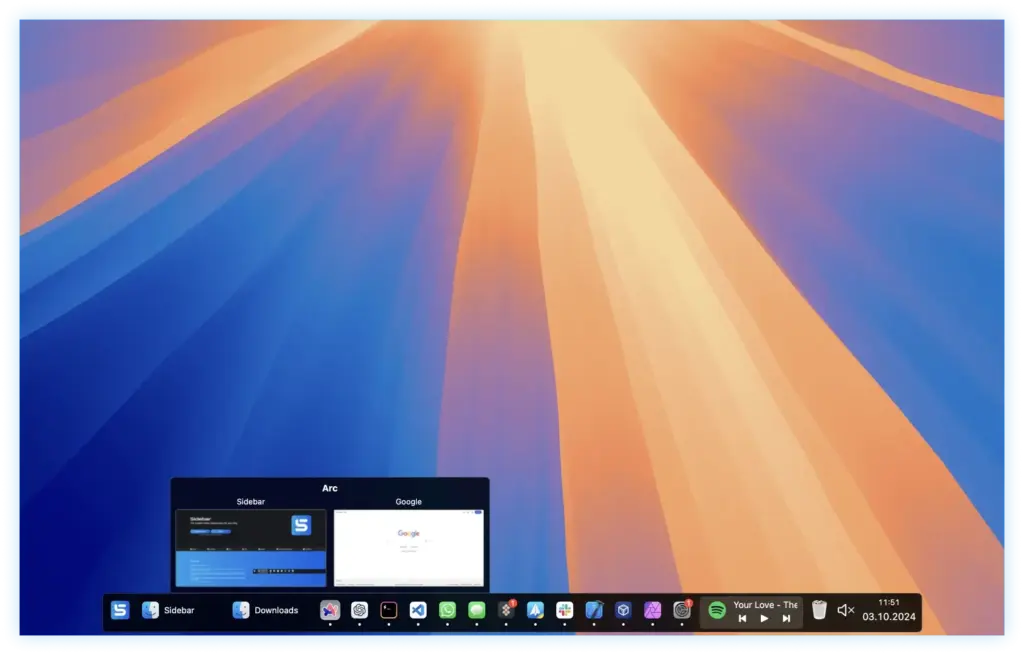
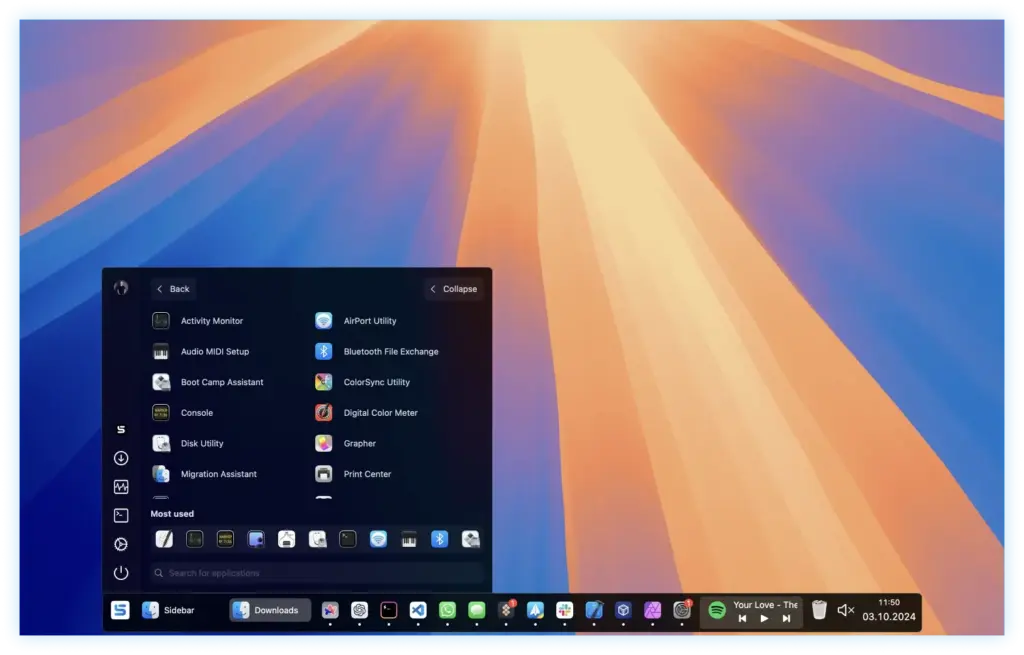
What makes Sidebar stand out is how much it respects your setup without forcing a learning curve. You hover over an app icon and immediately see live window previews. You click a folder and FolderPeek opens its contents without launching Finder. You press the Start menu button and get a full app launcher with every installed application. Every feature has a purpose and works exactly as described.
Sidebar also collects zero usage data. No analytics. No telemetry. Only license information is exchanged. For anyone handling sensitive work on a Mac, that matters. All in all, Sidebar is the most capable and customizable Dock replacement available for macOS in 2026.
Features of Sidebar for Mac
- Replaces the default macOS Dock with a fully customizable vertical panel
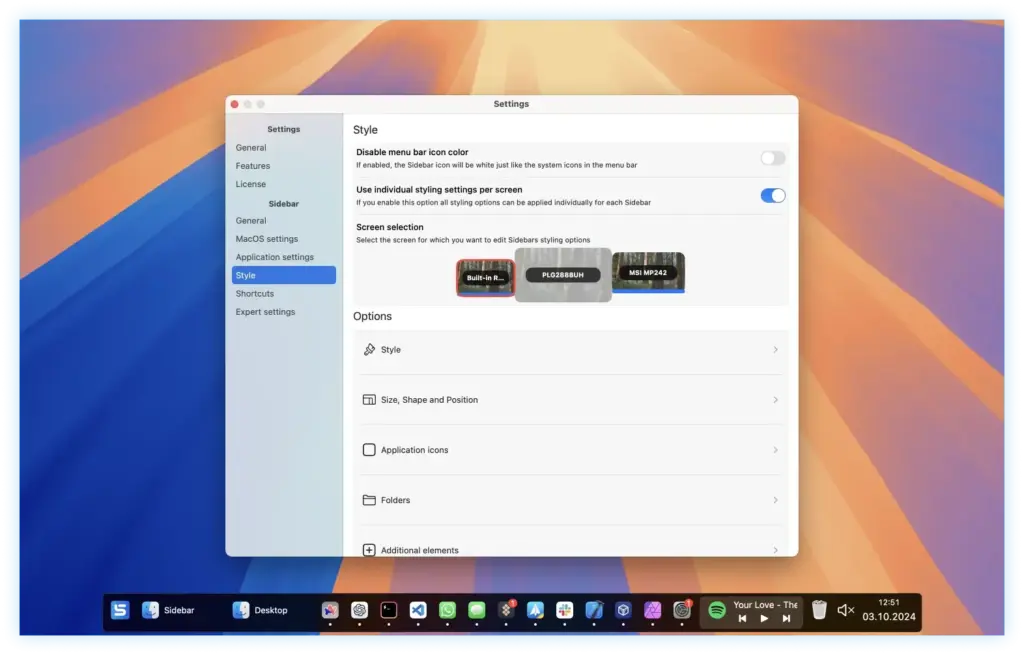
- Supports multiple monitors with individual per-screen layouts, icons, colors, and themes
- Live window previews on hover for every running application
- Built-in Start menu gives instant access to all installed apps
- FolderPeek lets you browse folder contents without opening Finder
- WindowSnap saves and restores full window layouts per project or task
- Multimedia controls let you play, pause, and manage audio from any app directly in Sidebar
- Reserves screen space so app windows never overlap the panel
- Clear View hides all app windows instantly to access the desktop
- Notification badge customization with size and shape control
- Drag and drop sorting for app icons and window groups
- Line spacers and blank spacers for clean visual organization
- Custom app icons per application
- Animation customization for transitions and hover effects
- Lock and unlock Sidebar position at any time
- Zero usage data collected or transmitted
Technical Details:
- Software Name: Sidebar
- Software File Name: Sidebar 2.0.8 fix.dmg
- Version:0.8
- File Size: 15 MB
- File Extension: DMG
- License Type: Premium
- Developer: Sidebar
System Requirements:
- Operating System: macOS 10.13 High Sierra or later
- Processor: Apple Silicon (M1, M2, M3, M4, M5) or Intel Core 64-bit
- RAM: 8 GB minimum, 16 GB recommended
- Storage: 500 MB free disk space
Best Alternatives to Sidebar for Mac
Sidebar is the top Dock replacement for Mac users who want full customization and per-screen control. If you need something different for a specific use case, here are the strongest alternatives.
uBar is a popular horizontal Dock alternative. It mimics the Windows taskbar layout closely, making it a good fit for Windows switchers who prefer that style. It has excellent keyboard shortcut support. However, Sidebar offers significantly more visual customization and multi-monitor flexibility.
ActiveDock 2 replaces the Apple Dock while keeping a more macOS-native look. It adds useful app grouping features and a clean interface. It is a solid choice for users who want improvements without a dramatic visual change. Sidebar wins on customization depth and window management tools.
ExtraDock takes a different approach. Instead of replacing the Dock, it adds extra Docks to your screen. It works well alongside Sidebar since they do not conflict. If you want your default Dock plus additional panels, ExtraDock is the answer.
DockFlow is keyboard-first. It lets you assign almost any action to a key combination and is excellent for users who prefer not to use a mouse. It does not match Sidebar on visual customization or multi-monitor support.
HiDock is a newer option with a floating Dock design. It is lightweight and minimal. It suits users who want a simple enhancement rather than a complete replacement.
Each of these covers a specific need. Sidebar stands out for Mac users who want a complete, private, and fully customizable Dock replacement with multi-screen support and built-in window management.
Sidebar 2.0.8 for Mac Free Download
Click the button below to download Sidebar for Mac latest full version setup free. It is a complete standalone installer for macOS with a single-click download link.