 AllMacWorld MAC Apps One Click Away
Download Audio One Mp3: Music Producing 1.23.2 for Mac free latest full version standalone setup. Audio One Mp3: Music Producing 2026 for MacOS is a multi-track audio editor designed for ease of use and suitable for both beginners and experienced audio engineers. It lets you record, mix, and process audio, as well as convert files and create ringtones.
Audio One Mp3: Music Producing 2026 for Mac Review
Audio One Mp3 is a music and audio editing app for Mac. It is developed by Bitnite, TOO. The app helps users record music, edit audio files, add sound effects, and combine different recordings. It can be useful for musicians, beginners, podcasters, and people who work with audio. You can also download Logic Pro for MacOS
The app brings several editing tools together in one place. You can record your voice, add music files, cut unwanted parts, and arrange different sounds on a timeline. This makes it easier to work on small music projects, voice recordings, and podcasts.
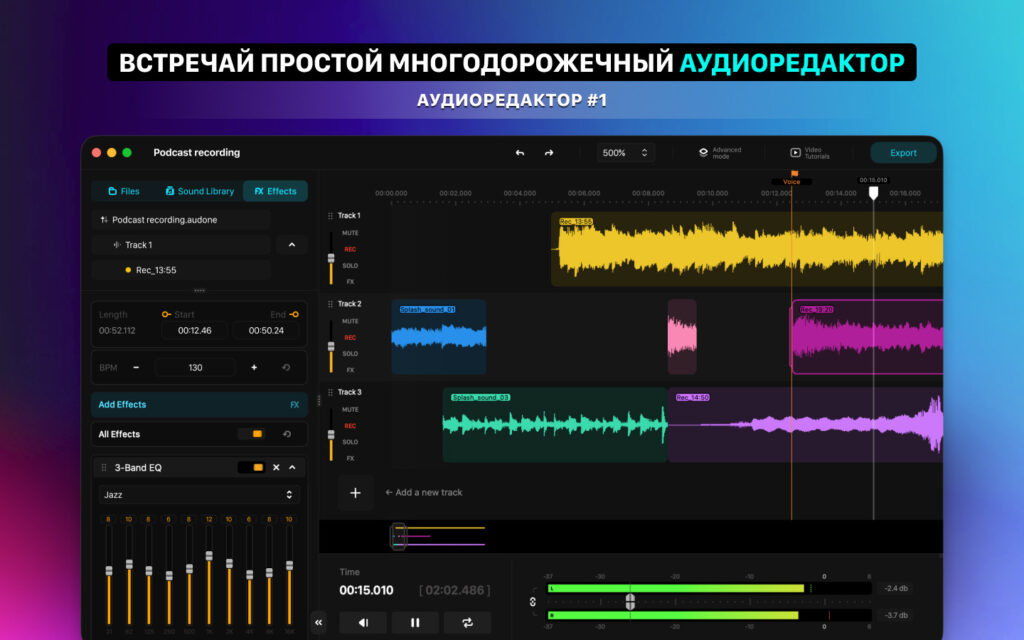
One of its main features is multitrack editing. This lets you combine different audio recordings in one project. For example, you can add vocals, background music, and instrument recordings. You can also move audio clips, trim them, and split them into smaller sections. Keep in mind that multitrack editing requires the paid version.
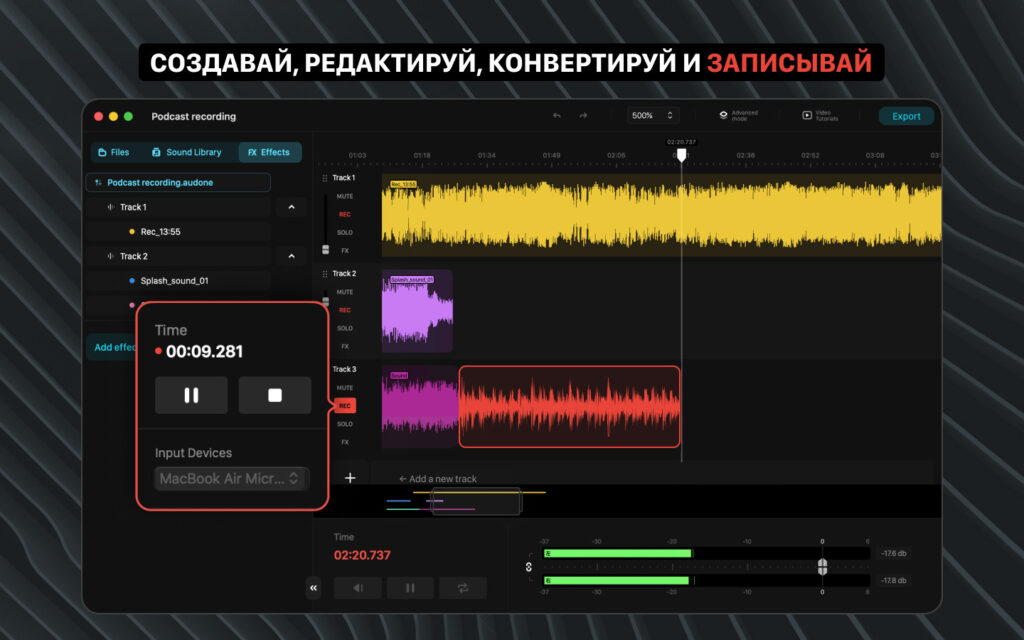
Audio One also lets you record directly into the app. You can record vocals, instruments, or spoken content and edit the recording afterward. This is helpful when you want to save a music idea or prepare a voice recording without using several different apps.
The app includes several sound effects. You can add reverb and delay, change the pitch and speed, adjust the left and right sound levels, and use different sound filters. These tools can help improve a recording or give it a different sound.
It also includes three-band and ten-band equalizers. These tools let you adjust bass, middle, and high sounds. You can use them to reduce unwanted bass, make vocals clearer, or change the overall sound of a recording.
Audio One has a BPM grid for working with music beats. BPM means beats per minute. It helps you match audio clips with the speed of a song. The app also includes markers and snapping tools to make it easier to place recordings in the right position.
Another useful feature is its built-in sound library. The developer says it includes more than 1,700 tracks and sounds from over 30 music styles. You can use these sounds in your projects instead of finding every sound separately. Some library content is free, while other sounds require a separate subscription.
Audio One can also convert audio files into different formats. It supports MP3, WAV, AIFF, FLAC, AAC, M4A, OGG, CAF, AU, AIFC, and M4R. This is useful when you need to prepare audio for a website, music player, or another application.
You can also edit music information, including track names and cover artwork. The app has tools for creating custom iPhone ringtones. These features make it useful for people who want to manage and edit their audio files.
The developer has released several updates with improvements to the editing tools. Recent versions have improved the timeline, recording, and sound effects. They have also added better controls for placing audio clips and working with music beats.
However, Audio One is not a replacement for a complete music production program. Its main focus is recording and editing audio. It does not offer the same range of music creation tools found in professional programs such as Logic Pro. If you want to create music with virtual instruments, advanced music controls, and extra plugins, you may need another app.
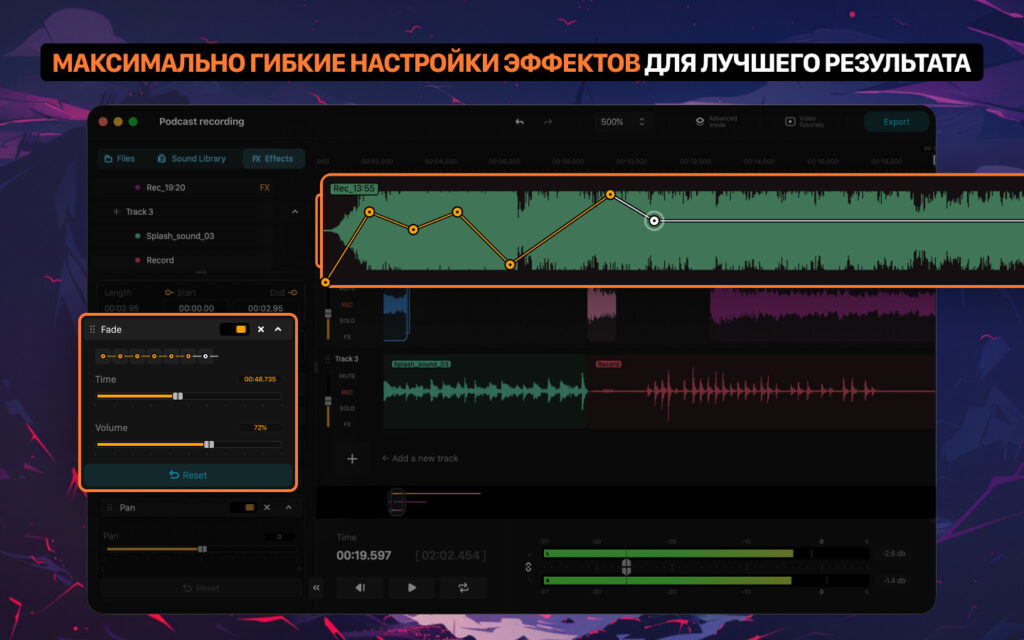
Overall, Audio One is a useful option for basic music editing, recording, and sound work. It is easier to approach than many professional music programs, but its free version has some important limits.
Features of Audio One Mp3: Music Producing for Mac
- Multitrack audio recording and editing for combining vocals, instruments, beats, and background sounds.
- Direct audio recording for capturing vocals, instruments, and spoken content.
- Audio trimming, cutting, splitting, and timeline editing tools.
- Built-in sound effects, including reverb, delay, pitch, rate, pan, and modulation.
- High-Pass, Low-Pass, Notch, Low Shelf, and High Shelf filters.
- Three-band and ten-band equalizers for adjusting audio frequencies.
- BPM grid for arranging and aligning audio clips with musical timing.
- BPM Auto Grid, multiple markers, Smart BPM Start, and improved snapping controls.
- Built-in sound library with more than 1,700 tracks and sounds across more than 30 genres.
- Audio format conversion for MP3, WAV, AIFF, FLAC, AAC, M4A, OGG, CAF, AU, AIFC, and M4R.
- Audio metadata editing for changing track tags and cover artwork.
- Custom iPhone ringtone creation.
- Effect copying and pasting between tracks, files, and projects.
- Improved timeline performance and real-time audio effects.
- Offline audio editing with local data storage, according to the developer.
- Video tutorials for learning the application’s recording and editing workflow.
Technical Details:
- Software Name: Audio One Mp3: Music Producing MacOS
- Software File Name: Audio One Mp3: Music Producing 1.23.2.dmg
- Version: 1.23.2
- File Size: 1.3 GB
- File Extension: DMG
- License Type: Premium
- Developer: Bitnite TOO
System Requirements
- Operating System: macOS 10.10 or later
- Processor: Apple Silicon (M1, M2, M3, M4, M5) or Intel Core 64-bit
- RAM: 8 GB minimum, 16 GB recommended
- Storage: 4 GB free disk space
Best Alternatives to Audio One Mp3: Music Producing for Mac
If Audio One Mp3: Music Producing does not offer all the features you need, there are other Mac apps worth considering.
GarageBand is a free music creation app from Apple. It is a good choice for beginners who want to make their own music on a Mac. You can record vocals, play virtual instruments, use ready-made music loops, and create complete songs.
Compared with Audio One, GarageBand offers more tools for creating music from the beginning. It is a good option for beginners who want to learn music production without paying for expensive software.
Logic Pro is Apple’s professional music production software. It offers advanced recording, music creation, mixing, and editing tools. You can use virtual instruments, record vocals, arrange music, and work on large projects.
It is more suitable for serious music producers who need more control over their projects. However, it takes more time to learn than Audio One and GarageBand.
REAPER is a flexible music recording and editing program for Mac. It supports audio recording, music creation, editing, and mixing. It also works with additional audio plugins and gives users more control over their projects.
It is a good choice for users who want more editing options and advanced features. Beginners may need some time to understand its interface.
TwistedWave is an audio editing app for Mac. It is useful for editing voice recordings, podcasts, music files, and other audio content. You can cut recordings, make changes, and save files in different formats.
It is a good alternative if you mainly edit existing recordings rather than create complete songs.
Audio One Mp3: Music Producing 1.23.2 for Mac Free Download
Click the button below to download Audio One Mp3: Music Producing 2026 for Mac latest full version setup free. It is a complete standalone installer for macOS with a single-click download link.