 AllMacWorld MAC Apps One Click Away
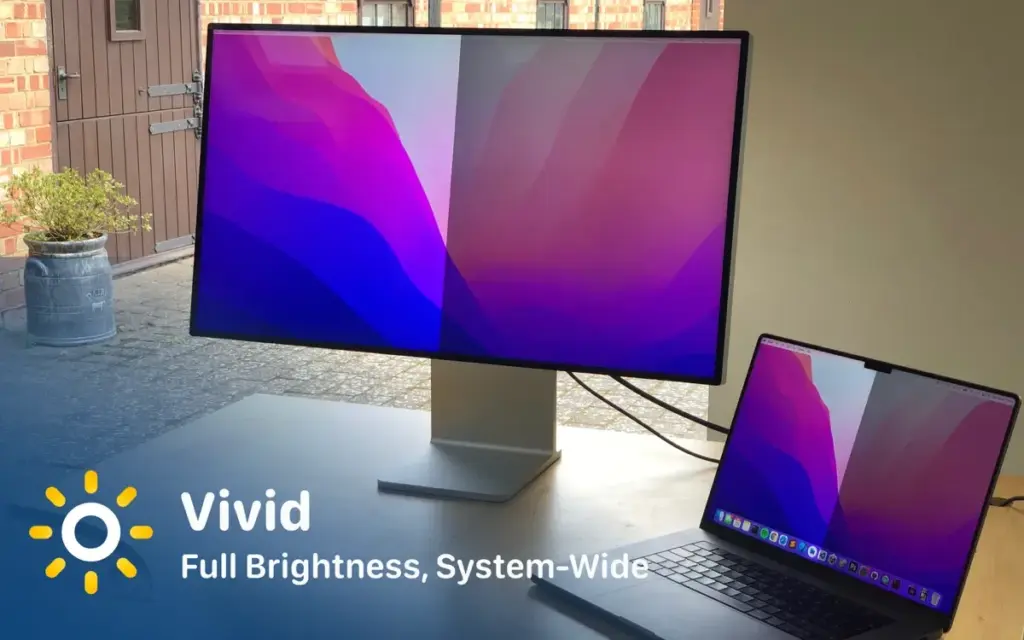
Download Vivid 2.19.1 for Mac free latest full version standalone setup. Vivid 2026 for MacOS allows users to double the brightness of their MacBook Pro and Pro Display XDR system-wide!
Vivid 2026 for Mac Review
Vivid for Mac is a brightness utility developed by Lumen Digital. It is designed to unlock the extended brightness capabilities of compatible Apple XDR displays, allowing users to make their screens brighter during everyday desktop activities. You can also download Lunar Pro for MacOS
Normally, macOS uses different brightness ranges for SDR and HDR content. Although compatible MacBook Pro displays can reach much higher brightness levels when displaying HDR content, ordinary desktop applications generally operate at lower brightness levels. Vivid addresses this limitation by making the extended brightness range available beyond HDR-specific applications.
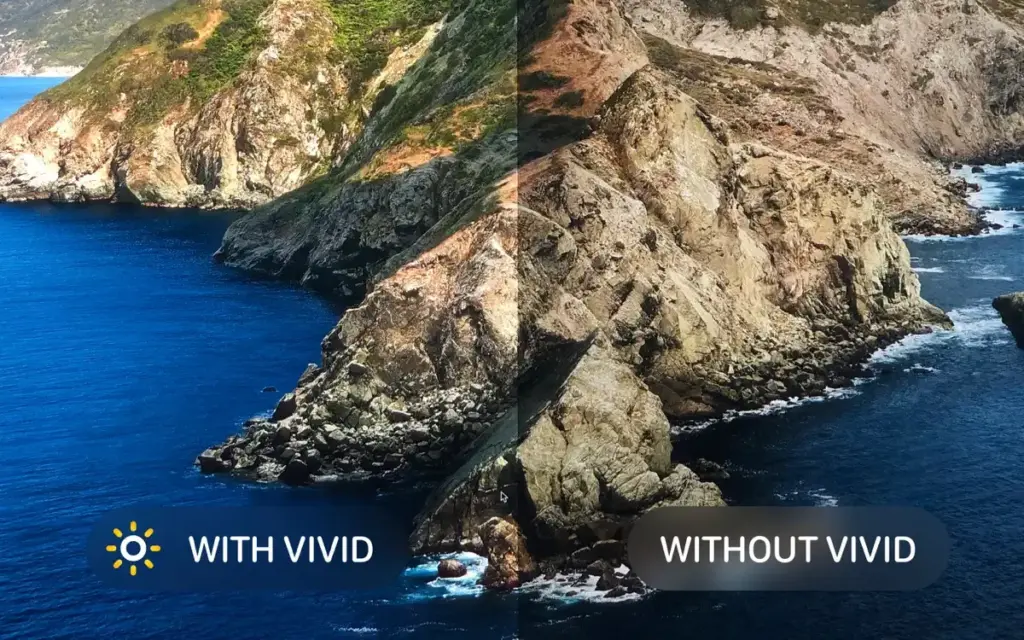
The application is particularly useful for people who work outdoors, near windows, or in brightly lit environments. It can improve screen visibility when browsing websites, reading documents, editing photographs, or using productivity applications.
One of Vivid’s biggest advantages is its integration with macOS brightness controls. Users can adjust brightness using their existing keyboard keys without learning a complicated control system. The application also provides a menu bar interface for managing its settings.
Vivid includes a free Splitscreen Mode that lets users compare standard brightness with the extended brightness range. This is useful for testing the application before purchasing a full license. Another feature worth mentioning is Eclipse Mode, which allows users to reduce screen brightness below the normal macOS minimum. It’s particularly helpful when working in dark environments.
However, Vivid has specific hardware requirements. It supports compatible 14-inch and 16-inch M-series MacBook Pro models, Apple Pro Display XDR, and Studio Display XDR. It does not support MacBook Air displays, Intel MacBook displays, or the standard Studio Display.
Battery consumption is another consideration. Running a display at higher brightness requires additional power, so MacBook users may experience shorter battery life when using Vivid continuously.
The application can also experience conflicts with colour-management utilities such as f.lux. If you encounter unusual colours or brightness problems, temporarily disabling other display-related applications may help.
Overall, Vivid is a useful utility for Mac users who want more control over their compatible XDR displays. Its simple interface, free testing mode, and extended brightness functionality make it worth considering.
Features of Vivid 6 for Mac
- Extended XDR Brightness: Unlocks additional brightness capabilities on supported Apple XDR displays for everyday desktop applications.
- Native Brightness Controls: Adjust screen brightness using the standard macOS keyboard brightness keys.
- Splitscreen Mode: Compare normal brightness with Vivid’s extended brightness before purchasing.
- Eclipse Mode: Reduce screen brightness below the standard macOS minimum for comfortable nighttime use.
- Battery Automation: Configure brightness behavior according to battery and power conditions.
- macOS Shortcuts Support: Integrate Vivid into automated workflows using Apple’s Shortcuts application.
- External XDR Display Support: Works with compatible Apple Pro Display XDR and Studio Display XDR models.
- Menu Bar Controls: Access important brightness settings directly from the macOS menu bar.
- Low CPU Usage: Designed to operate without noticeable additional CPU overhead.
- Simple Interface: Provides straightforward brightness controls without requiring complicated configuration.
Technical Details:
- Software Name: Vivid MacOS
- Software File Name: Vivid 2.19.1.dmg
- Version: 2.19.1
- File Size: 5 MB
- File Extension: DMG
- License Type: Premium
- Developer: Lumen Digital
System Requirements
- Operating System: macOS 10.10 or later
- Processor: Apple Silicon (M1, M2, M3, M4, M5) or Intel Core 64-bit
- RAM: 4 GB minimum, 8 GB recommended
- Storage: 200 MB free disk space
Best Alternatives to Vivid for Mac
BetterDisplay is an advanced macOS display-management application offering brightness adjustments, HiDPI scaling, custom resolutions, virtual displays, and XDR/HDR brightness features on compatible hardware. It’s a good option for users who need more display-management controls than Vivid provides.
Lunar is a Mac brightness-control utility designed primarily for managing external monitors. It supports features such as DDC brightness control, automatic brightness adjustments, display synchronization, and XDR-related functionality.
MonitorControl is a free, open-source macOS application for controlling the brightness and volume of compatible external monitors. It offers convenient keyboard controls and is particularly useful for users with multi-monitor setups. However, it isn’t a direct replacement for Vivid’s extended XDR brightness functionality.
Vivid 2.19.1 for Mac Free Download
Click the button below to download Vivid 2026 for Mac latest full version setup free. It is a complete standalone installer for macOS with a single-click download link.