 AllMacWorld MAC Apps One Click Away
Download LookAway 2.5.0 free latest full version standalone offline setup for Mac OS X. LookAway 2026 for macOS is a macOS app that helps reduce eye strain by reminding users to take regular breaks after prolonged screen use.
LookAway 2026 for Mac
LookAway is a Mac application designed to help users take regular breaks during long screen sessions. It focuses on eye care, posture, and healthier working habits. The app runs quietly in the macOS menu bar and reminds you to step away from your screen at regular intervals.
Many Mac users spend hours writing, editing, browsing, coding, designing, or attending online meetings. During these activities, it is easy to forget about breaks. LookAway aims to solve this problem with scheduled reminders and smart features that help reduce interruptions during work.
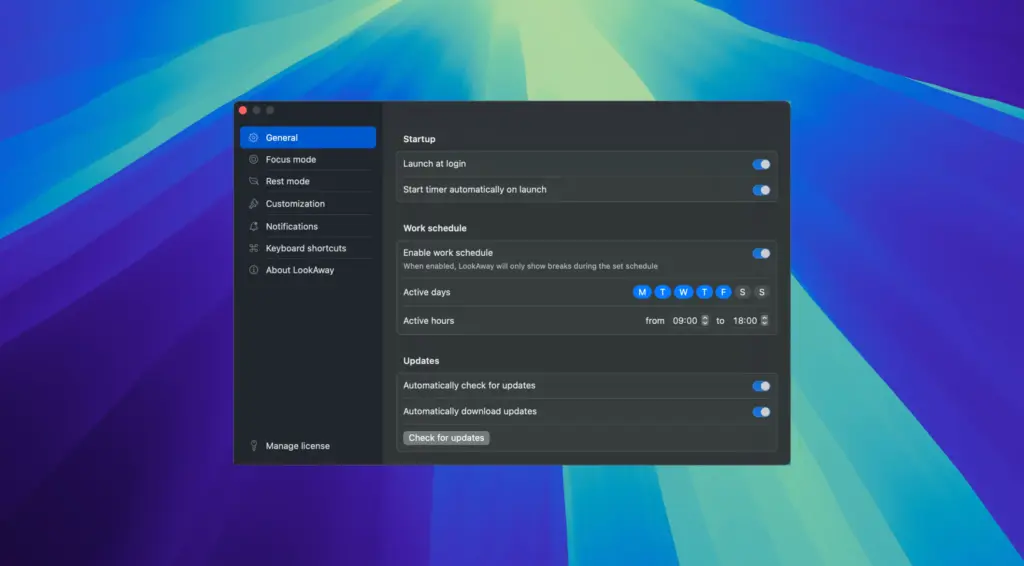
Unlike a basic timer, LookAway offers several ways to customize your break routine. You can set work intervals, choose break durations, enable posture and blink reminders, and control how the app behaves when you’re busy. It can also delay reminders during meetings, video playback, screen recording, and selected applications.
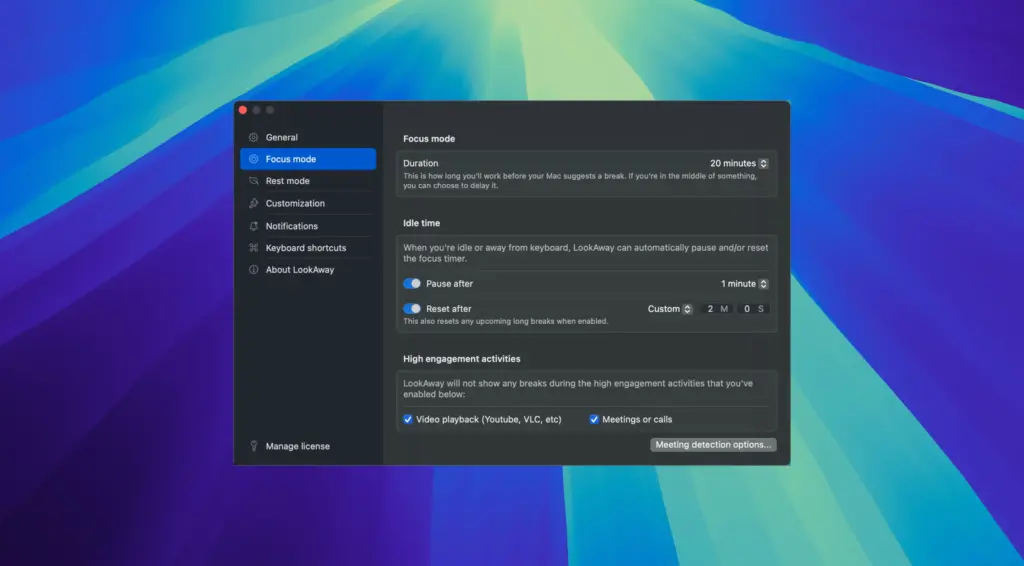
One of the most useful features is Smart Pause. It helps prevent break reminders from appearing during certain activities. For example, if you’re watching a video, attending a meeting, or recording your screen, LookAway can delay the break. You can also configure it to wait while you’re typing, dragging files, or dictating. This makes the app more suitable for people who don’t want their work interrupted by unexpected reminders.
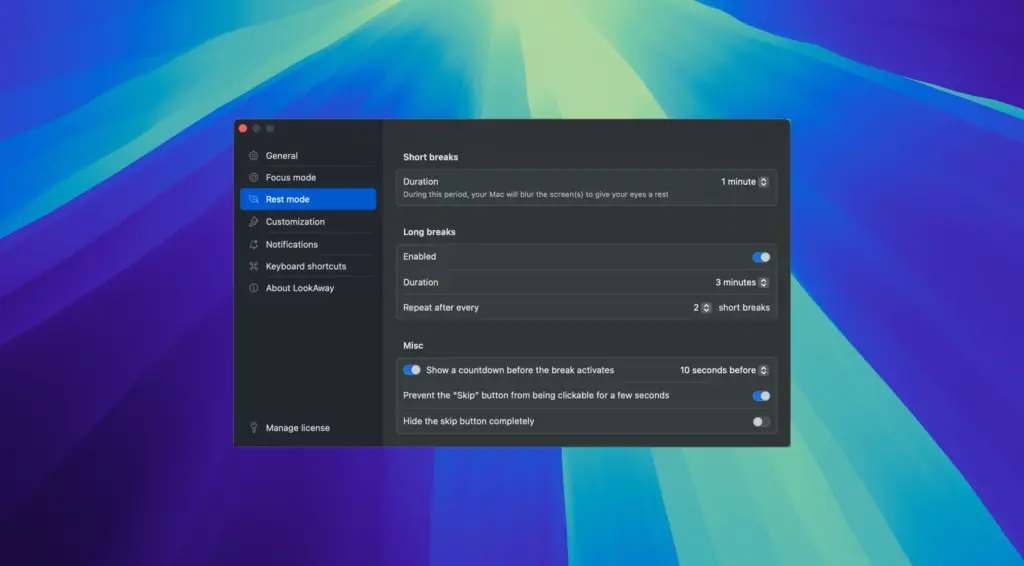
LookAway also gives you control over your break schedule. You can choose short breaks after regular work sessions or set longer breaks after several intervals. This flexibility allows you to create a routine that suits your work instead of following a fixed schedule. If you work on different projects throughout the day, you can adjust the settings according to your needs.
The app includes blink reminders that encourage you to blink more frequently while looking at your screen. It also provides posture reminders to help you check your sitting position. These features can be useful during long work sessions when you may become less aware of your posture and blinking habits.
LookAway provides a floating countdown that shows when your next break is approaching. You can also access the app through the menu bar to check its status or change settings. Advance notifications give you time to finish your current task before the break begins.
Another useful feature is LookAway Mirror, which allows you to sync breaks with your iPhone or iPad. When your Mac enters a break, the companion app can restrict distracting apps and websites on your mobile device. This can help prevent you from replacing computer screen time with phone screen time during a break.
LookAway also supports automation through Apple Shortcuts and AppleScript. You can trigger actions when a break starts or ends. For example, you can pause music, dim your screen, or enable Do Not Disturb. Users who already work with macOS automation can make the app fit into their existing routines.
You can personalize the break experience by changing backgrounds, sounds, and messages. The app supports custom images, wallpapers, gradients, and text. These options allow you to create a more comfortable break environment instead of using the same reminder screen every time.
LookAway is not perfect for everyone. Some users may find break reminders annoying, especially when they are deeply focused on a task. Smart Pause helps reduce this problem, but it may not recognize every situation. You may still need to postpone reminders or adjust the settings to match your workflow.
Overall, LookAway is a useful Mac application for people who regularly work in front of a screen and want a more consistent break routine. Its customizable reminders, Smart Pause, posture and blink reminders, and iPhone syncing make it more flexible than a simple timer.
Features of LookAway for macOS
- Smart break reminders: Reminds you to step away from your Mac after scheduled work sessions.
- Custom break intervals: Adjust work time, short breaks, and longer rest periods.
- Smart Pause: Delays reminders during supported meetings, videos, screen recording, gaming, and selected activities.
- Blink reminders: Encourages you to blink regularly during long screen sessions.
- Posture reminders: Nudges you to check your sitting position while working.
- Floating countdown: Shows when your next break is approaching.
- Menu bar controls: Lets you check the app’s status and access settings quickly.
- Advance notifications: Gives you a heads-up before a break starts.
- Idle-time detection: Adjusts reminders when you’re away from your desk.
- Office hours: Lets you schedule reminders for specific working days and hours.
- Custom break messages: Displays personal reminders and messages during breaks.
- Custom backgrounds: Lets you use images, wallpapers, and gradients.
- Custom sounds: Choose available sounds or add your own.
- LookAway Mirror: Syncs breaks with your iPhone or iPad and helps restrict distracting apps and websites.
- Apple Shortcuts support: Triggers supported automation actions when breaks start or end.
- AppleScript support: Allows users to run custom scripts during break events.
- Multiple monitor support: Works with multi-display Mac setups.
- Custom skip settings: Allows you to control how easily breaks can be skipped.
- Screen locking option: Can automatically lock your Mac when a break begins, depending on your configuration.
Technical Details of LookAway for Mac
- Mac Software Full Name: LookAway
- Version: 2.5.0
- Setup App File Name: LookAway-2.5.0.dmg
- Full Application Size: 43 MB
- Setup Type: Offline Installer / Full Standalone Setup DMG Package
- Compatibility Architecture: Apple-Intel Architecture
- Latest Version Release Added On: 23 November 2026
- License Type: Full Premium Pro Version
- Developers Homepage: Mystical Bits
System Requirements for LookAway for Mac
- OS: Mac OS 10.15 or above
- Installed Memory (RAM): 8 GB
- Free HDD: 50 MB of free hard drive space
- Processor (CPU): Intel 64-bit Processor
- Monitor: 1280×1024 monitor resolution
Alternatives of LookAway
Time Out is a Mac break reminder application that helps users schedule regular rest periods. It offers customizable break timing and controls for how reminders appear. It is a good alternative if you want a traditional break reminder without needing LookAway’s mobile syncing features.
Stretchly is an open-source application that reminds users to take breaks from their computers. It supports multiple operating systems and provides customizable reminders. It is worth considering if you prefer a free and open-source solution.
Workrave helps users schedule micro-breaks and rest breaks while working on a computer. It is designed to encourage healthier computer habits and can be useful for people who want regular reminders throughout the day.
If you regularly forget to take breaks while using your Mac, LookAway is worth considering. It can help you create a better routine, take regular rest periods, and become more aware of how much time you spend in front of your screen.
Download LookAway 2026 for MacOS Free Latest Version
Download LookAway for Mac free latest full version offline direct download link full offline setup by clicking the below button.