AllMacWorld MAC Apps One Click Away
Download Titanium Access Menu for Mac free latest full version standalone setup. Access Menu for macOS is a simple menu bar utility built for Mac users who are tired of digging through Finder to reach the same folders and apps every day. It sits quietly in your menu bar and gives you one-click access to your disk, your home folder, and any app or file you use often.
Titanium Access Menu for Mac Review
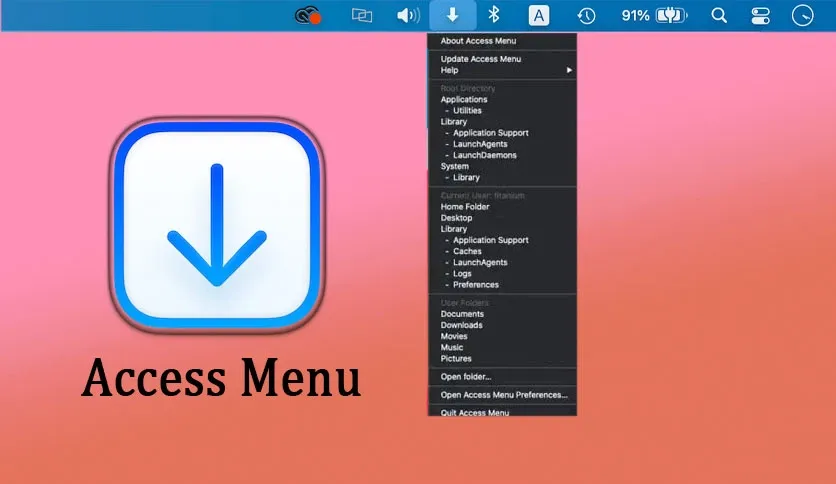
Finder hides a lot of useful folders by default. Getting to your Library folder, your startup disk, or a project folder buried three levels deep takes too many clicks. Access Menu solves this problem in one simple way. It puts a small icon in your menu bar. Click it, and a clean dropdown menu shows every location you have added. No searching. No extra windows. Just a click and you are there.
The app comes from Titanium Software, a French developer known for small, free Mac utilities. They also make OnyX, Maintenance, Deeper, and CalHash. Access Menu follows the same philosophy as its sister apps. It does one job and does it well, without asking for anything in return.
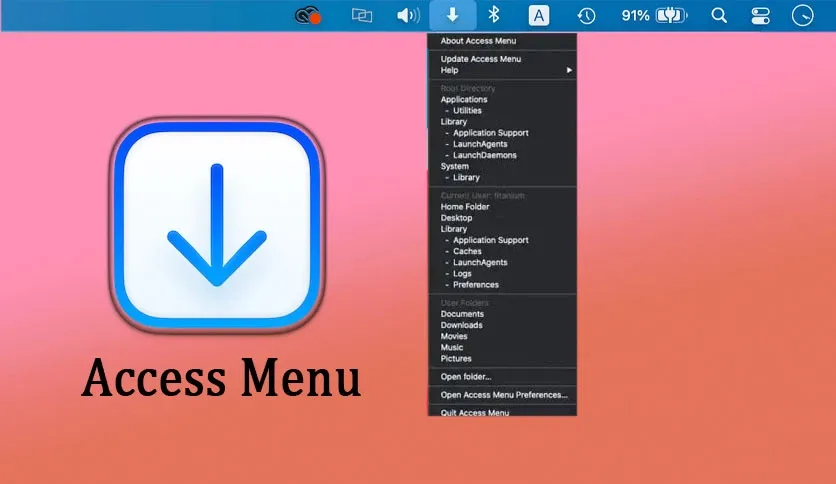
What makes Access Menu useful is its customization. You are not stuck with a fixed list. You choose which folders, apps, and files show up in the menu. Students can pin their class folders. Developers can pin project directories and a terminal shortcut. Creative professionals can pin their active client folders. The menu adjusts to how you actually work, not the other way around.
The app is also built to stay out of your way. It is lightweight and runs in the background without slowing down your Mac. There is no dashboard to manage, no account to create, and no subscription to pay for. You install it, set up your shortcuts once, and it just works every time you click the menu bar icon.
Another point worth mentioning is reliability across macOS versions. Titanium Software keeps separate builds for each major macOS release, from Big Sur all the way to the newest Tahoe 26. This means the app is tested and matched to your exact system instead of forcing one version to work everywhere.
Features of Titanium Access Menu for Mac
- One-click access to your startup disk, home folder, and custom locations
- Fully customizable menu bar list of folders, apps, and files
- Lightweight utility that runs quietly without slowing down your Mac
- Simple setup with no account or subscription required
- Option to launch Access Menu automatically at login
- Clean, minimal menu bar icon that stays out of your way
- Built-in search to quickly find and add folders
- Free to use with no hidden costs
- Regular updates matched to each macOS version
- Easy uninstall process if you ever want to remove it
Technical Details:
- Software Name: Titanium Access Menu
- Software File Name: Titanium Access Menu.dmg
- Version: Lates
- File Size: 5 MB
- File Extension: DMG
- License Type: Freeware
- Developer: Titanium Software
System Requirements
- Operating System: macOS 10.13 High Sierra or later
- Processor: Apple Silicon (M1, M2, M3, M4, M5) or Intel Core 64-bit
- RAM: 8 GB minimum, 16 GB recommended
- Storage: 500 MB free disk space
What are the best alternatives to Titanium Access Menu for Mac?
Access Menu is a simple, focused tool. If you need something with more features, these Mac apps are worth a look.
Default Folder X: Adds quick folder access inside Open and Save dialogs across all your apps. Best for users who want deeper Finder-style control while working inside other programs.
Path Finder: A full Finder replacement with tabs, dual panes, and advanced file management. Better suited for power users who want more than a menu bar shortcut.
HyperDock: Adds window management and menu bar shortcuts together. Good for users who want more than just folder access.
Unclutter: A menu bar app for files, notes, and clipboard history in one dropdown. Works well for users who want a hub beyond folders alone.
OnyX: Also made by Titanium Software. Handles system maintenance and cleanup rather than quick access, but pairs well with Access Menu on the same Mac.
Each of these tools serves a different need. Access Menu stands out for being free, simple, and light on your system, with no learning curve at all.
Titanium Access Menu for Mac Free Download
Click the button below to download Aescripts AI Color Match Pro for Mac latest full version setup free. It is a complete standalone installer for macOS with a single-click download link.