AllMacWorld MAC Apps One Click Away
Download OpenShot Video Editor 4.0.1 for for Mac free latest full version standalone setup. OpenShot Video Editor 2026 for MacOS is an award-winning free and open-source video editor that delivers high-quality video editing and animation solutions.
OpenShot Video Editor 2026 for Mac Review
OpenShot Video Editor for Mac is a free video editing program designed for people who want to edit videos without paying for expensive software. It works on both Intel and Apple Silicon Macs and provides the basic tools needed to cut, join, arrange, and improve videos. The current version, OpenShot 4.0.1, also brings improvements to editing, recording, saving projects, and Mac startup performance. You can also download Camtasia for MacOS
For beginners, YouTubers, students, content creators, and casual video editors, OpenShot can be a useful choice. It has a simple layout, supports many popular video formats, and includes several editing tools that make everyday video editing easier.
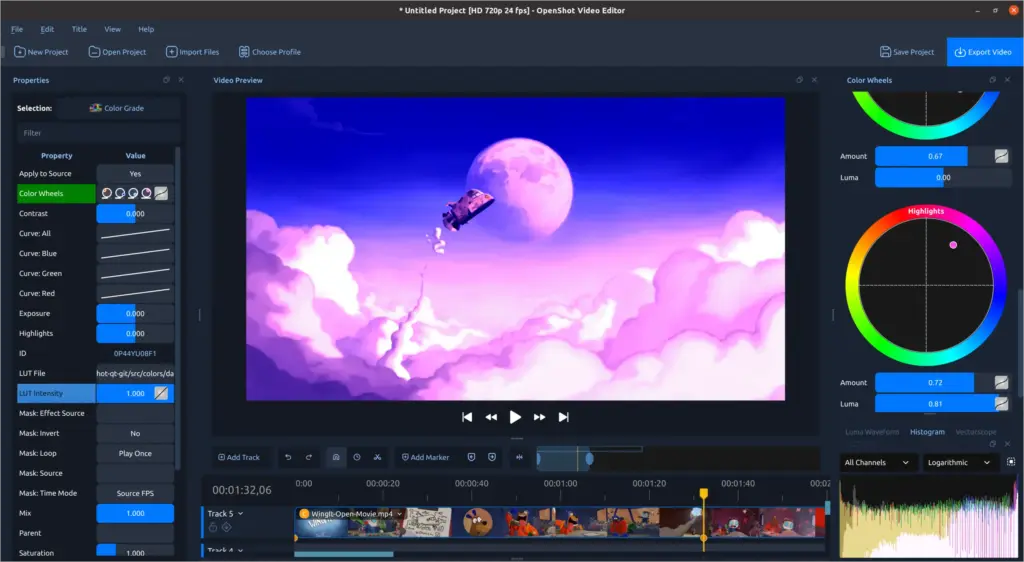
OpenShot Video Editor for Mac is one of the better free options for users who want straightforward video editing without a monthly subscription. The program uses a timeline where you can place video clips, images, and audio files. You can move clips around, cut unwanted sections, add music, change the video speed, and create transitions between scenes.
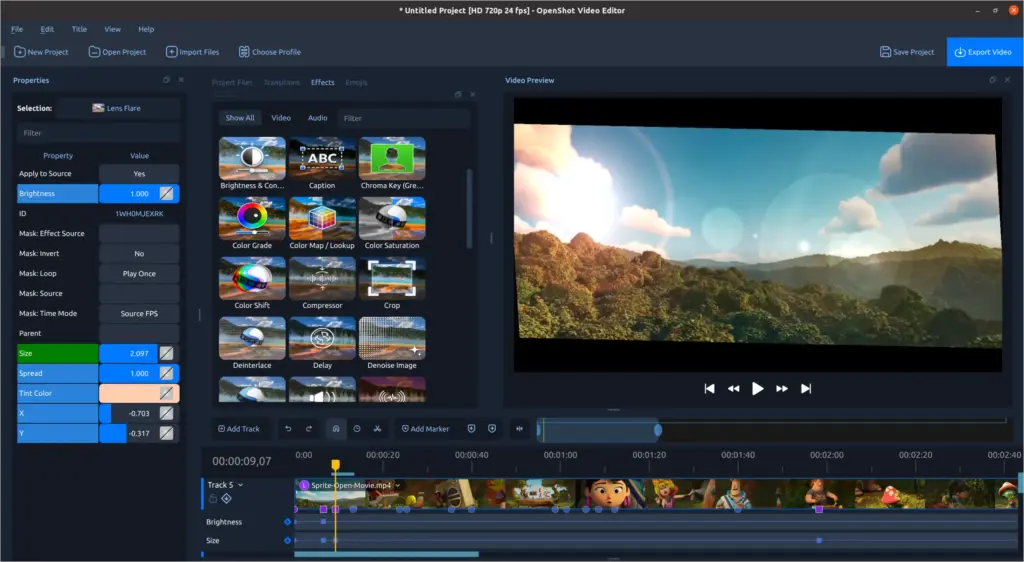
OpenShot supports many common video, image, and audio formats. This means you can work with files from phones, cameras, screen recordings, and other common sources without having to convert everything first. The software is also useful for simple YouTube videos and social media content. You can combine multiple clips, add titles, use transitions, include background music, and export the finished video.
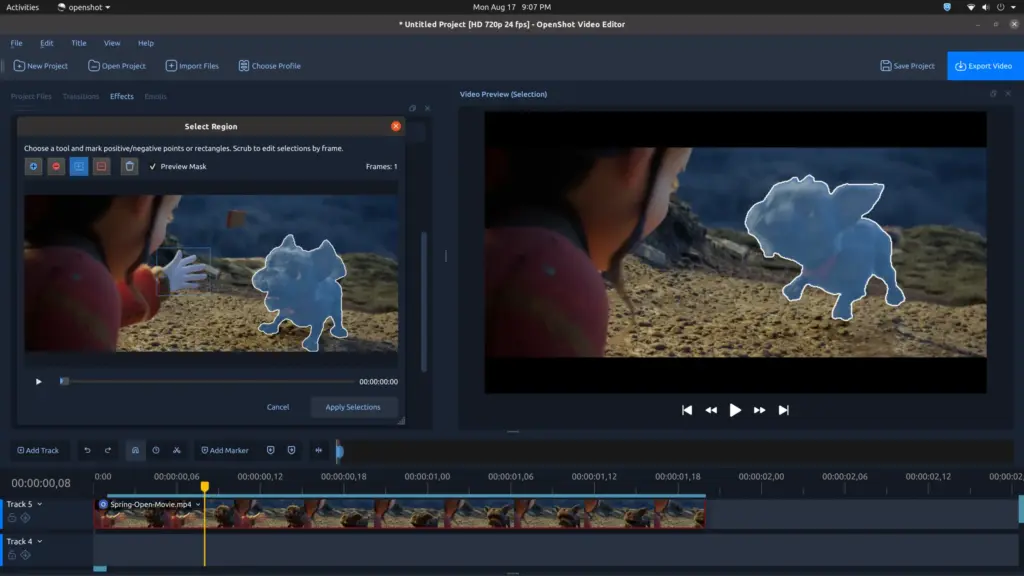
OpenShot 4.0.1 introduced several new tools that make it more capable than earlier versions. These include screen and webcam recording, improved color controls, audio visualization, and tools for selecting objects in videos.
However, OpenShot is not designed to replace professional programs such as Final Cut Pro or DaVinci Resolve. Users working on large and complex projects may want more advanced editing and performance features. For basic and medium-level video editing, though, OpenShot offers a good collection of tools without putting a price tag on them.
Features of OpenShot Video Editor for Mac
- Free to use: OpenShot is free and open-source.
- Works on Mac: It supports both Intel and Apple Silicon Macs.
- Simple timeline editing: Arrange video and audio clips easily.
- Cut and trim videos: Remove unwanted parts from your recordings.
- Video transitions: Add transitions between different clips.
- Video effects: Apply different effects to improve or change your footage.
- Titles and text: Add titles, captions, and other text to videos.
- Slow motion and speed changes: Change the playback speed of your clips.
- Audio editing: Add background music and other audio files.
- Multiple tracks: Place video, images, and audio on separate tracks.
- Animation tools: Add movement to text, images, and other elements.
- Screen recording: Record your screen directly through OpenShot.
- Webcam recording: Record video using a connected webcam.
- Microphone recording: Record audio while creating content.
- Color controls: Adjust the look and color of your videos.
- Audio visualization: Create visual effects that react to music or other audio.
- Wide file support: Work with many popular video, image, and audio formats.
- Export options: Save finished projects in commonly used video formats.
Technical Details:
- Software Name: OpenShot Video Editor MacOS
- Software File Name: OpenShot Video Editor 4.0.1.dmg
- Version: 4.0.1
- File Size: 279 MB
- File Extension: DMG
- License Type: Premium
- Developer: OpenShot
System Requirements
- Operating System: macOS 10.10 or later
- Processor: Apple Silicon (M1, M2, M3, M4, M5) or Intel Core 64-bit
- RAM: 4 GB minimum, 8 GB recommended
- Storage: 1 GB free disk space
Best Alternatives to OpenShot Video Editor for Mac
If OpenShot does not provide everything you need, there are several other video editors available for Mac.
iMovie is Apple’s free video editor and is a good option for Mac users who want a simple editing experience. It works particularly well for basic home videos, short projects, and simple YouTube content.
DaVinci Resolve is a more advanced option. It provides a much larger set of editing and color tools and is available in a free version. It can be a better choice for users who are willing to spend more time learning video editing.
Final Cut Pro is Apple’s professional video editing software. It offers advanced tools and strong performance on modern Macs, but it is a paid application.
Adobe Premiere Pro is another professional option used for many types of video production. It provides a large collection of editing tools but requires a subscription.
Shotcut is another free video editor that works on Mac. It offers a straightforward editing interface and supports many different media formats.
Kdenlive is also free and open-source. It provides more advanced editing options while still being available without a paid subscription.
OpenShot Video Editor 4.0.1 for Mac Free Download
Click the button below to download OpenShot Video Editor 2026 for Mac latest full version setup free. It is a complete standalone installer for macOS with a single-click download link.