AllMacWorld MAC Apps One Click Away
Download NanoClip 1.7.11 for Mac free latest version standalone setup. NanoClip 2026 for Mac is a lightweight menu bar app that turns your clipboard into a real productivity tool. It saves everything you copy, lets you build text snippets, and runs small automations called flows.
NanoClip 2026 for Mac Review
Most Mac users lose things they copy the moment they copy something new. You copy a link, then copy an address, and the link is gone. NanoClip fixes this with a simple clipboard history that remembers every text, link, image, file, color, and code snippet you copy. You open it with one hotkey, search for what you need, and paste it back instantly. You can also pin items you use often, so they stay at the top instead of getting buried. You can also download Folder Icon Maker for Mac
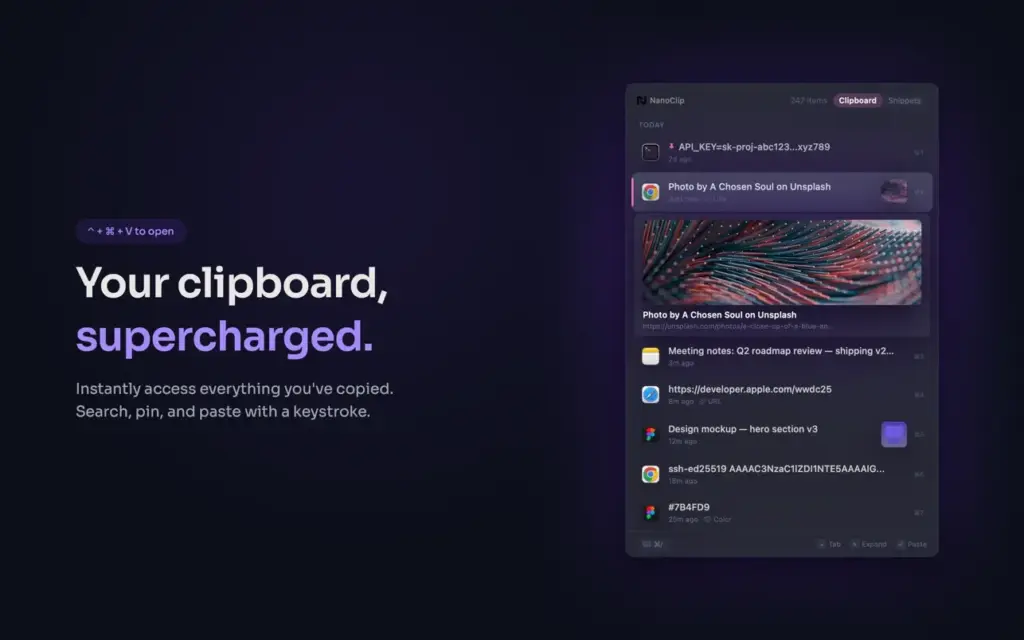
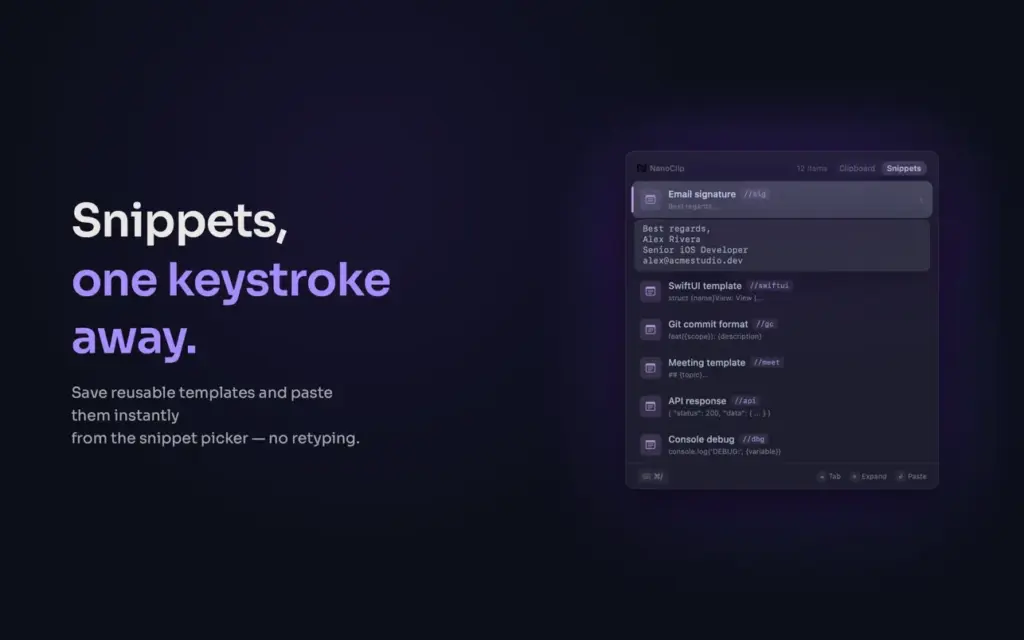
The app also solves a second problem. Typing the same reply, signature, or template again and again wastes time. NanoClip’s snippet tool lets you set a short keyword that expands into a full block of text. Type three letters and get a full paragraph. Snippets can also use dynamic placeholders, so a snippet can insert today’s date, your clipboard content, or a field you fill in before pasting.
The most powerful part of NanoClip is flows. A flow takes something you copied and runs it through a small chain of actions before you paste it. You can clean up messy text, shorten a URL, turn a link into a QR code, pull text out of an image with OCR, convert an image format, or rewrite text with AI. NanoClip supports both on-device AI through Apple Intelligence or Ollama, and cloud AI through your own API key for OpenAI, Anthropic, or Gemini. This means you choose how much AI you want to use, and your data does not have to leave your Mac unless you want it to.
NanoClip also pays attention to daily habits. It shows your copy streaks, busiest hours, and the apps you copy from the most. Everything syncs across your Macs through iCloud, with no account signup and no server storing your data. For people who work with sensitive text like passwords or API keys, NanoClip can hide those items in history while keeping them usable.
Features of NanoClip for Mac
- Clipboard history for text, links, images, files, colors, and code
- Instant search and one-key paste for anything you copied
- Pin frequently used items so they stay on top
- Paste queue to paste multiple copied items in order
- Snippets with keyword triggers and dynamic placeholders
- Flows for text cleanup, URL cleanup, QR codes, OCR, and image conversion
- AI rewriting, translation, and summarization inside flows
- Local AI support through Apple Intelligence and Ollama
- Cloud AI support with your own key for OpenAI, Anthropic, and Gemini
- iCloud sync across Macs with no account and no server storage
- Content obfuscation to hide passwords and private data
- 19 themes and 14 fonts, including Nord, Dracula, and Catppuccin
- Full keyboard-first navigation with a separate hotkey per tool
- Usage stats for copy streaks, busiest hours, and top apps

Technical Details:
- Software Name: NanoClip
- Software File Name: NanoClip 1.7.11dmg
- Version: 1.7.11
- File Size: 10 MB
- File Extension: DMG
- License Type: Premium
- Developer: NanoApp
System Requirements
- Operating System: macOS 10.13 High Sierra or later
- Processor: Apple Silicon (M1, M2, M3, M4, M5) or Intel Core 64-bit
- RAM: 8 GB minimum, 16 GB recommended
- Storage: 100 MB free disk space
Best Alternatives to NanoClip for Mac
NanoClip works well for people who want history, snippets, and automation in one app. If your needs are simpler or different, these alternatives are worth a look.
Maccy: A free and minimal clipboard history tool. Good if you only need basic copy history without snippets or sync.
Paste: A clipboard manager with strong iPhone and iPad sync. Better if you switch between Mac and other Apple devices often.
Raycast: A full launcher with a clipboard history extension built in. Good if you already use Raycast for other tasks.
Alfred: Another launcher app with clipboard support through a workflow. Suited to users who want deep customization.
PastePal: A clipboard manager with a strong focus on Apple design and sync. Works well for users who want a simple, native feel.
NanoClip stands out when your work is really about clipboard history plus snippets, paste queue, and automation, all inside one native app.
NanoClip 1.7.11 for Mac Free Download
Click the button below to download NanoClip for Mac latest version setup free. It is a complete installer for Apple Silicon macOS with a direct download link.