AllMacWorld MAC Apps One Click Away
Download CirMenu v2.8.1 for Mac free latest full version standalone setup. CirMenu 2026 for MacOS is a utility that provides a ring menu for quick access to applications, files, links, and text, triggered by hotkeys or trackpad/mouse gestures, allowing you to customize your own radial menus for each application for instant shortcuts and actions.
CirMenu 2026 for Mac Review
CirMenu for Mac is a utility that helps you access your favorite apps, files, websites, and commands from a circular menu. Instead of remembering every keyboard shortcut, you can open a menu and select the action you need. You can also download Default Folder for MacOS
The app is useful for people who work with several Mac applications and want quick access to their most-used commands. You can create separate menus for different apps and keep common actions in one place.
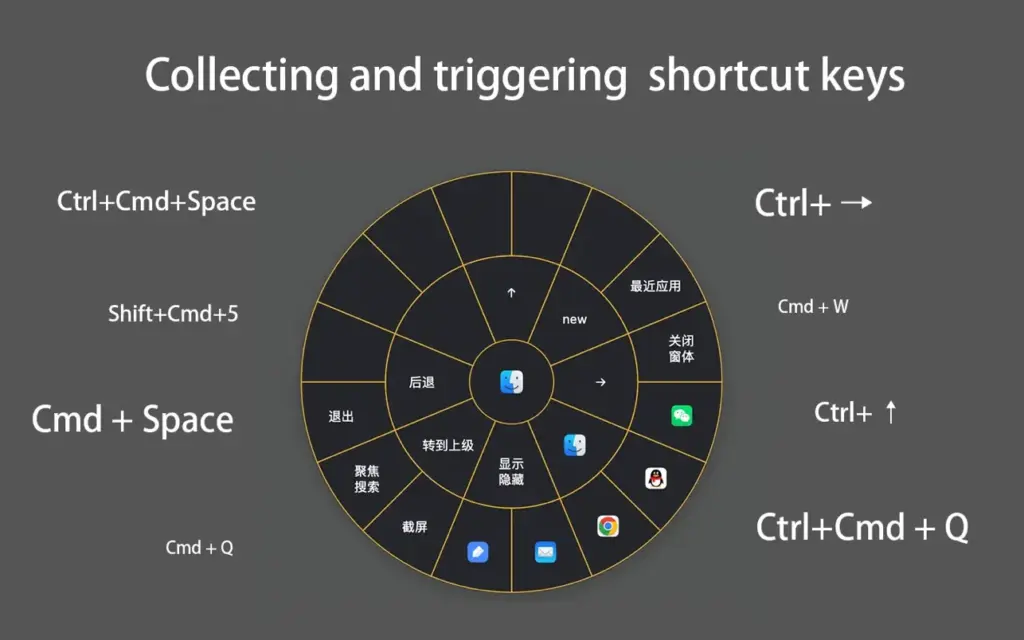
CirMenu offers a different way to use your Mac. It places commands around a circular menu, allowing you to select an action without searching through menus or remembering complex keyboard shortcuts. For example, you can create a menu for Finder to access common file commands. You can make another menu for your browser to open websites or use frequently needed shortcuts. If you work with design or coding software, you can create menus for commands you often forget.
One of CirMenu’s useful features is its support for separate menus for different applications. This helps you keep commands organized. You can also create a global menu for actions you want to access while working in different apps.
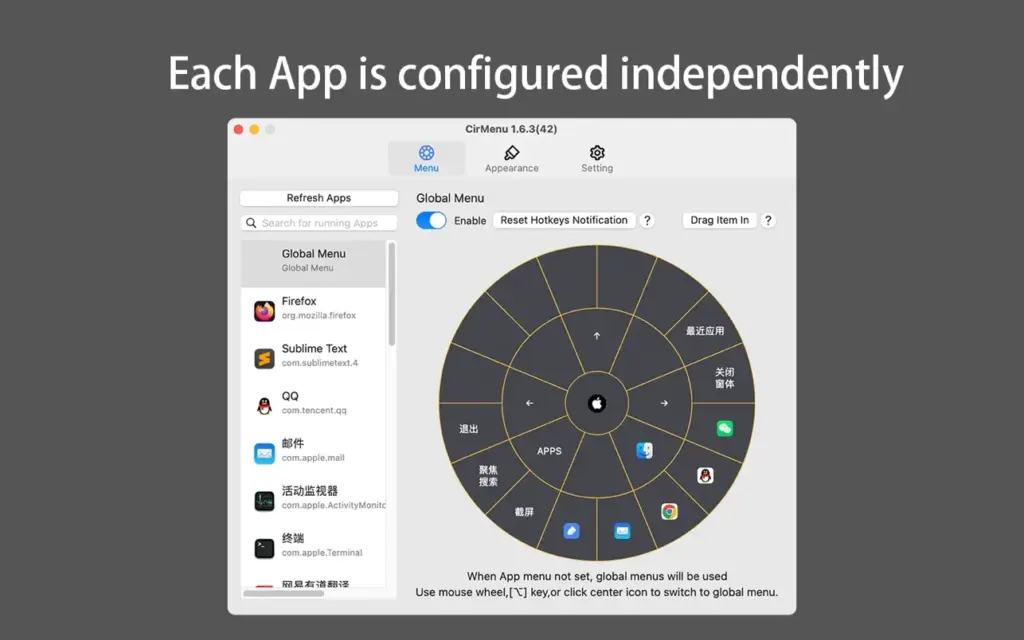
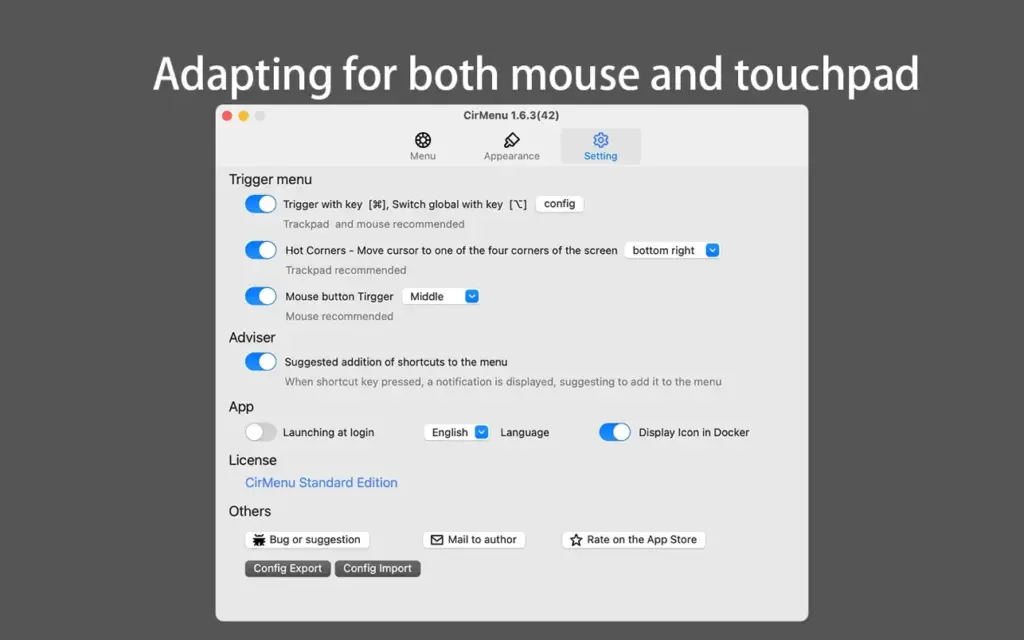
CirMenu can open applications, files, file locations, and website links. It also supports pasting saved text. These features can help you access frequently used resources without searching for them every time. The app supports mouse and trackpad input. You can also configure supported keyboard triggers to open your menus. The available options depend on the app’s current version and settings.
Setting up CirMenu takes some time. You need to choose the commands you want, assign suitable triggers, and make sure they do not interfere with shortcuts you already use. Starting with a few useful commands is a good way to learn how the app works.
Overall, CirMenu is worth trying if you often forget keyboard shortcuts or repeatedly open the same files and websites. It may be less useful if you already work comfortably with keyboard shortcuts or prefer a search-based app launcher.
Features of CirMenu for Mac
- Circular menus: Access commands from a visual menu.
- Separate menus for apps: Organize commands for individual applications.
- Global menu: Keep common actions available across different apps.
- Keyboard shortcuts: Run supported commands from the menu.
- App launcher: Open your favorite Mac applications.
- File access: Open files and saved file locations.
- Website links: Open frequently used websites directly.
- Text insertion: Paste saved text when needed.
- Mouse support: Open menus using supported mouse controls.
- Trackpad support: Use the app with your MacBook trackpad.
- Custom triggers: Choose supported keyboard or mouse controls to open menus.
- Menu settings: Adjust available options to suit your working habits.
- Regular updates: Check the release notes for new features and fixes.
Technical Details:
- Software Name: CirMenu MacOS
- Software File Name: CirMenu v2.8.1.dmg
- Version: 2.8.1
- File Size: 8 MB
- File Extension: DMG
- License Type: Premium
- Developer: CirMenu
System Requirements
- Operating System: macOS 10.10 or later
- Processor: Apple Silicon (M1, M2, M3, M4, M5) or Intel Core 64-bit
- RAM: 4 GB minimum, 8 GB recommended
- Storage: 200 MB free disk space
Best Alternatives to CirMenu for Mac
BetterTouchTool helps you customize your Mac’s trackpad, mouse, keyboard, and other controls. It is a good choice if you want more control over how your Mac responds to gestures and shortcuts. CirMenu is more focused on providing a circular menu.
Kando is an open-source app that lets you access commands through circular menus. It is worth considering if you prefer open-source software. Check its current Mac support and available features before installing it.
Raycast helps you open apps, search for commands, and access extra tools by typing. It is a good choice if you prefer using your keyboard instead of selecting commands from a circular menu.
Apple Shortcuts lets you combine supported actions into workflows. You can use it to handle repetitive tasks involving apps, files, and other supported services. It is better suited to tasks that require several actions to run together.
CirMenu v2.8.1 for Mac Free Download
Click the button below to download CirMenu 2026 for Mac latest full version setup free. It is a complete standalone installer for macOS with a single-click download link.