 AllMacWorld MAC Apps One Click Away
Download Trimma 3.0 for Mac free latest full version standalone setup. Trimma 2026 for MacOS is the easiest way to trim videos quickly and easily. No project creation like in iMovie, no weird export settings that change the video resolution.
Trimma 2026 for Mac Review
Trimma for Mac is a simple video and audio editing application developed by Karsten Kusche. It helps users cut videos, remove unwanted scenes, and save selected clips without using a full video editor. The application is useful for video editors who regularly work with long recordings. For example, if you record a one-hour interview but only need a few important moments, Trimma can help you remove the unwanted parts and save the clips you need. You can also download DaVinic Resolve Studio for macOS
One of its main advantages is that you don’t need to create a project before editing. Open your video, find the sections you want to remove, mark the cuts, and export the finished file. The simple interface makes it easy to get started.
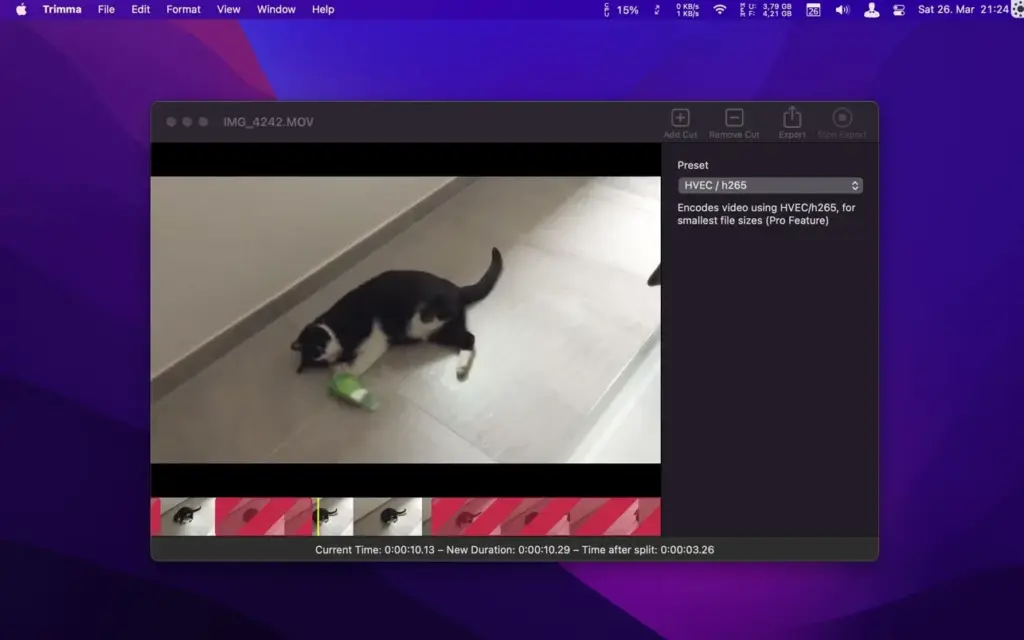
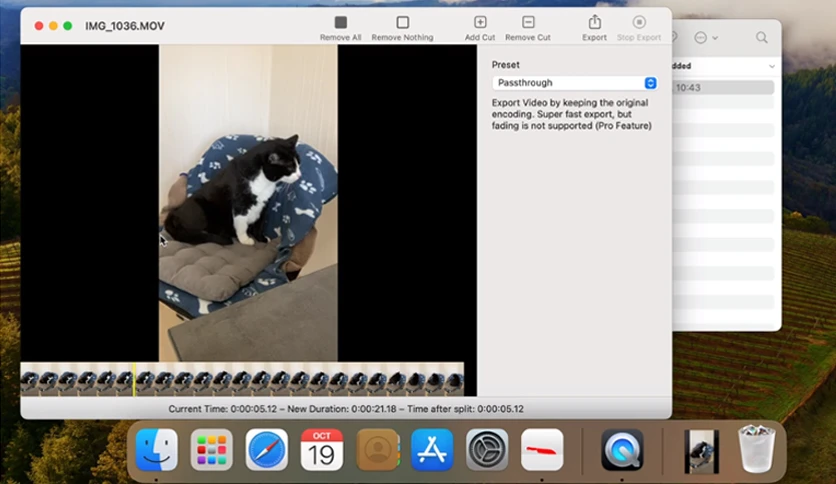
Trimma also offers a passthrough export option. It keeps the original video encoding instead of processing the entire video again. This can save considerable time and avoid another round of quality loss. However, some cutting points may depend on the way the original video was recorded. If you need an exact cut at a particular frame, check the exported video before using it.
The application also includes H.264 and H.265 export options. H.264 is a good choice when you want to share videos with different devices. H.265 can create smaller files while maintaining good picture quality. Another useful feature is the ability to save different sections of one recording as separate clips. This is helpful when preparing short videos for YouTube, Instagram, or other social media platforms.
Trimma also supports basic audio processing. Users can work with supported audio files and use its waveform display to find the parts they want to cut. The application includes a command-line option for users who want to automate some editing tasks.
However, Trimma has limitations. It doesn’t offer advanced editing tools such as transitions, visual effects, colour correction, or multiple video tracks. You cannot use it to create a complete video project like you would in Final Cut Pro or DaVinci Resolve.
Overall, Trimma is a useful option for Mac users who want to cut videos quickly. It is better suited to simple editing tasks than complete video production. It is particularly useful for YouTubers, content creators, and users who regularly work with long video recordings. However, Trimma isn’t suitable for creating complete videos with transitions, effects, and advanced editing tools. If you need those features, Final Cut Pro or DaVinci Resolve is a better choice
Features of Trimma for Mac
- Easy Video Cutting: Remove unwanted scenes from videos with simple cutting controls.
- Passthrough Export: Save videos without processing the original footage again.
- 264 Export: Save videos in a format that works with most devices and platforms.
- 265 Export: Create smaller video files while maintaining good picture quality.
- Separate Clip Export: Save different parts of one recording as individual video files.
- Frame Navigation: Move through a video using the keyboard to find the right cutting points.
- Audio Editing: Cut supported audio files and work with audio recordings.
- Waveform Display: View the audio waveform to find specific parts of a recording.
- Command-Line Support: Run supported editing tasks trough Mac Terminal.
- Keyboard Shortcuts: Add and remove cuts without repeatedly using the mouse.
- Simple Interface: Work with videos without creating complicated editing projects.
- Mac Compatibility: Supports Intel and Apple Silicon Macs, according to the developer.
Technical Details:
- Software Name: Trimma MacOS
- Software File Name: Trimma 3.0.dmg
- Version: 3.0
- File Size: 5 MB
- File Extension: DMG
- License Type: Premium
- Developer: Trimma
System Requirements
- Operating System: macOS 10.10 or later
- Processor: Apple Silicon (M1, M2, M3, M4, M5) or Intel Core 64-bit
- RAM: 4 GB minimum, 8 GB recommended
- Storage: 200 MB free disk space
Best Alternatives to Trimma for Mac
LosslessCut is a good alternative for users who want more control over cutting videos. It lets you remove unwanted sections, extract clips, and work with different audio and video tracks. It is also available for Windows and Linux.
Final Cut Pro is designed for professional video editing. It includes tools for cutting footage, adding transitions, adjusting colours, editing audio, and creating complete videos. It is a better choice for larger editing projects.
DaVinci Resolve offers video editing, colour correction, visual effects, and audio tools. It is suitable for beginners and experienced editors who want more control over their projects.
QuickTime Player is a free application included with macOS. It is useful for basic video trimming when you only need to remove unwanted footage from the beginning or end of a recording.
Trimma 2026 for Mac Free Download
Click the button below to download Trimma for Mac latest full version setup free. It is a complete standalone installer for macOS with a single-click download link.