AllMacWorld MAC Apps One Click Away
Download VideoProc Converter AI 8.13 for Mac free latest full version standalone setup. VideoProc Converter AI 2026 for MacOS is a versatile AI-powered app for processing video, photos, and audio on Mac. It combines converter, editor, compressor, and downloader functions, delivering high speed and excellent results.
VideoProc Converter AI 2026 for Mac Review
VideoProc Converter AI is an all-in-one video tool for Mac users. It is developed by Digiarty Software and combines video conversion, compression, editing, recording, downloading, and AI-powered video enhancement in one application. VideoProc Converter AI is designed for users who want a simple way to manage videos without using a full professional editing suite. The interface brings its main tools together in one place, so you can convert a video, reduce its size, improve its quality, record your screen, or download online media from the same app. You can also download Final Cut Pro 12 for MacOS.
Its AI video tools are one of its main features. The Super Resolution tool can increase the resolution of a video. Depending on the source and selected settings, you can upscale videos by 2x, 3x, or 4x. This can be useful for older or lower-resolution footage. However, upscaling cannot recreate details that were never captured in the original video. The final result depends heavily on the quality of the source.
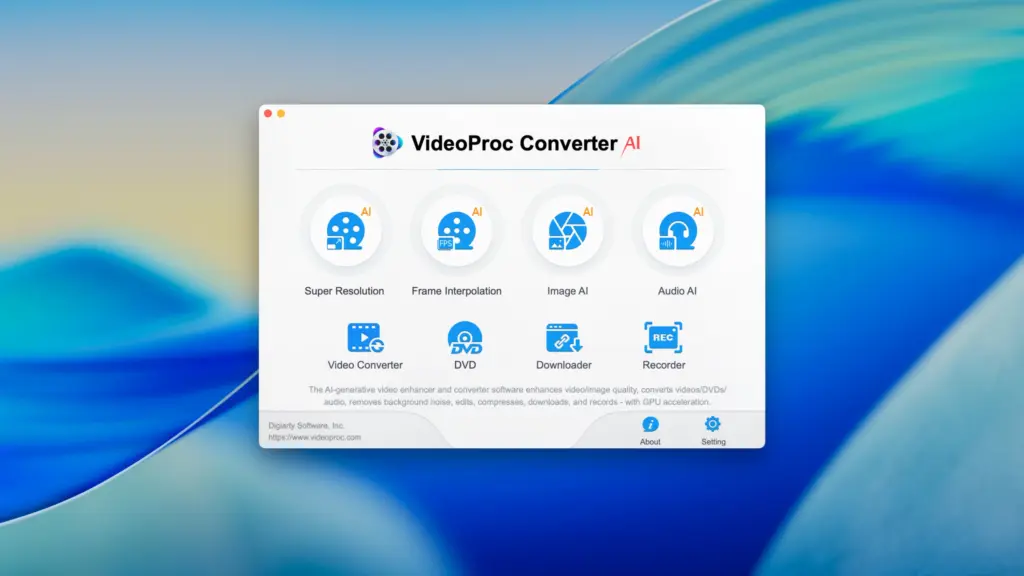
VideoProc also includes frame interpolation. This creates additional frames between existing frames to make motion look smoother. It can be useful for certain slow-motion projects and footage where smoother movement is needed. Results can vary depending on the original video, and some footage may show unwanted visual effects.
Another useful feature is video stabilization. Shaky footage can be processed to make it look steadier. Stabilization may crop or slightly change the frame because the software needs room to adjust the image while the video moves.
For everyday video conversion, VideoProc supports many popular formats and codecs. You can convert videos for playback on computers, phones, tablets, TVs, and other devices. It also supports formats such as MP4, MOV, MKV, AVI, WebM, H.264, H.265, AV1, and ProRes.
Video compression is another important part of the software. Large video files can take up a lot of storage and can be difficult to upload or share. VideoProc lets you adjust video settings and reduce file size while trying to keep the quality at a useful level. The amount of size reduction depends on the original file and the settings you choose.
VideoProc is not limited to conversion and enhancement. It also includes screen recording. You can record your Mac screen, webcam, microphone, and system audio. This can be useful for tutorials, presentations, demonstrations, online classes, and gaming videos.
Basic editing tools are included as well. You can trim and cut videos, crop the frame, rotate footage, merge clips, add subtitles, and apply watermarks. These tools are useful for simple edits, although users looking for advanced professional editing features may need a dedicated video editor.
The software can also work with DVDs. It can convert DVD content into modern video formats, which can be useful if you have older video collections that you want to store or play on newer devices. Video downloading is another part of the application. It can download online video and audio from supported websites. This can be useful when you need to save media for offline use, provided you have the right to download and use that content.
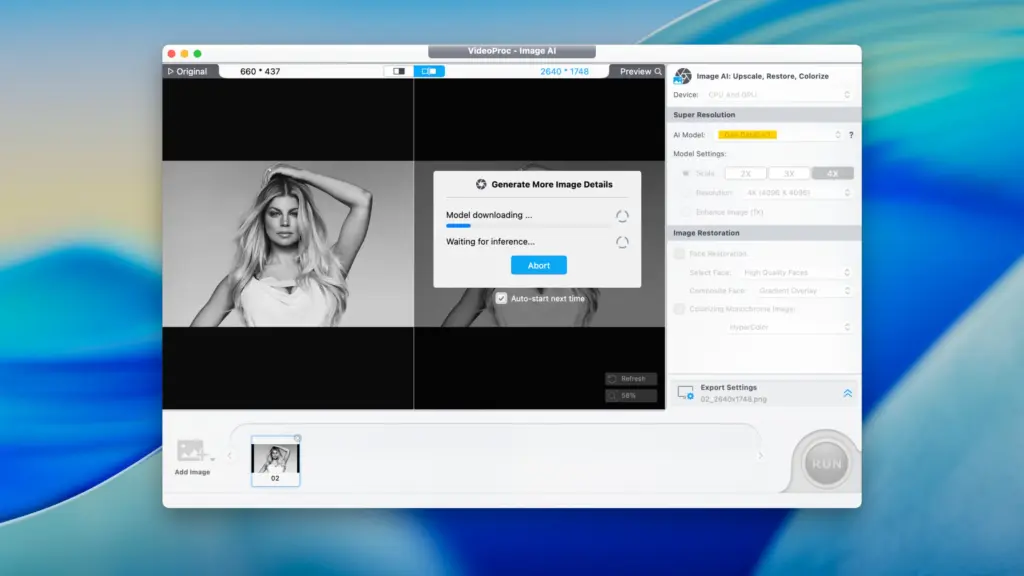
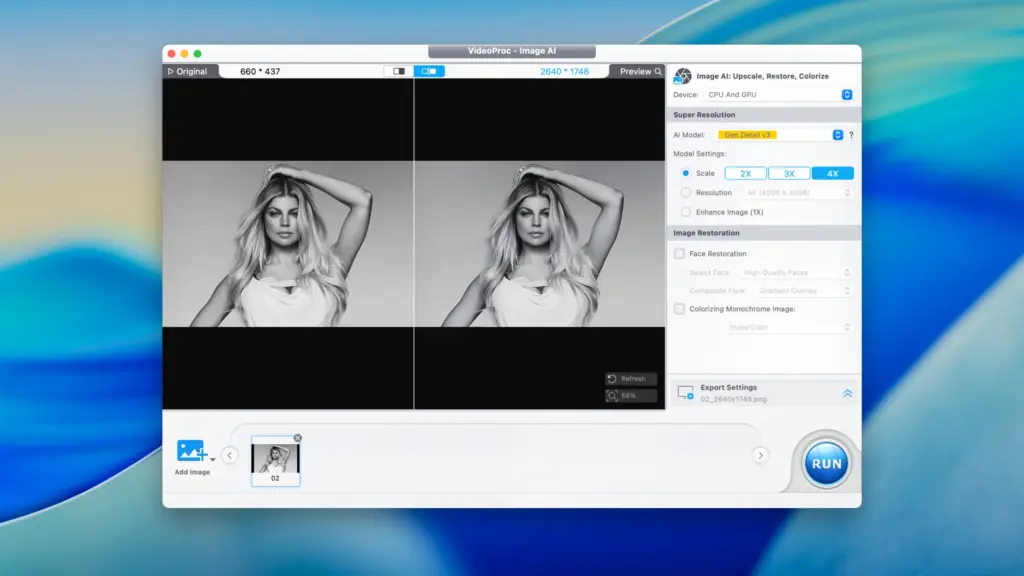
VideoProc also includes tools for working with images. Its image enhancement features can be used to improve certain low-quality images and increase their resolution. One of VideoProc’s biggest advantages is that all these tools are available in one application. You do not need one program for conversion, another for recording, and another for basic compression. This makes it a practical choice for users who regularly handle different types of media.
VideoProc is also not a completely free tool. Some features require a paid version, so users should check the current licensing options before purchasing. Overall, VideoProc Converter AI is aimed at users who want many useful video tools in one Mac application. It is especially useful for people who regularly convert, compress, record, download, or improve videos but do not want to work with several different programs.
Features of VideoProc Converter AI for Mac
- Convert videos between many popular formats
- Support for MP4, MOV, MKV, AVI, WebM, and other formats
- Support for H.264, H.265, AV1, ProRes, and other video formats
- AI-powered video upscaling
- 2x, 3x, and 4x video enlargement options
- Frame interpolation for smoother motion
- Video stabilization for shaky footage
- Reduce the size of large video files
- Hardware acceleration for faster processing on supported Macs
- Support for Apple Silicon Macs
- Screen recording
- Webcam recording
- Microphone and system audio recording
- Basic video trimming and cutting
- Crop and rotate videos
- Merge multiple video clips
- Add subtitles and watermarks
- DVD conversion
- Online video and audio downloading
- Batch processing for multiple files
- Audio conversion
- Image enhancement tools
- Device-specific conversion options
- Custom video and audio settings
- Support for high-resolution video
Technical Details:
- Software Name: VideoProc Converter AI MacOS
- Software File Name: VideoProc Converter AI 8.13.dmg
- Version: 8.13
- File Size: 257 MB
- File Extension: DMG
- License Type: Premium
- Developer: Digiarty Software
System Requirements
- Operating System: macOS 10.10 or later
- Processor: Apple Silicon (M1, M2, M3, M4, M5) or Intel Core 64-bit
- RAM: 8 GB minimum, 16 GB recommended
- Storage: 2 GB free disk space
Best Alternatives to VideoProc Converter AI for Mac
HandBrake is a popular free video converter for Mac. It is mainly focused on converting and compressing video. It offers many settings and supports a wide range of formats. It does not provide the same collection of recording, downloading, and AI enhancement tools found in VideoProc.
Shutter Encoder is another useful option for users who need more control over video and audio processing. It supports many media tasks and is available for free. Its interface may take some time to understand, especially for users who are new to video tools.
Topaz Video AI focuses mainly on improving video quality. It is designed for tasks such as upscaling, reducing noise, sharpening footage, and creating smoother video. It is worth considering if video enhancement is your main priority rather than having many different media tools in one app.
FFmpeg is a powerful command-line tool for converting and processing video and audio. It supports a huge number of formats and offers extensive control. However, it is not as simple for beginners because most tasks are performed through commands rather than a traditional graphical interface.
Final Cut Pro is Apple’s professional video editing software. It offers advanced editing, effects, audio tools, and support for large video projects. It is better suited to users who need a complete editing environment rather than a general media utility.
VideoProc Converter AI 8.13 for Mac Free Download
Click the button below to download VideoProc Converter AI for Mac latest full version setup free. It is a complete standalone installer for macOS with a single-click download link.