AllMacWorld MAC Apps One Click Away
Download QSpace Pro 6.3.2.001 for Mac free latest full version program complete standalone DMG setup free. QSpace Pro 2026 for macOS is a file manager built to replace Finder. It lets you see several folders at once and connect to cloud storage and remote drives from the same window.
QSpace Pro for Mac Review
Most Mac users know this problem. Finder shows one folder at a time, so you end up with five or six windows open just to move files around. You drag a file from one window, lose track of where it came from, and open Finder again to check. If you also use cloud storage or a remote server, you switch to another app just to reach those files. QSpace Pro fixes this by putting everything in one window. You can also download File Cabinet Pro for Mac
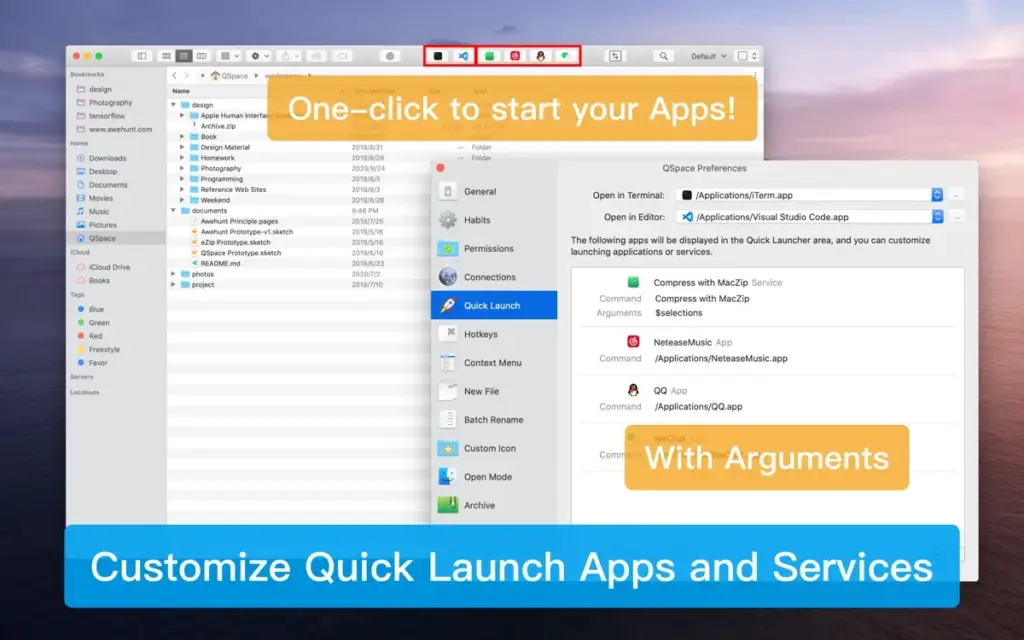
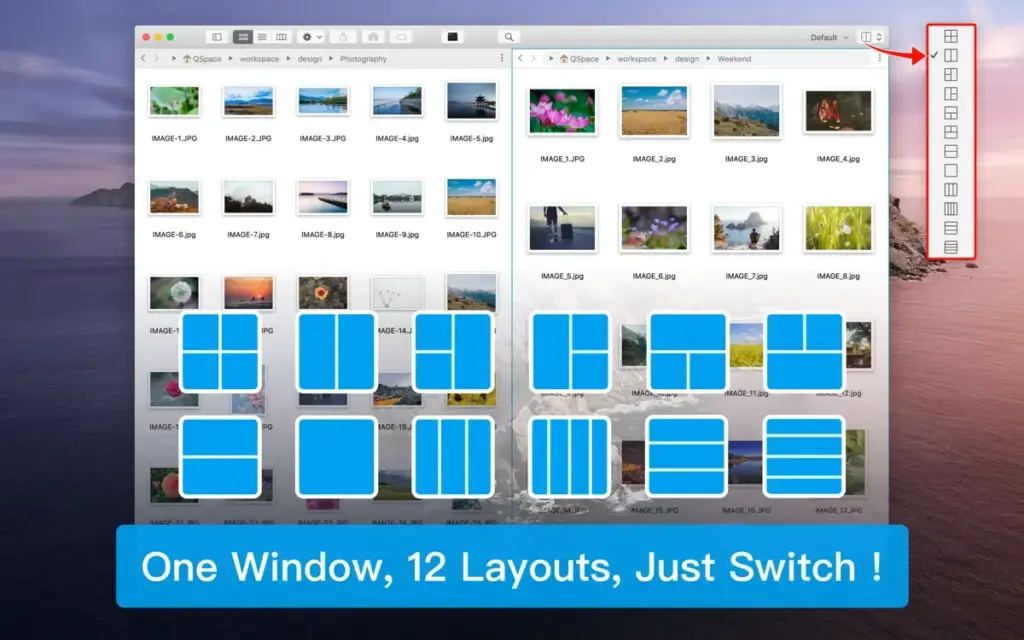
QSpace Pro lets you open up to four folders side by side in a single window. You can save this setup with a name, so you do not need to rebuild it the next time you sit down to work. One click brings back the exact folders you left open. This alone removes most of the window clutter that slows Finder down. You can also try Path Finder for Mac if you want a different take on the same idea.
Search is another weak spot in Finder. QSpace Pro adds smart folders that update on their own, based on rules you set, such as file type or date. You can also save a search once and reuse it instead of typing the same words again. Files also show a quick preview inside the app, so you do not need to open them in another program just to check what is inside.
If you deal with ZIP files often, QSpace Pro lets you look inside them like normal folders. This removes the extra step of unzipping a file just to see what is inside. The bigger win, though, is how QSpace Pro connects to outside storage. It works with FTP and SFTP servers, plus Dropbox, OneDrive, Google Drive, and Amazon cloud storage. This means you do not need a separate app for cloud files or a separate tool for server work.
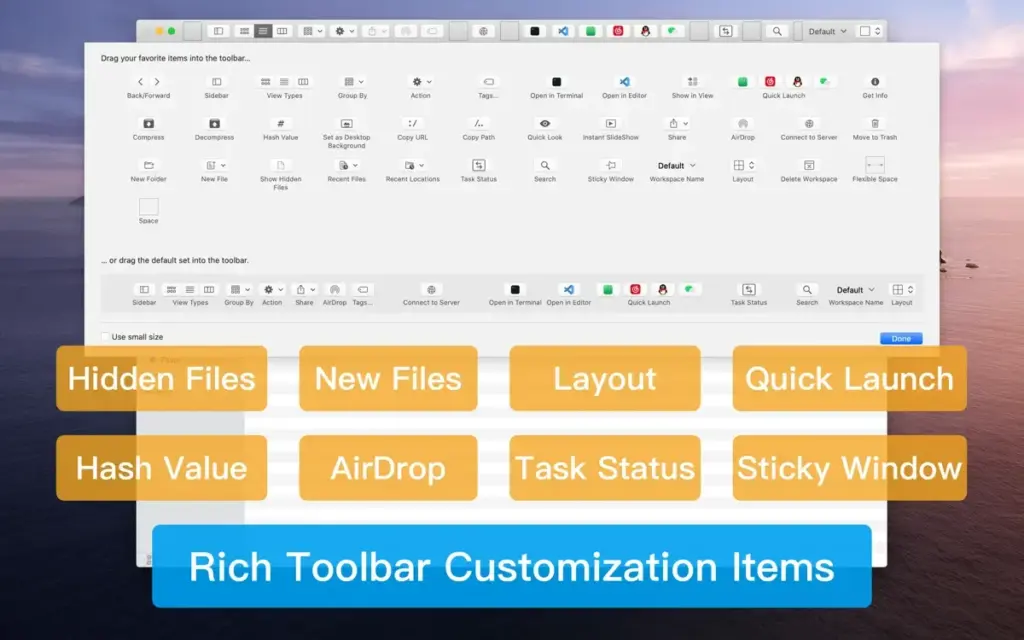
QSpace Pro also lets you set things up the way you like. You can change how files are tagged, choose how the sidebar looks, and keep saved network folders in place instead of losing them the way Finder often does. Taken together, these features make QSpace Pro a strong pick for anyone who handles a large number of files across their Mac, cloud storage, and remote drives.
Features of QSpace Pro for Mac
- Open up to four folders side by side in one window
- Save folder setups with a name and bring them back in one click
- Smart folders that update on their own based on rules you set
- Save and reuse your own searches
- Preview files without opening them in another app
- Look inside ZIP files like normal folders
- Connect to FTP and SFTP servers
- Direct access to Dropbox, OneDrive, and Google Drive
- Works with network drives and Amazon cloud storage
- Sidebar that keeps saved folders in place, including network drives
- Choose how file tags and labels look
- Set your own file sorting order
- Bring back your last setup, or all open setups, when you start the app
- Looks and feels like Finder, so it is easy to learn
Technical Details:
- Software Name: Gitfox for Mac
- Software File Name: QSpace Pro 6.3.2.001.dmg
- Version: 6.3.2.001
- File Size: 56 MB
- File Extension: DMG
- License Type: Premium
- Developer: qspace
System Requirements
- Operating System: macOS 10.13 High Sierra or later
- Processor: Apple Silicon (M1, M2, M3, M4, M5) or Intel Core 64-bit
- RAM: 8 GB minimum, 16 GB recommended
- Storage: 500 MB free disk space
What Are the Best Alternatives to QSpace Pro for Mac?
QSpace Pro is a strong pick for Mac users who want a full Finder replacement, but it is not the only option. Here are a few worth comparing.
Path Finder: A well known Finder replacement with two-folder browsing and a strong file preview tool. It covers many of the same basics as QSpace Pro, though it connects to fewer cloud and server options.
Commander One: A file manager with FTP, cloud storage, and ZIP support. It handles basic remote file tasks well, but QSpace Pro connects to more types of drives and servers.
ForkLift: A fast file manager with side-by-side folders and support for several cloud and server options. It is close to QSpace Pro, though QSpace Pro makes it easier to save and bring back full folder setups.
File Cabinet Pro: A simple file manager built to help you reach files fast without cluttering your desktop. It is lighter than QSpace Pro and does not connect to cloud storage or servers.
Each of these apps can handle daily file tasks, but QSpace Pro stands out for its saved folder setups and its wide support for cloud storage and remote drives in one place.
Download QSpace Pro Latest Version Free
Click on the below button to download QSpace Pro for Mac free setup. It is a complete standalone setup of QSpace Pro for macOS with a single click download link.