AllMacWorld MAC Apps One Click Away
Download Meta 2.6.1 for Mac free latest full version standalone setup. Meta 2026 for MacOS is a comprehensive app that helps you manage your music collection. With Meta, you can easily edit music file tags, such as artist, album, artwork, and more.
Meta 2026 for Mac Review
Meta for Mac is a music tag editor developed by Benjamin Jaeger. It helps Mac users edit song details, add album covers, rename audio files, and organize their music collections. It is useful for music lovers, DJs, musicians, and podcasters who want to keep their audio files neat and easy to manage. You can also download Metadatics for MacOS
Meta supports popular audio formats, including MP3, FLAC, M4A, MP4, OGG, OPUS, AIFF, and WAV. You can use it to edit song titles, artist names, album names, genres, release dates, and track numbers. The information you can edit depends on the audio file format.
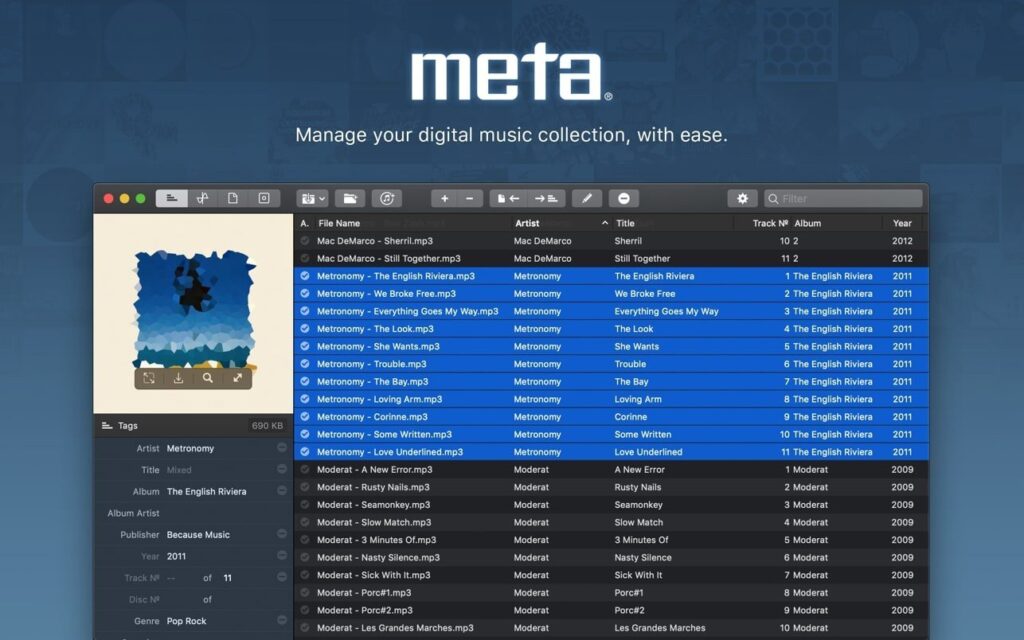
One of its most useful features is batch editing. You can select several songs and change shared details at once. For example, if an album has the wrong artist name, you can correct it across multiple tracks without editing every file separately.
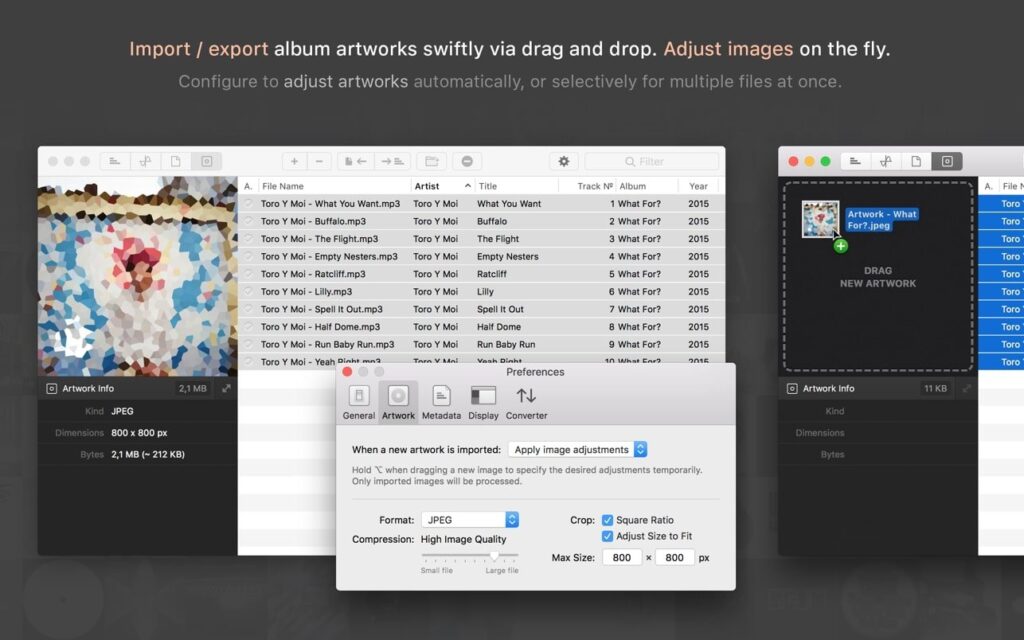
Meta also makes it easy to manage album covers. You can add new images, replace old covers, crop pictures, and reduce their size. This helps keep your music collection organized and prevents large cover images from taking up unnecessary space.
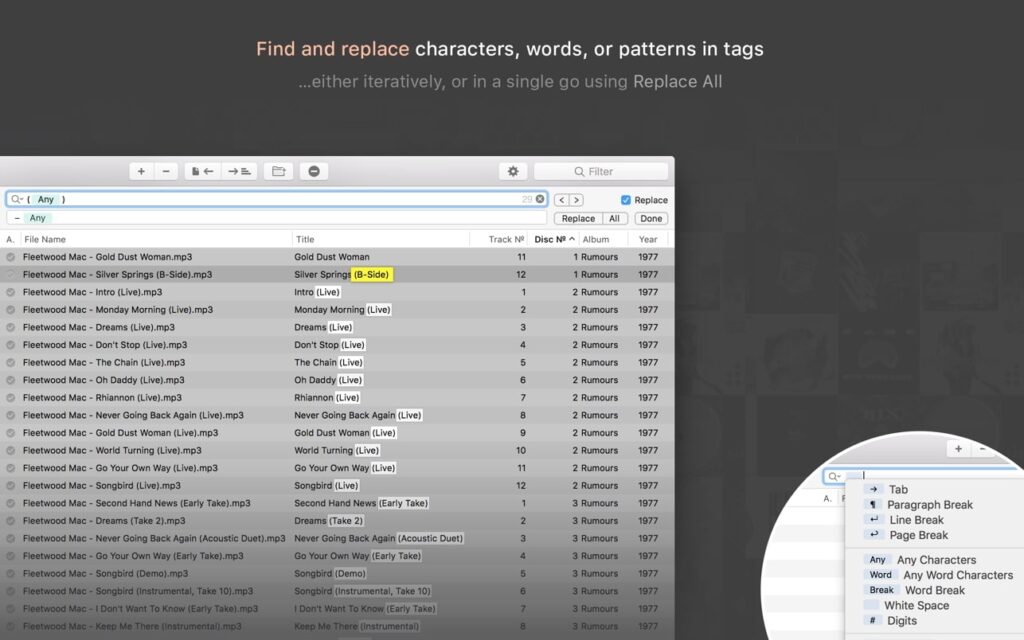
The app includes a search and replace tool that helps you correct repeated mistakes. You can remove unwanted words, fix spelling errors, and make artist names consistent across your collection. You can also rename files using information such as the artist, album, and song title.
Another useful feature is its ability to organize files into folders. You can create a naming pattern and use it to arrange music by artist, album, or track number. This is helpful when your collection contains files with unclear names or inconsistent folder structures.
Meta also offers tools to find album details and cover images online. However, you should check the results before applying them. Different editions of the same album may have different track orders or release dates.
The app lets you customize its editing panel for different tasks. For example, you can create one layout for general music files and another for podcasts or classical music. It also works with supported Apple Music, iTunes, and Doppler library workflows.
Meta is a good choice for users who want to manage music details and organize audio files manually. However, it may not be the best option if you want an app to identify an entire collection of unknown songs automatically. It is also designed mainly for audio files, not general video editing.
Overall, Meta for Mac is a useful tool for keeping a music collection organized. It lets you correct song details, update album covers, rename files, and make changes to multiple tracks at once. These features can save time when managing a large collection of audio files.
Features of Meta for Mac
- Edit Multiple Songs: Change details across several audio files at once.
- Support for Popular Formats: Work with MP3, FLAC, M4A, MP4, OGG, OPUS, AIFF, and WAV files.
- Manage Album Covers: Add, replace, crop, resize, and compress cover images.
- Edit Song Details: Change titles, artists, albums, genres, release dates, and track numbers.
- Find and Replace Text: Correct repeated mistakes and remove unwanted text from song details.
- Rename Audio Files: Create clear filenames using song titles, artist names, and album details.
- Organize Music Folders: Arrange files into folders using a consistent naming pattern.
- Number Tracks: Assign track numbers after arranging songs in the correct order.
- Find Album Information: Search for album details and cover images using supported tools.
- Customize the Interface: Create separate editing panels for different types of music.
- Choose Tag Formats: Adjust supported settings to suit your music player.
- Connect with Music Libraries: Work with supported Apple Music, iTunes, and Doppler workflows.
Technical Details:
- Software Name: Meta MacOS
- Software File Name: Meta 2.6.1.dmg
- Version: 6.1
- File Size: 8 MB
- File Extension: DMG
- License Type: Premium
- Developer: Benjamin Jaeger
System Requirements
- Operating System: macOS 10.10 or later
- Processor: Apple Silicon (M1, M2, M3, M4, M5) or Intel Core 64-bit
- RAM: 4 GB minimum, 8 GB recommended
- Storage: 200 MB free disk space
Best Alternatives to Meta for Mac
MusicBrainz Picard is a free, open-source music tagging app. It helps identify songs and match them with information from the MusicBrainz database. It is a useful option if your music files have missing details or incorrect song information.
Mp3tag helps users edit song details, rename files, and organize large music collections. It offers tools for changing information across multiple files and finding music details online. Check its current Mac version and licensing terms before installing it.
Metadatics is another metadata editor for Mac. It helps users manage information stored in audio files and is worth comparing with Meta if you want a different interface or editing workflow.
Subler is designed mainly for MP4 files. It is a better option for users who want to edit details stored in video files rather than organize a music collection.
Choose Meta if you want to edit song details, manage album covers, and organize audio files on your Mac. MusicBrainz Picard is a better starting point for identifying unknown songs. Mp3tag is worth considering for file organization and tag editing, while Subler is more suitable for MP4 video files.
Check each app’s current features and system requirements before choosing one.
Meta v2.6.1 for Mac Free Download
Click the button below to download Meta 2026 for Mac latest full version setup free. It is a complete standalone installer for macOS with a single-click download link.