AllMacWorld MAC Apps One Click Away
Download Cinebench 2026.1.3 for Mac free latest full version standalone setup. Cinebench 2026 for macOS is a free benchmark tool built for Mac users who want to test their CPU and GPU speed using real rendering work, not a synthetic math test.
inebench for Mac Review
Most Mac users never know their true CPU or GPU speed. You buy a new Mac and wonder if it is really faster than your old one. You send your Mac for repair and want proof it runs at full power again. You read online that an M-series chip is fast, but you have no number to check it against on your own machine. Cinebench solves this problem in a few clicks.
Cinebench is built on Cinema 4D, the professional 3D animation software made by Maxon. Instead of running a fake math loop, it renders a real 3D scene on your Mac and times how long it takes. A faster CPU or GPU finishes the render sooner and earns a higher score. This makes the result close to real work, like video export or 3D design, not just a lab number.
The app splits testing into two parts, CPU and GPU. The CPU test checks how well your Mac handles heavy multi-core work, plus how fast a single core runs alone. The GPU test uses the Redshift engine to measure your graphics chip under a real render load. Apple Silicon Macs and Intel Macs are both supported, so you can compare your Mac against almost any other machine that has run the same version.
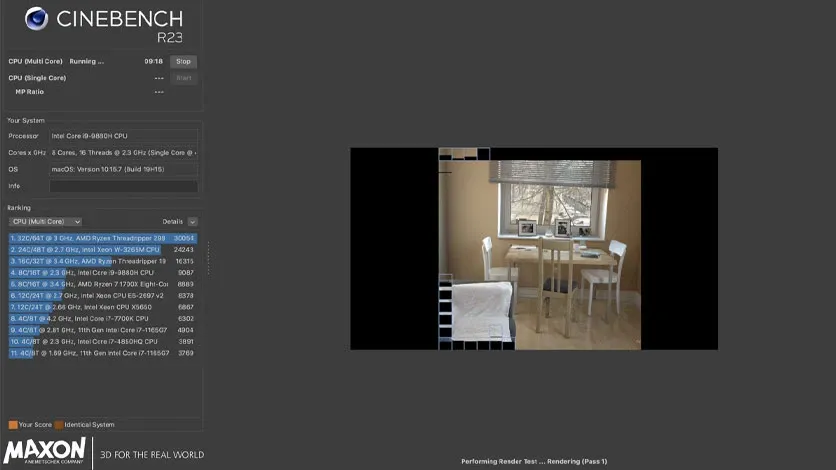
Cinebench gives you one clean number at the end of each test. You do not need to read charts or logs. You run the test, you get a score, and you know exactly where your Mac stands.
Key Features of Cinebench for Mac
- Real Rendering Benchmark: Cinebench uses Cinema 4D’s engine to render an actual 3D scene. The score reflects real rendering speed, not an abstract test.
- CPU Multi-Core and Single-Core Scores: You get a score for full multi-core power and a separate score for single-core speed. This shows how your Mac handles both heavy tasks and everyday apps.
- GPU Testing with Redshift: The GPU test measures your graphics chip using the same Redshift engine used in professional studios. This matters for video editors and 3D artists.
- Apple Silicon and Intel Support: Cinebench runs on M1 through the latest M-series chips, as well as Intel Macs. You can test old and new hardware with the same tool.
- Cross-Platform Score Comparison: Since Cinebench runs the same way on Windows, you can compare your Mac’s score directly against a PC running the same version.
- Simple One-Click Testing: You do not need any setup. Open the app, click Run under CPU or GPU, and wait for your score.
Technical Details
- Software Name: Cinebench
- Software File Name:Cinebench-2026.1.3.dmg
- Version: 2026.1.3
- File Size: 3 GB
- File Extension: DMG
- License Type: Freeware
- Developer: Maxon Computer GmbH
System Requirements:
- Operating System: macOS 11.7 (Big Sur) or later for CPU tests. macOS 12.6 (Monterey) or 13.3 (Ventura) or later for GPU tests.
- Processor: Apple Silicon (M1 to M5) or Intel 64-bit CPU
- RAM: 16 GB recommended for accurate GPU results
- Storage: At least 3 GB free disk space
Best Alternatives to Cinebench for Mac:
Cinebench is the top choice for real rendering benchmarks, but a few other tools are worth knowing.
Geekbench tests general CPU and GPU speed and finishes much faster than Cinebench. It is a good pick if you want a quick overall number instead of a full render test.
Novabench checks CPU, GPU, RAM, and disk speed in one short run. It gives a broader system snapshot, though it is less detailed for rendering-specific performance.
Blackmagic Disk Speed Test focuses only on storage speed. It is the right tool when you want to check your SSD for video editing, not your CPU or GPU.
Cinebench 2026 for Mac Free Download
Click the button below to download Cinebench 2026 for Mac latest full version setup free. It is a complete standalone installer for macOS, supporting both Apple Silicon and Intel Macs in a single download.