AllMacWorld MAC Apps One Click Away
Download BuhoLaunchpad 1.8.5 for Mac free latest full version setup. BuhoLaunchpad for macOS is a Launchpad replacement app built for Mac users who lost the classic app grid after macOS 26 Tahoe. It brings back the full screen app launcher with gestures, folders, and custom layouts.
BuhoLaunchpad for Mac Review
Apple removed Launchpad in macOS 26 Tahoe. Many Mac users relied on it every day to find and open apps. Without it, you are left with Spotlight search or a messy Applications folder. BuhoLaunchpad fixes this gap. It brings the old Launchpad experience back to your Mac, and adds new features on top of it.
The app is made by Dr.Buho, the same team behind BuhoCleaner and BuhoNTFS. Their goal was simple. Give Mac users back the visual grid they lost, but make it more flexible than before. You can also download Alfred PowerPack for MacOS
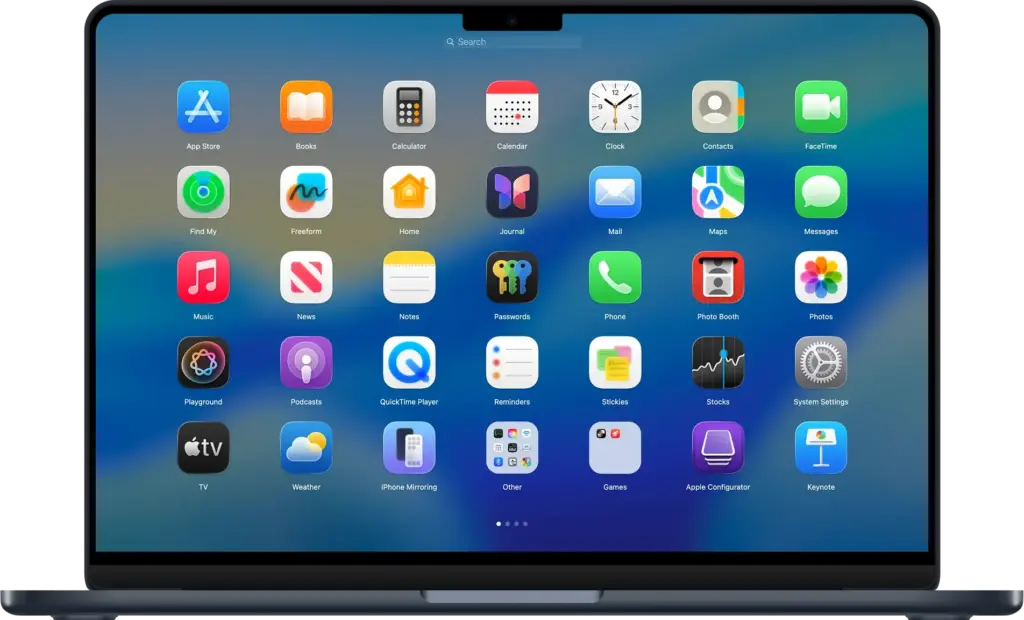
The core of BuhoLaunchpad is its app grid. Your apps sit in a clean, full screen layout, just like the old Launchpad. You can drag icons to rearrange them, group apps into folders, and rename those folders with one click. Removing an app from the grid is just a drag away.
Gestures are a big part of the experience. You can open BuhoLaunchpad with the classic four or five finger pinches on your trackpad. You can also set a hot corner, so a quick flick of your mouse opens the grid instantly. Moving between pages works with two finger swipes, arrow keys, or scroll. This makes the app feel native, not like a third-party add-on.
BuhoLaunchpad also gives you control that the original Launchpad never had. You can set your own number of rows and columns. You can add a custom background image and adjust the blur. Icon text changes color automatically to stay readable against light or dark backgrounds.
One useful feature is backup and restore. You can save your current app layout with one click, then bring it back anytime. This helps if you switch between different setups, or if your layout gets messed up by accident. If you just upgraded from an older macOS version, BuhoLaunchpad can pull in your old Launchpad layout automatically, so you do not have to rebuild it by hand.
For users with a lot of apps, the Hidden Apps feature is helpful. Right click any app to hide it from the grid. It is not deleted. It just moves to a hidden list in Settings, ready to come back whenever you need it.
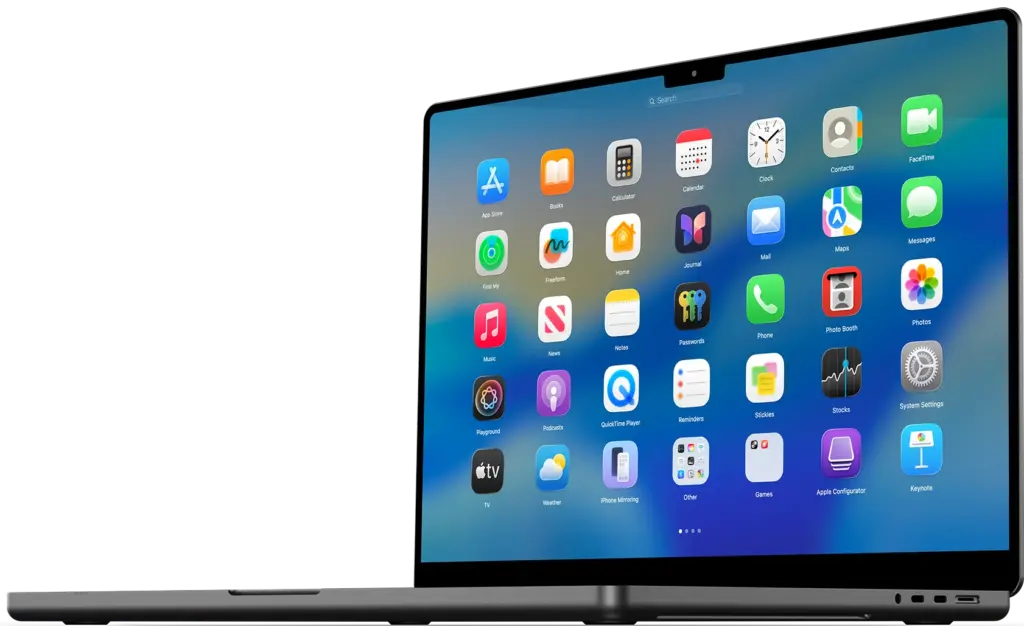
BuhoLaunchpad also fits into the rest of macOS 26. It supports the native App Icon styles, including Default, Dark, Light, and Tinted. It works with apps installed through Homebrew, and you can add custom install paths from external drives.
Features of BuhoLaunchpad for Mac
- Full screen app grid that brings back the classic Launchpad look
- Drag and drop app organization with custom folders
- Rename folders with a single click
- Four or five finger trackpad pinch to open the grid
- Hot corner support to launch the grid instantly
- Two finger swipe, scroll, arrow key, and click navigation between pages
- Custom rows and columns to fit your screen and style
- Custom background images with adjustable blur
- Icon text that adapts to light or dark backgrounds automatically
- Backup and restore system for your app layouts
- Legacy Launchpad layout migration for macOS upgraders
- Hide apps without deleting them, with a Hidden Apps archive in Settings
- Support for native App Icon styles, Default, Dark, Light, and Tinted
- Support for Homebrew installed apps and custom install paths
- Search apps by full name or first letter
- Option to hide the Dock or the Settings button for a clean interface
- One click option to remove gaps and empty spaces from the grid
- One click reset to restore the original clean grid layout
Technical Details:
- Software Name: BuhoLaunchpad
- Software File Name: BuhoLaunchpad 1.8.5.dmg
- Version: 1.8.5
- File Size: 15 MB
- File Extension: DMG
- License Type: Premium
- Developer: Dr.Buho
System Requirements
- Operating System: macOS 10.13 High Sierra or later
- Processor: Apple Silicon (M1, M2, M3, M4, M5) or Intel Core 64-bit
- RAM: 8 GB minimum, 16 GB recommended
- Storage: 500 MB free disk space
What Are the Best Alternatives to BuhoLaunchpad for Mac?
BuhoLaunchpad is built for one job, bringing back the Launchpad experience. If it does not fit your workflow, a few other options exist for Mac users.
Spotlight Search: Apple’s built in search tool. It opens apps fast by name, but it has no visual grid or folder view.
Dock Folders: A basic way to group apps in the Dock. It works, but it does not give you a full screen visual layout.
Alfred: A launcher app built around keyboard shortcuts and workflows. Better for users who prefer typing over browsing a grid.
Raycast: A modern launcher with extensions and quick actions. Good for developers and power users who want more than app launching.
Each option fits a different style of work. BuhoLaunchpad stands out for users who want the exact classic Launchpad feeling back, with more control over layout and design.
BuhoLaunchpad 1.8.5 for Mac Free Download
Click the button below to download BuhoLaunchpad for Mac latest full version setup free. It is a complete standalone installer for macOS with a single-click download link.