AllMacWorld MAC Apps One Click Away
Download Audiofile Engineering Fidelia 2.7.1 for Mac free latest full version standalone setup. Fidelia 2026 is a music player for Mac made by Audiofile Engineering. It is built for people who own their music files and want to hear them exactly as they were recorded. No streaming, no algorithm, no compressed audio. Just your files, played the way they should sound.
Audiofile Engineering Fidelia 2026 for Mac Review
Most Mac music apps push you toward streaming. They want you to discover new music through an algorithm. Fidelia does the opposite. It is built for the music you already own. If you have a folder full of FLAC files, ripped CDs, or high-resolution downloads, Fidelia treats that library as the main event, not an afterthought.
The app was first released in 2011. It nearly disappeared when many small Mac audio developers shut down. Instead, the developer rebuilt it from scratch. Fidelia 2 runs on a new Swift and C++ engine. The interface looks familiar, but everything underneath is new. You can also download DJ Mix Pad for Mac
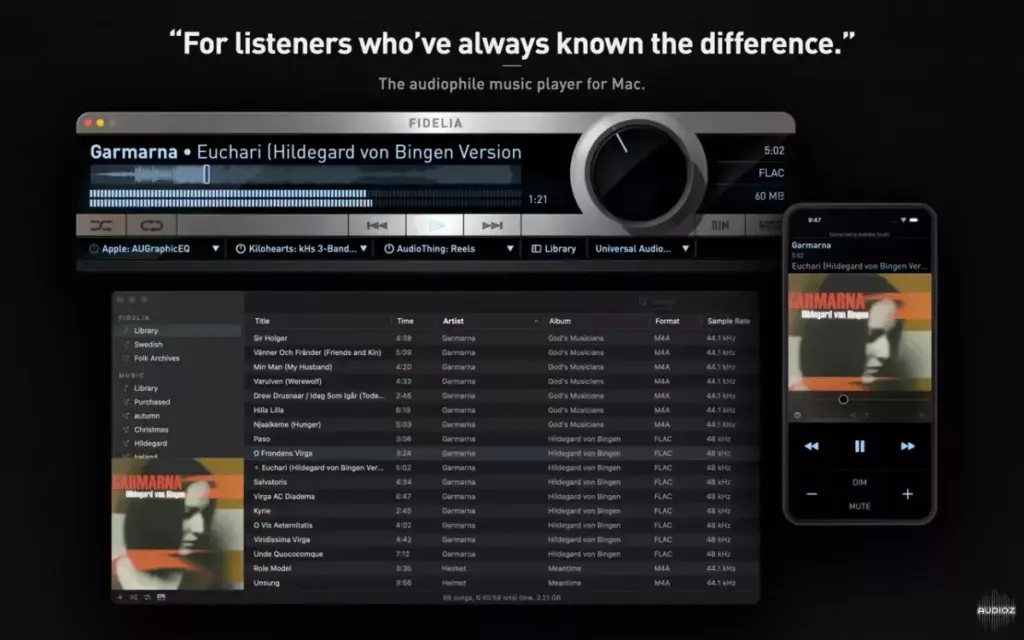
The biggest pain point Fidelia solves is trust. Many Mac audio apps quietly resample your files or route them through the system mixer without telling you. Fidelia does not do this. In bit-perfect mode, your file goes straight to your DAC. In exclusive mode, Fidelia takes full control of the output device. Nothing touches your audio unless you tell it to.
Headphone listening is another common problem. Speakers let both ears hear both channels. Headphones do not. This makes mixes sound unnatural on headphones. Fidelia includes a feature called HeadSpace to fix this. It blends the channels the way speakers would in a real room. Bass crosses at 90 percent. Mids cross at 50 percent. Highs cross at 15 percent. The result is a more natural soundstage on headphones.
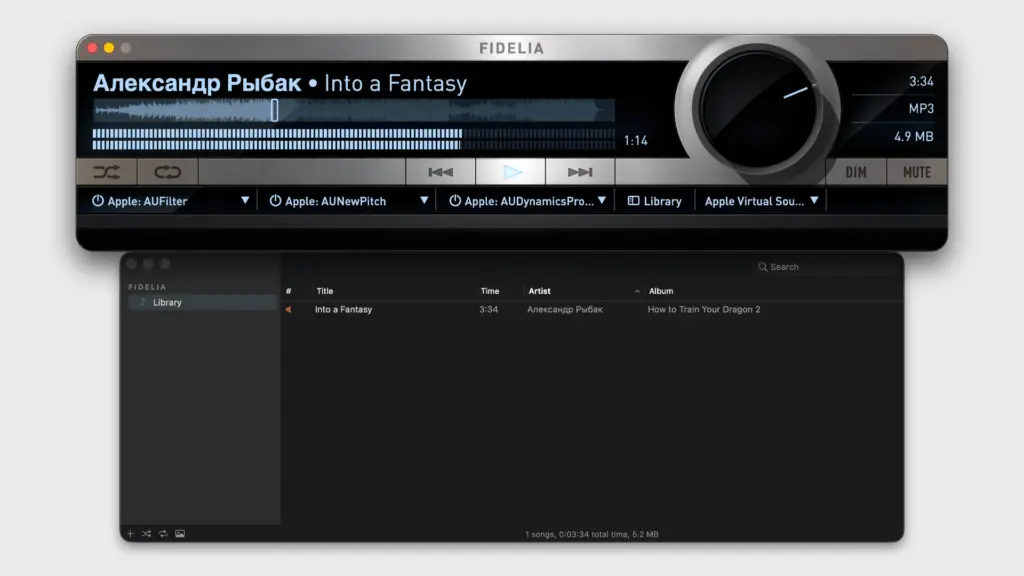
Fidelia also solves a problem for people who like to shape their sound. Most simple music players do not support plugins. Fidelia includes three Audio Unit plugin slots. You can load EQ, reverb, or any AU plugin installed on your Mac. Each plugin runs in its own sandboxed process. If a plugin crashes, your music keeps playing.
Features of Fidelia for Mac
- Bit-perfect and exclusive playback that sends audio straight to your DAC
- Sample rate follow, so the output device matches each file automatically
- HeadSpace headphone crossfeed based on real head acoustics
- Reference sample rate conversion with linear-phase and minimum-phase engines
- Pro Dither for clean bit-depth conversion without added noise
- Three Audio Unit plugin slots that run out of process for stability
- Support for FLAC, ALAC, WAV, AIFF, DSD, and Monkey’s Audio files
- app library sync, so your existing library imports with no extra work
- Album Wall view for browsing your collection by cover art
- Batch artwork lookup for large or untagged music libraries
- Gapless playback rebuilt for no clicks or gaps between tracks
- Multi-channel output routing for interfaces with up to 48 channels
- Format conversion to AIFF, WAV, FLAC, Apple Lossless, AAC, and CAF
- Free companion app, Fidelia Remote, for iPhone and iPad control
- Fully customizable keyboard shortcuts
Technical Details:
- Software Name: Audiofile Engineering Fidelia
- Software File Name: Audiofile Engineering Fidelia 2.7.1.dmg
- Version:7.1
- File Size: 18 MB
- File Extension: DMG
- License Type: Premium
- Developer: Audiofile Engineering
System Requirements
- Operating System: macOS 10.13 High Sierra or later
- Processor: Apple Silicon (M1, M2, M3, M4, M5) or Intel Core 64-bit
- RAM: 8 GB minimum, 16 GB recommended
- Storage: 500 MB free disk space
Best Alternatives to Fidelia for Mac
Fidelia is built for a specific kind of listener. If it does not match your needs, here are other Mac music players worth checking:
Swinsian is a simple, lightweight music manager for Mac. It focuses on library organization more than DSP or plugin hosting. Good for users who want a clean iTunes replacement without extra audio processing.
Audirvana is another audiophile-focused player with streaming service integration. It suits listeners who want high-res playback along with access to services like Tidal or Qobuz.
VOX offers a simple, modern interface with support for high-resolution formats and cloud storage playback. Good for casual listeners who still want lossless support.
foobar2000 is a highly customizable player with a long history on Windows, now available on Mac. Best for advanced users who like to build their own setup through plugins and skins.
Each of these apps takes a different approach. Fidelia stands out for its Audio Unit hosting, headphone DSP, and true bit-perfect path from file to DAC..
Audiofile Engineering Fidelia 2.7.1 for Mac Free Download
Click the button below to download Audiofile Engineering Fidelia for Mac latest full version setup free. It is a complete standalone installer for macOS with a single-click download link.