 AllMacWorld MAC Apps One Click Away
Download SADFinder: File Manager 0.1.115 for Mac free latest full version standalone setup. SADFinder: File Manager 2026 for MacOS is a native file manager designed as an alternative to the standard Finder. Its main idea is to give users the predictable behavior familiar from Windows Explorer and remove the everyday annoyances of macOS
SADFinder 2026 for Mac Review
SADFinder is a native file manager for Mac designed to make everyday file management easier and faster. It offers an alternative to Apple’s built-in Finder with a focus on keyboard navigation, folder browsing, file operations, and desktop organization. You can Filepane for MacOS
The application is particularly useful for users who prefer the way Windows File Explorer handles files. macOS Finder uses different keyboard shortcuts and navigation methods, which can take some time to learn. SADFinder addresses these differences by introducing familiar keyboard controls and a more direct folder navigation system.
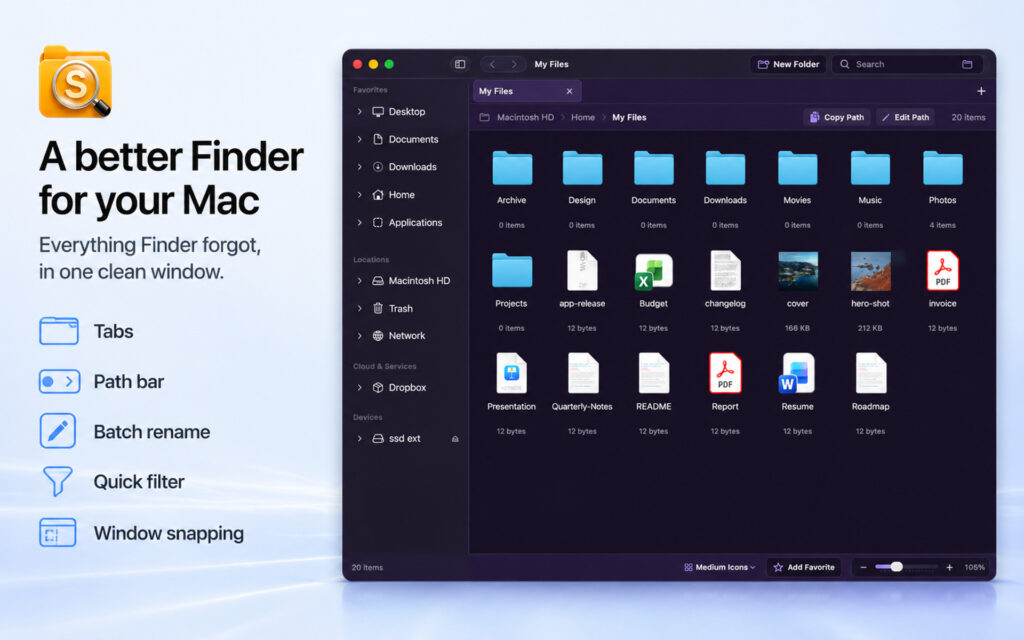
One of its most useful features is keyboard-first navigation. Users can press Enter to open a selected folder, use the Delete key to move files to Trash, and press Command + R to rename items. These shortcuts make routine file management more convenient, especially for people who regularly work with multiple folders.
SADFinder also includes an editable path bar. Users can press Command + L, enter a folder location, and open it directly. This saves time when accessing deeply nested directories. It is particularly helpful for developers, designers, and professionals who frequently work with project folders.
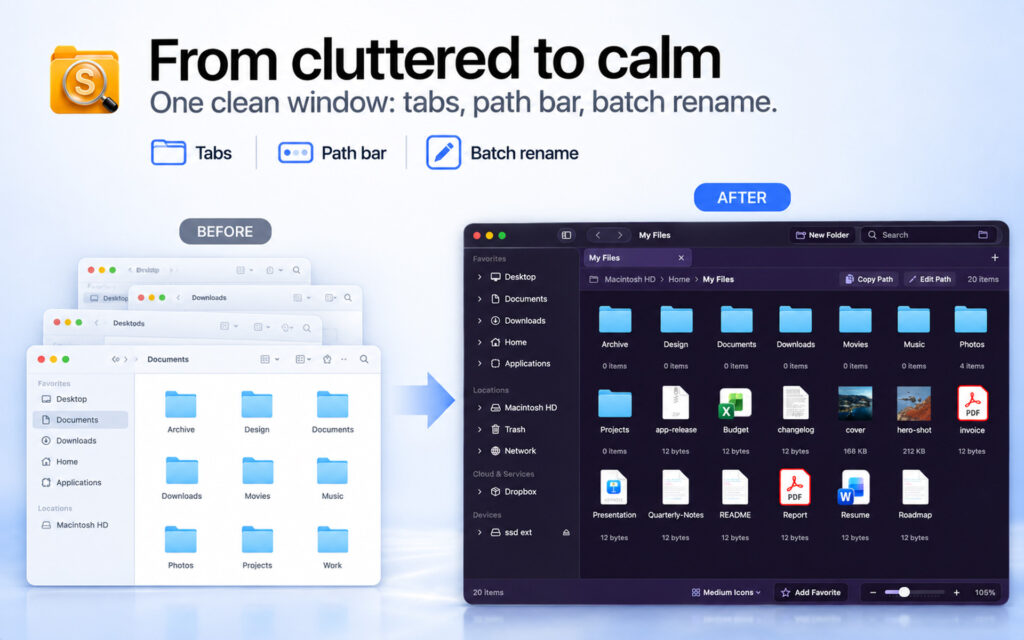
Another useful addition is tabbed browsing. Users can keep several folder locations open in one window and move files between them using cut-and-paste commands. This makes organizing documents, images, downloads, and project files more convenient.
The application also offers quick folder filtering. Instead of manually searching through hundreds of files, users can narrow down the visible items inside the current folder. A separate full-search function is also available for broader searches.
SADFinder goes beyond basic file browsing with built-in window snapping. Users can arrange application windows into halves and quarters using keyboard shortcuts. This is useful when comparing folders or working with multiple applications at the same time.
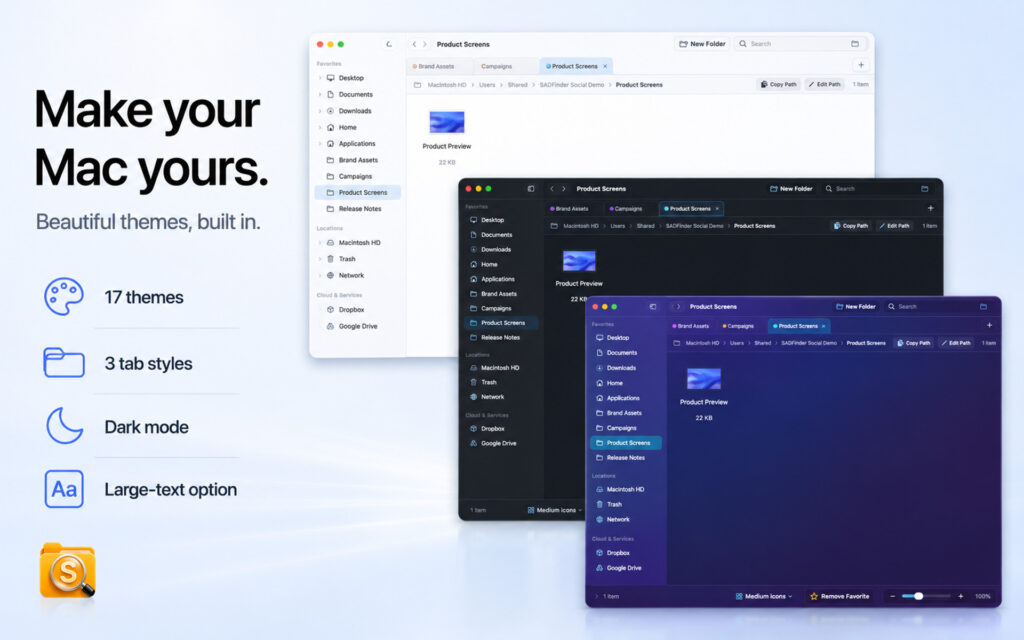
Customization is another part of the application. SADFinder offers 17 built-in themes, different file-view modes, folder favorites, and sorting preferences. Users can adjust the interface according to their working habits.
Overall, SADFinder is an interesting Finder alternative for users who prefer keyboard-based navigation and Windows-style file operations. Its trial is a good way to determine whether its workflow is more comfortable than Apple’s default file manager.
Features of SADFinder: File Manager for Mac
- Keyboard-First Navigation: Use keyboard shortcuts to open folders, rename files, move between directories, and perform everyday file operations.
- Editable Path Bar: Enter folder paths directly instead of navigating through multiple directories.
- Tabbed Browsing: Keep multiple folder locations open in separate tabs within one window.
- Quick Folder Filtering: Find specific files by filtering the contents of the current folder.
- Full File Search: Search for files beyond the currently displayed folder.
- File Operations: Copy, cut, paste, rename, and move files using keyboard shortcuts.
- Desktop Management: Access and organize Desktop files directly through the application.
- Window Snapping: Arrange windows into halves, quarters, or larger screen layouts using keyboard shortcuts.
- Custom Themes: Choose from 17 built-in themes to adjust the application’s appearance.
- Multiple View Modes: Switch between different file display layouts, including compact lists and larger icons.
- Folder Favorites: Keep frequently accessed folders readily available.
- ZIP Support: Compress files and extract ZIP archives.
- File Properties: View file details, including size, timestamps, and permissions.
- Hidden Files: Access hidden files and extensions when needed.
- Terminal Integration: Open folders directly in Terminal.
- Cloud Storage Access: Work with supported cloud storage providers, including Dropbox, Google Drive, OneDrive, and iCloud Drive.
- Intel and Apple Silicon Support: Run the application on supported Intel and M-series Mac computers.
- Custom Keyboard Shortcuts: Remap many shortcuts according to your preferences.
Technical Details:
- Software Name: SADFinder: File Manager MacOS
- Software File Name: SADFinder: File Manager 0.1.115.dmg
- Version: 0.1.115
- File Size: 25 MB
- File Extension: DMG
- License Type: Premium
- Developer: Aplicatii android plus srl
System Requirements
- Operating System: macOS 10.10 or later
- Processor: Apple Silicon (M1, M2, M3, M4, M5) or Intel Core 64-bit
- RAM: 8 GB minimum, 16 GB recommended
- Storage: 4 GB free disk space
Best Alternatives to SADFinder for Mac
If SADFinder does not meet your requirements, several other file managers offer different tools for managing local files, remote servers, and cloud storage.
ForkLift is a powerful file manager and file transfer application for macOS. It offers dual-pane browsing, folder synchronization, and connections to FTP, SFTP, WebDAV, and cloud storage services.
Path Finder is designed for advanced Mac users who need more control over files and folders. It includes dual-pane browsing, batch renaming, file comparison, folder synchronization, and additional management tools.
Commander One provides a dual-pane interface for managing local files. Its Pro edition adds FTP, SFTP, FTPS, cloud storage connections, and additional archive management features.
Nimble Commander is a free, open-source file manager with keyboard-focused navigation and a traditional dual-pane interface. It is a good option for users who prefer a power-user workflow without a paid subscription.
SADFinder: File Manager 1.23.2 for Mac Free Download
Click the button below to download SADFinder: File Manager 2026 for Mac latest full version setup free. It is a complete standalone installer for macOS with a single-click download link.