AllMacWorld MAC Apps One Click Away
Download PdfCraft v0.8.0 for Mac free latest full version standalone setup. PdfCraft 2026 for MacOS open-source, clean-room reimplementation of Adobe Acroba. Read, organize, combine, split, and secure PDFs in a fast, native app, written in Rust from the ground up.
PdfCraft 2026 for Mac Review
PdfCraft for Mac is a free, open-source app for reading and managing PDF files. It helps you organize pages, combine documents, split large files, search for text, and protect files with passwords. The app is developed by the ArtCraft team. It is available for Mac, Windows, Linux, and the web. Its main goal is to bring common PDF tools into one place without requiring a paid subscription. You can also download PDF Expert for MacOS
One of the best things about PdfCraft is its focus on privacy. According to its developers, the app does not require an account, collect usage data through telemetry, or upload your documents to a cloud service. Your files stay on your computer while you work with them.
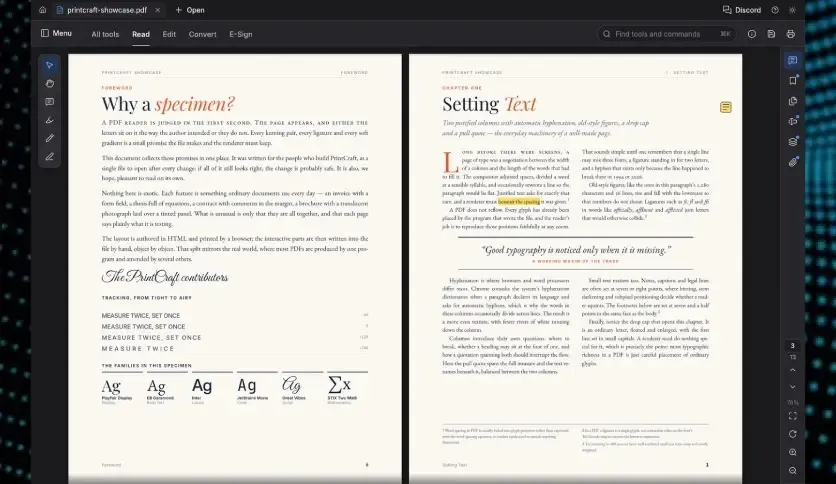
PdfCraft is also open source. This means its source code is available for people to review. Users who prefer free software may find this useful. The app offers several tools for working with PDF files. You can move pages, remove unwanted sections, insert new pages, and combine several documents into one file. You can also search for words in long documents, which makes it easier to find specific information.
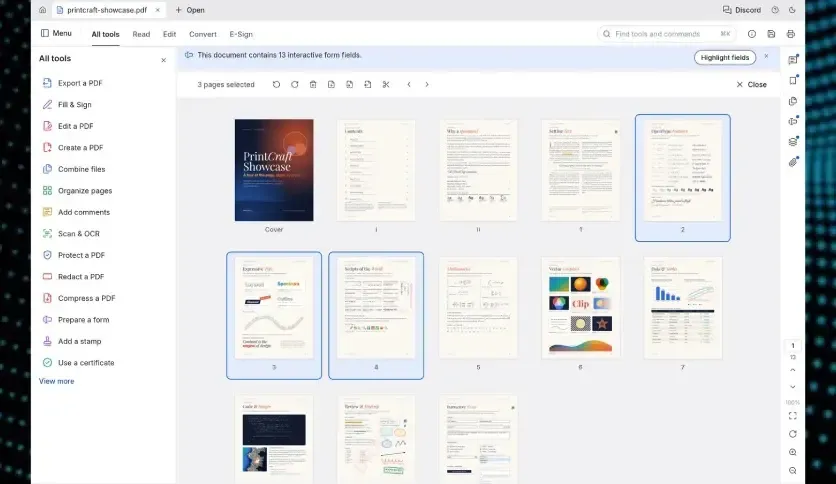
PdfCraft includes a simple way to manage pages. Instead of creating a new document from scratch, you can change the order of existing pages. For example, if a report has its appendix in the wrong place, you can move those pages to the end.
The app also supports comments, forms, bookmarks, and password-protected PDFs. These features can help students, office workers, researchers, and freelancers manage their documents. However, PdfCraft is still in early development. Some features may change as new versions are released. It is worth testing the app with your own files before using it for important work.
Another point to consider is text editing. Managing pages and adding comments is different from changing the original text inside a PDF. If you need to rewrite paragraphs or change a document’s layout, check whether the current version supports your needs.
Overall, PdfCraft is a useful option for people who want a free PDF app with more tools than a basic reader. Its open-source design and focus on local file processing make it worth trying, although its early development status means it may not suit every professional workflow.
Features of PdfCraft for Mac
- Read PDF files: Open and read documents in a dedicated app.
- Search for text: Find words and phrases inside PDF files.
- Organize pages: Move pages into a different order.
- Rotate pages: Fix pages that appear sideways or upside down.
- Delete pages: Remove unwanted sections from a document.
- Insert pages: Add blank pages or pages from another PDF.
- Combine PDF files: Join multiple documents into one file.
- Split PDF files: Divide large documents into smaller files.
- Extract pages: Save selected pages as a separate PDF.
- Manage bookmarks: Find your place in long documents.
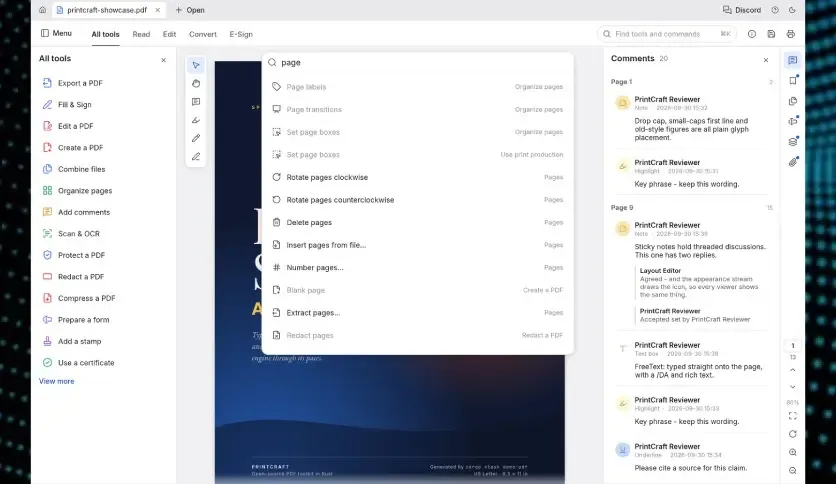
- Add comments: Review documents with supported comment tools.
- Work with forms: Open and use supported PDF form fields.
- Open protected PDFs: Work with supported password-protected documents.
- Choose a reading theme: Switch between light and dark themes.
- Change page views: Read one page at a time or display two pages together.
- Undo changes: Reverse supported actions while editing a document.
- Keep files private: Work locally without mandatory cloud processing, according to the developers.
- Use free software: Download and use the app without a subscription.
- Access the source code: Review the project on GitHub.
- Automate tasks: Use the project’s command-line tools for supported PDF operations.
Technical Details:
- Software Name: PdfCraft MacOS
- Software File Name: PdfCraft v0.8.0.dmg
- Version: 0.8.0
- File Size: 6 MB
- File Extension: DMG
- License Type: Premium
- Developer: ArtCraft
System Requirements
- Operating System: macOS 10.10 or later
- Processor: Apple Silicon (M1, M2, M3, M4, M5) or Intel Core 64-bit
- RAM: 4 GB minimum, 8 GB recommended
- Storage: 200 MB free disk space
Best Alternatives to PdfCraft for Mac
Apple Preview comes with macOS, so you do not need to download another app to use it. It can open PDF files, highlight text, add notes, sign documents, rotate pages, and combine files. Preview is a good choice if you only need basic PDF tools. It is easy to access and works well for everyday tasks.
Adobe Acrobat is a popular choice for people who need more control over PDF documents. It offers tools for editing text, converting files, filling out forms, signing documents, and sharing files. Some advanced features require a paid subscription. If you only need to combine or rotate pages, you may not need to pay for it.
PDF Expert is a dedicated PDF app for Apple devices. It includes tools for reading, highlighting, reviewing, managing pages, and working with documents. It is worth considering if you want a dedicated PDF app with a polished interface. Check the current pricing and plan details before choosing it.
LibreOffice Draw is part of the free LibreOffice suite. It can open many PDF files and lets you edit supported text and page elements. However, the layout may change when you open complex documents. Check the final file carefully if the original formatting is important.
PdfCraft v0.8.0 for Mac Free Download
Click the button below to download PdfCraft 2026 for Mac latest full version setup free. It is a complete standalone installer for macOS with a single-click download link.