AllMacWorld MAC Apps One Click Away
Download ROLI ROLI Studio Player 1.4.1 for Mac free latest full version standalone setup. ROLI ROLI Studio Player 2026 for MacOS is powered by the premium Equator2, Cypher2, and Strobe2 sound engines. It lets you edit a carefully curated collection of ready-made melodic tones, add sound effects, and create harmonies and automatic arpeggios.
ROLI ROLI Studio Player 2026 for Mac Review
ours adjusting settings. It is designed especially for ROLI Seaboard users, but it can also be used with a regular MIDI keyboard and inside popular music apps. The software brings sounds from ROLI instruments such as Equator2, Cypher2, and Strobe2 into one player. You can browse presets, change sounds, add effects, build chords, and create simple patterns from the same interface. You can also download Equator2 for MacOS
ROLI Studio Player is aimed at users who want to start making music quickly. Instead of giving you hundreds of complicated controls, it focuses on ready-made sounds and a smaller set of useful controls. The biggest reason to use Studio Player is its connection with ROLI’s expressive instruments. A Seaboard can detect movements such as sliding your finger across a note, pressing harder, or changing your finger position. Studio Player can respond to these movements and make the sound change while you play.
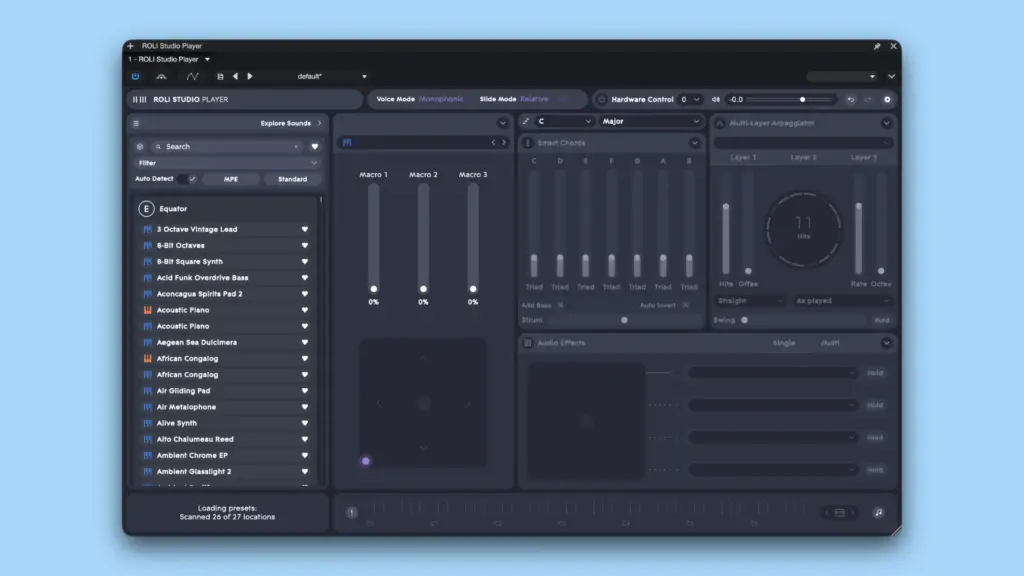
You do not need a Seaboard to use the software. It can also work with a normal MIDI keyboard. However, some of its more interesting features are designed around ROLI’s expressive controllers. The sound library is one of its strongest parts. ROLI currently promotes more than 400 melodic and percussive presets across its Studio software ecosystem. The exact number of sounds available can depend on the software version, installed libraries, and the ROLI products connected to your account.
Studio Player includes sounds based on ROLI’s synth instruments. Equator2 is focused on detailed modern sounds, while Cypher2 and Strobe2 cover other types of electronic sounds. This gives the player a wide range of presets for electronic music, sound design, film work, and general music production.
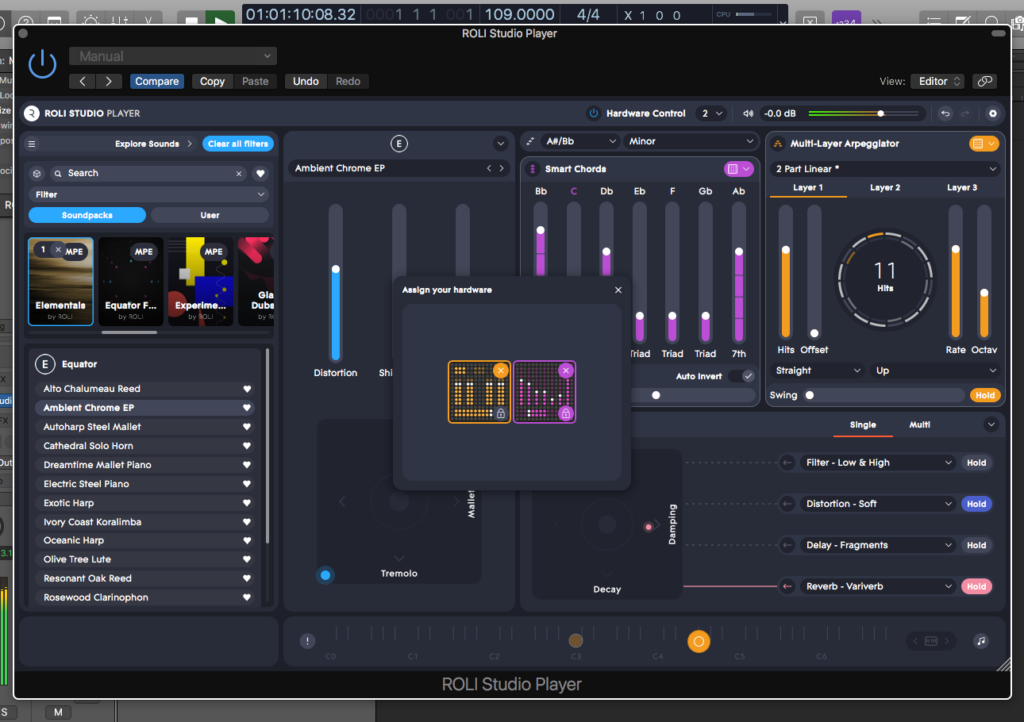
The interface is also fairly easy to understand. You can select a preset and then adjust the controls available for that sound. There are also effects, chord features, and an arpeggiator for creating moving patterns.
The Smart Chords feature can help when you want to build chords without manually playing every note. The arpeggiator can also turn held notes into repeating patterns. These features are useful for quickly creating musical ideas. Studio Player can run as a standalone application or as a plugin inside compatible music software. ROLI lists AU and VST3 support, so Mac users can use it with many common music production programs.
Installation is handled through ROLI Connect. You need to sign in to your ROLI account and install the software and any required sound libraries. This is worth knowing before installing it because some of the libraries can take several gigabytes of storage. ROLI also uses online authorization. Studio Player needs ROLI Connect for the initial authorization process. After authorization, the software can continue working without ROLI Connect for a limited period, but it may need to connect again later.
Studio Player is not intended to replace a full synthesizer or a large professional sound collection. Its purpose is different. It gives you a selection of ROLI sounds with controls that make them easier to play and shape. One limitation is that users looking for deep sound design may find the player too simple. A full instrument such as Equator2 provides much more control over how a sound is created. Studio Player is better suited to choosing a sound and making quick changes.
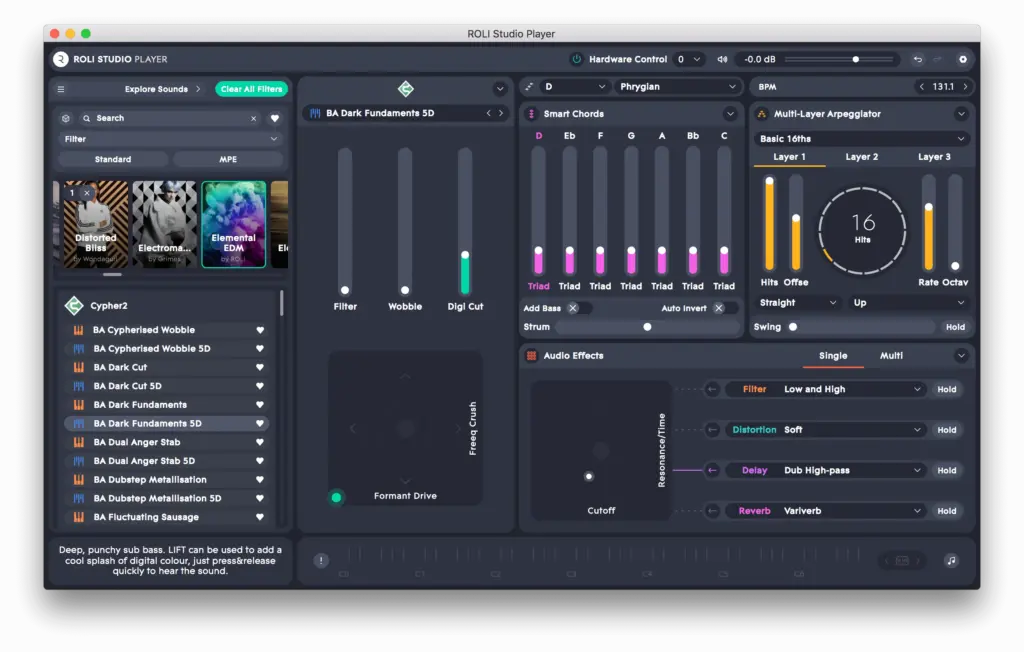
There is also a learning curve around ROLI’s software ecosystem. New users may see different libraries, products, and versions inside ROLI Connect. Understanding which sounds belong to which product can take some time. For Mac users who already own a ROLI controller, Studio Player makes more sense because its expressive features are closely connected to ROLI hardware. For users with a standard MIDI keyboard, it is still useful, but some of the ROLI experience is lost.
Features of ROLI ROLI Studio Player for Mac
- Works as a standalone application
- Supports AU and VST3 plugin formats
- Works with ROLI Seaboard controllers
- Can also be used with standard MIDI keyboards
- Includes sounds from ROLI instruments such as Equator2, Cypher2, and Strobe2
- Offers hundreds of melodic and percussive presets across the ROLI Studio ecosystem
- Supports expressive playing with compatible ROLI hardware
- Includes Smart Chords
- Includes an arpeggiator for creating repeating patterns
- Provides built-in effects
- Works with popular Mac music production software
- Uses ROLI Connect for installation and account authorization
- Supports Intel and Apple Silicon Macs
- Allows users to browse and change presets quickly
- Suitable for electronic music, sound design, songwriting, and general music production
Technical Details:
- Software Name: ROLI ROLI Studio Player MacOS
- Software File Name: ROLI ROLI Studio Player 1.4.1.dmg
- Version: 1.4.1
- File Size: 3.9 GB
- File Extension: DMG
- License Type: Premium
- Developer: ROLI
System Requirements
- Operating System: macOS 10.10 or later
- Processor: Apple Silicon (M1, M2, M3, M4, M5) or Intel Core 64-bit
- RAM: 8 GB minimum, 16 GB recommended
- Storage: 6 GB free disk space
Best Alternatives to ROLI ROLI Studio Player for Mac
Arturia Analog Lab combines sounds from many Arturia instruments in one application. It offers a much larger selection of presets and gives users more options for exploring different types of keyboards and synthesizers. It is a good option for Mac users who want a broad collection of sounds rather than software built around ROLI hardware.
Native Instruments Komplete is a much larger collection of instruments and effects. It includes synthesizers, sampled instruments, drums, effects, and other production tools. It requires more storage and can take longer to learn, but it offers far more variety than a simple preset player.
UVI Falcon is aimed at users who want much deeper control over sound creation. It includes many sound-generation options and detailed editing tools. It is more complex than Studio Player, so it is better suited to users who want to create and edit their own sounds.
Arturia Pigments is a full synthesizer rather than a simple preset player. It gives you detailed control over oscillators, filters, effects, envelopes, and other parts of a sound. It is a better fit if you want to learn sound design instead of mainly working with ready-made presets.
Equator2 is the more advanced option within the ROLI ecosystem. It provides much deeper control over sound creation than Studio Player. Users who like the ROLI sound and want to build their own patches may find Equator2 more suitable.
ROLI ROLI Studio Player 1.4.1 for Mac Free Download
Click the button below to download ROLI ROLI Studio Player for Mac latest full version setup free. It is a complete standalone installer for macOS with a single-click download link.