AllMacWorld MAC Apps One Click Away
Download Noir for Mac free latest full version standalone setup. Noir 2026 for macOS is a Safari extension that automatically adds a dark mode to every website you visit. It is built for Mac users who want a comfortable, eye-friendly browsing experience without bright screens.
Noir for Mac Review
Most websites do not offer a dark mode. You switch on macOS Dark Mode and your desktop goes dark. Then you open Safari and a bright white page hits you in the face. At night this is uncomfortable. During the day it causes eye strain. If you work long hours in front of a screen, this adds up quickly.
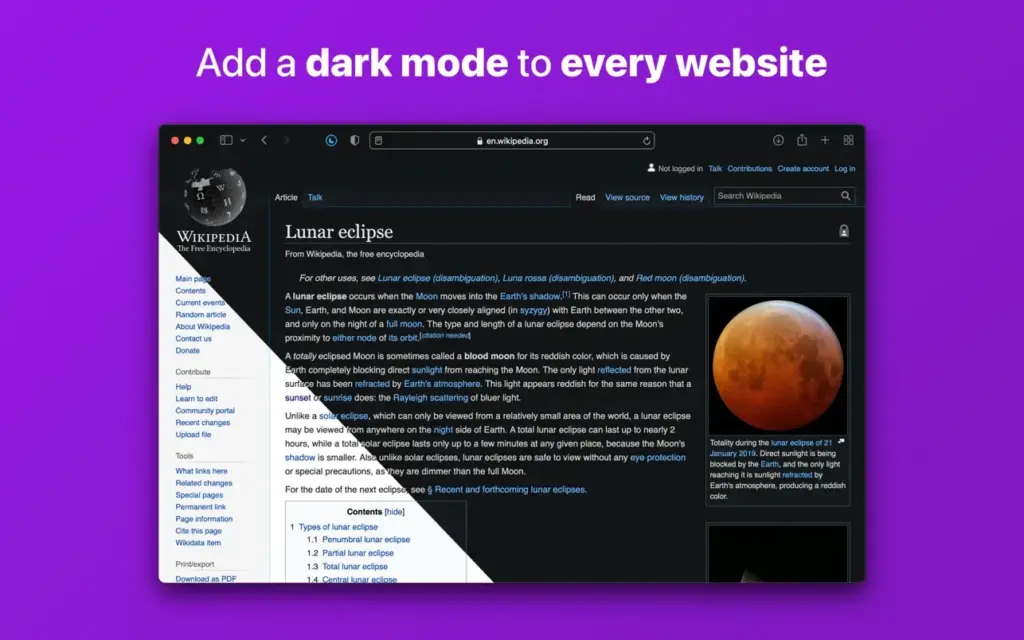
Noir for Mac solves this problem. It is a Safari extension that generates a custom dark mode for every website you visit. It does this automatically. You do not click a button for each page. You do not configure anything per site unless you want to. The dark mode is ready by the time the page finishes loading.
Noir runs as a Safari extension. As soon as a page starts loading, Noir analyzes the colors and styles on that page. It builds a dark theme based on what it finds. By the time the page is fully loaded, the dark mode is already applied. You will not notice any delay.
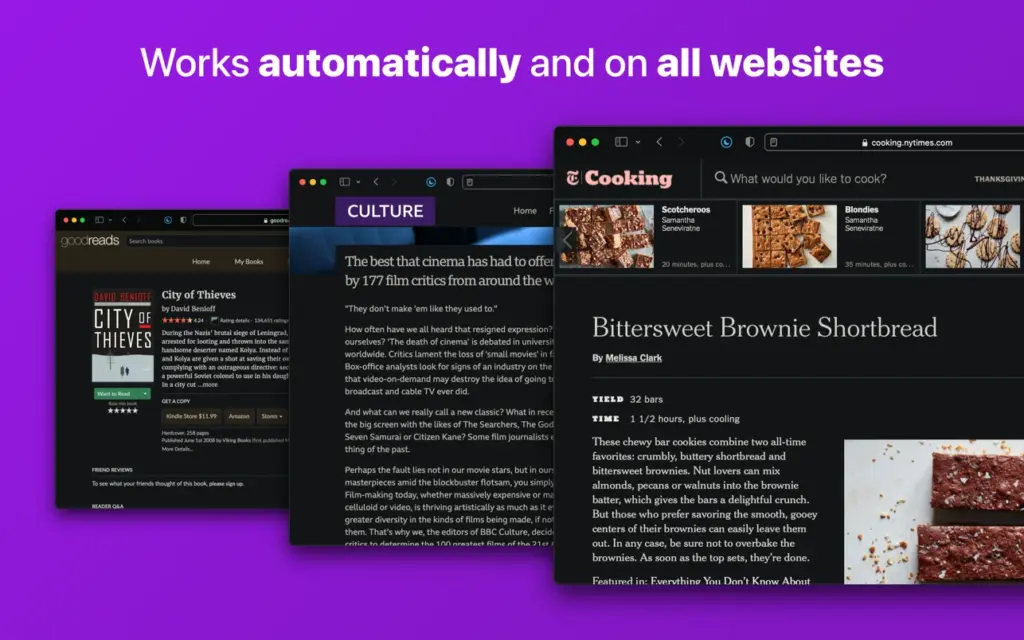
The result is not a flat dark overlay. Noir preserves contrast between text and background. Highlights still stand out. Images are handled separately with optional dimming. The dark mode looks like it was designed for the site, not forced on top of it.
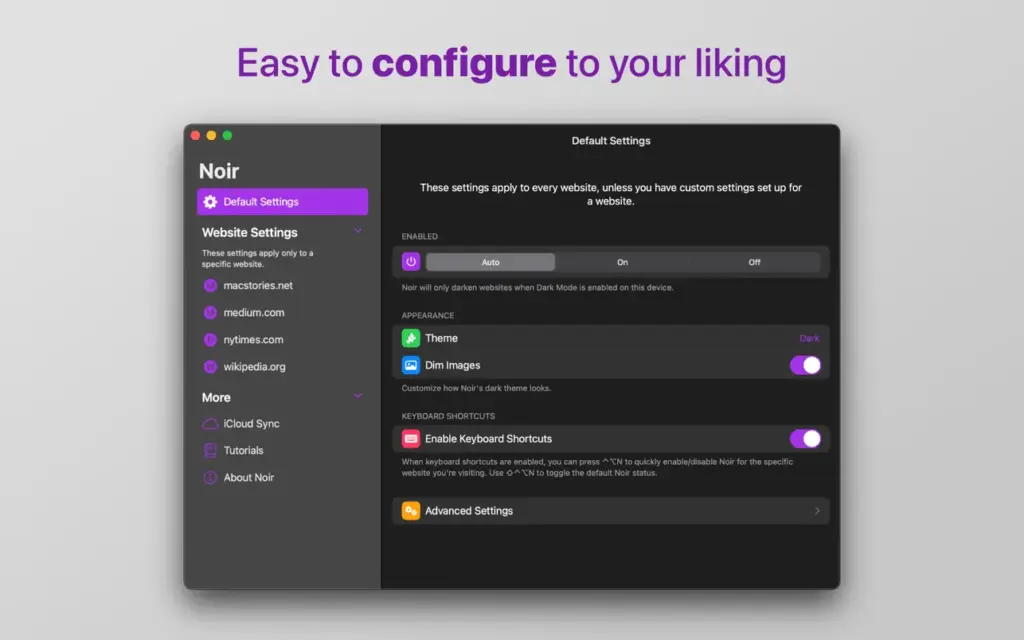
By default, Noir follows your Mac system setting. When your Mac is in Dark Mode, Noir activates. When your Mac switches to Light Mode, Noir steps back. You can override this. You can keep Noir on all the time or turn it off entirely. You can also set different rules for specific websites.
Key Features of Noir for Mac
- Automatic Dark Mode for Every Website: Noir applies a dark theme to every site in Safari without any manual action. There is no whitelist to build and no button to press for each page. Once enabled, it runs silently in the background on every website you visit.
- Custom Themes and Theme Library: Noir includes over 20 pre-built themes. You can also create your own theme by setting custom background and text colors. You can control image dimming and image grayscaling per theme. If you build a theme you like, you can share it with other Noir users through a simple link.
- Per-Website Controls: You can set different behavior for any website. You can keep Noir off on sites that already have a good dark mode built in. You can force Noir on for sites that incorrectly report a dark mode when they do not have one. All of this is accessible from the Noir menu inside Safari.
- iCloud Sync Across Apple Devices: Your Noir settings sync across all your Apple devices through iCloud. If you configure a website rule on your Mac, it carries over to your iPhone and iPad automatically. The same themes and preferences follow you everywhere.
- Control Center and Menu Bar Access: You can add Noir to your Mac Control Center or menu bar. This lets you turn Noir on or off in one click from anywhere. You do not need to open Safari to change a setting. This was added in the 2025 update and is one of the most practical quality-of-life improvements.
- Web Apps Support on macOS Sequoia and Later: Starting with macOS 15 Sequoia, Safari lets you add websites to your Dock as standalone Web Apps. Noir now works inside these Web Apps. You enable it from the Web App settings under the Extensions pane. This is handled through a second extension called Noir for Web Apps, which comes bundled with the main app.
- Privacy First Design: Noir does not collect any of your browsing data. It needs access to each page you visit in order to analyze the colors and apply a dark style. But none of that data is stored or sent anywhere. Your settings are saved only on your device and your iCloud account.
Technical Details:
- Software Name: Noir
- Software File Name: Noir 2026.1.8 MAS [TNT].dmg
- Version:1.8
- File Size: 12 MB
- File Extension: DMG
- License Type: Premium
- Developer: Jeffery Kuiken
System Requirements
- Operating System: macOS 12.0 or later for Apple Silicon, macOS 10.15 or later for Intel
- Processor: Apple Silicon or Intel Core 64-bit
- RAM: 2 GB minimum
- Storage: 100 MB free disk space
Best Alternatives to Noir for Mac
Noir is the best dark mode Safari extension for Mac users. If you need something different, here are the strongest alternatives.
Dark Reader is a free browser extension that works across Safari, Chrome, and Firefox. It adds a dark mode to every website using several rendering methods. It does not offer iCloud sync or a native macOS interface. It is the best choice for users who switch between browsers or want a free tool.
Neo Noir is a simpler dark mode extension for Safari on Mac. It is free and handles basic dark mode browsing. It does not offer custom themes, iCloud sync, or the depth of per-site control that Noir provides. It is a reasonable option if you want something free and simple.
Darkness is a browser extension focused on popular websites like Gmail, YouTube, and Google. It applies hand-crafted dark themes to specific high-traffic sites. It does not cover every website automatically. It is a good complement to another dark mode tool if you primarily use those major sites.
Noir 2026.1.8 for Mac Free Download
Click the button below to download Noir 2026 for Mac latest full version setup free. It is a complete standalone installer for macOS with a single click download link.