AllMacWorld MAC Apps One Click Away
Download Structured 4.4.9 for Mac free latest full version standalone setup. Structured 2026 for macOS is a visual day planner and time blocking app built for students, professionals, and ADHD users who want a clear, organized timeline of their entire day on a Mac.
Structured for Mac Review
Structured for Mac is a visual day planner built around the time blocking method. Most planning apps give you a list of tasks. Structured gives you a timeline. Every task gets a specific time slot. Every hour of your day becomes visible at a glance. You always know what to work on next because the answer is right in front of you on your Mac screen. You can also download MacGPT Free
The core of the app is its visual timeline interface. Your day scrolls vertically as a series of color-coded blocks. You drag tasks onto the timeline, resize blocks to adjust duration, and instantly see gaps in your schedule. If two tasks overlap, the app flags it immediately. This prevents the common mistake of scheduling too much into a single block of time.
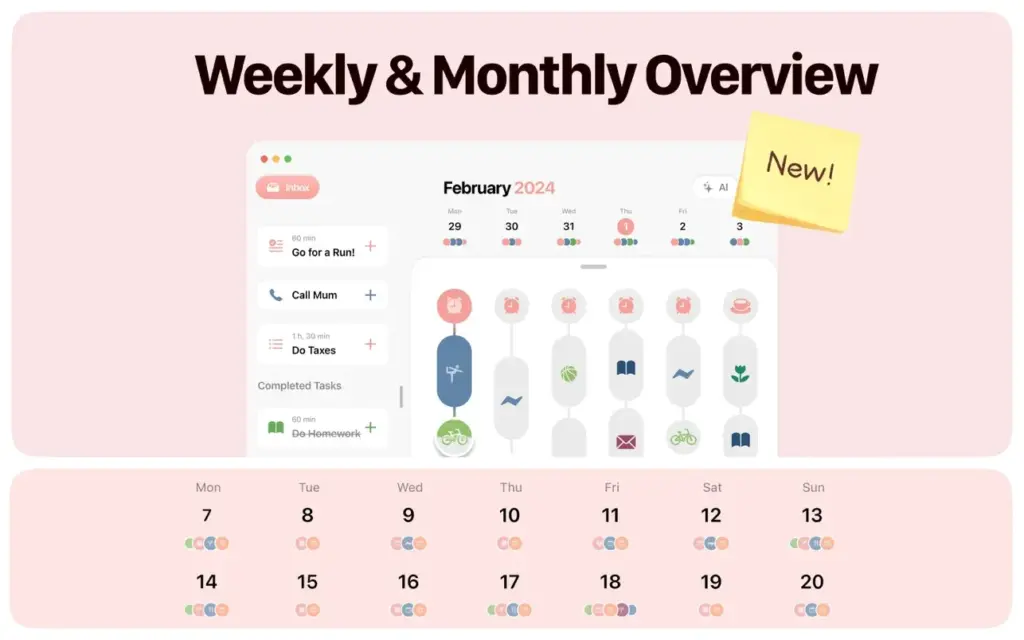
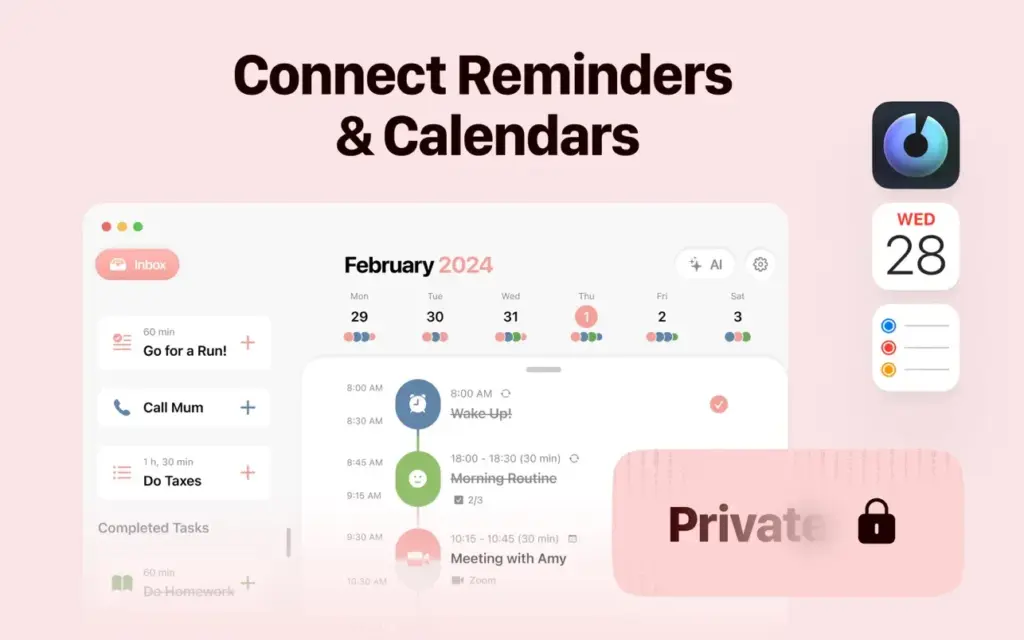
What sets Structured apart from other Mac planners is its Apple ecosystem integration. The app connects directly to Apple Calendar and Apple Reminders. Meetings you already have pull in automatically. Reminders you create with Siri flow straight into Structured’s inbox. If you say “Hey Siri, remind me to call the client at 3pm tomorrow,” that task appears on your Structured timeline without any manual entry. This makes Siri genuinely useful as a planning tool for the first time.
The Inbox is one of the most valuable features in the app. It sits on the left sidebar on Mac. You can dump any task into the inbox without assigning it a time. This matters for ADHD users especially. It removes the pressure of scheduling every idea immediately. You capture the thought, keep the timeline clean, and sort tasks during your next planning session. The inbox acts as a trusted buffer between your brain and your calendar.

Structured Pro extends the app with recurring tasks, AI-powered day planning, and the Replan feature. Recurring tasks let you lock in your morning routine, weekly reviews, and regular habits once. They appear automatically every day after that. The AI planning feature drafts a full day schedule in seconds using voice or text input. Replan is equally powerful. When your day gets disrupted and you miss tasks, Replan automatically reschedules everything so nothing falls through.
Features of Structured for Mac
- Visual day planner with a drag-and-drop timeline for macOS
- Inbox on the left sidebar for fast task capture without scheduling
- Color-coded task blocks with overlap detection and alerts
- Apple Calendar integration that pulls in meetings automatically
- Apple Reminders and Siri integration for hands-free task capture
- Cross-device sync across Mac, iPhone, iPad, Apple Watch, and Android
- Structured Cloud sync as the default for new users, with iCloud sync also available
- Recurring tasks and routines that repeat daily, weekly, or monthly
- Subtasks inside each task block for breaking down complex work
- Notes field on every task for extra context and details
- AI-powered day planning that drafts a full schedule in seconds
- Replan feature that automatically reschedules missed and forgotten tasks
- Built-in Pomodoro focus timer with work and break intervals
- macOS widgets for at-a-glance schedule view without opening the app
- Live Activities support for real-time task tracking
- Over 500 icons and full color coding available in Structured Pro
- Multiple time zone support for scheduling across different regions
- Available in over 30 languages with automatic system language detection
- VoiceOver, Voice Control, and dyslexia-friendly font for accessibility
- Editor’s Choice badge on the App Store with 55,000 plus user reviews
Technical Details
- Software Name: Structured — Daily Planner
- Software File Name: Structured-4.4.6.dmg
- Version:4.9
- File Size: 75 MB
- File Extension: DMG
- License Type: Premium
- Developer: Leonard Mehlig
System Requirements
- Operating System: macOS Sonoma 14.0 or later
- Processor: Apple Silicon (M1, M2, M3, M4) or Intel Core i5 or later
- RAM: 4 GB minimum, 8 GB recommended
- Storage: 150 MB free disk space
- Internet: Required for Structured Cloud sync and AI planning features
What are the best alternatives to Structured for Mac?
Structured is a focused daily planning app. If it does not fit your workflow, several strong alternatives exist for Mac users:
- Fantastical: A powerful Mac calendar app with natural language input and time blocking support. Best for users who want a traditional calendar with extra scheduling intelligence.
- Sunsama: A daily planning tool built around a morning ritual workflow. It integrates with Notion, Asana, Jira, and Slack. Better suited for users who manage tasks across multiple team platforms.
- Motion: An AI-powered scheduling app that automatically plans your day based on task priorities and deadlines. Good for users who want full automation rather than manual time blocking.
- Todoist: A list-based task manager with calendar integration. Better for users who prefer a traditional to-do list over a visual timeline.
- Things 3: A beautiful Mac task manager with a clean design and strong capture tools. Works well as a companion app alongside Structured for deeper task management.
Each option serves a different planning style. Structured stands out for its visual simplicity, Apple-native integrations, and ADHD-friendly design on Mac.
Structured 4.4.9 for Mac Free Download
Click the button below to download Structured for Mac latest full version setup free. It is a complete offline DMG installer for macOS with a single-click download link.