AllMacWorld MAC Apps One Click Away
Download MacGPT 3.21 for Mac free latest full version standalone setup. MacGPT 2026 for macOS is a lightweight native app that brings ChatGPT directly into your Mac menu bar. It is built for professionals, students, and everyday Mac users who want fast AI access without opening a browser
MacGPT 2026 for Mac Review
Most Mac users waste time switching between apps and browser tabs just to use ChatGPT. You open a new tab, wait for the page to load, and break your entire focus. MacGPT solves this problem completely. It is a simple, native macOS app created by indie developer Jordi Bruin. It places ChatGPT in your Mac menu bar so you can access it in one click or with a keyboard shortcut. No browser needed. No extra steps. Just instant AI assistance from anywhere on your Mac. Over 300,000 users already rely on it daily, which makes it one of the most popular AI utilities in the Mac ecosystem right now.
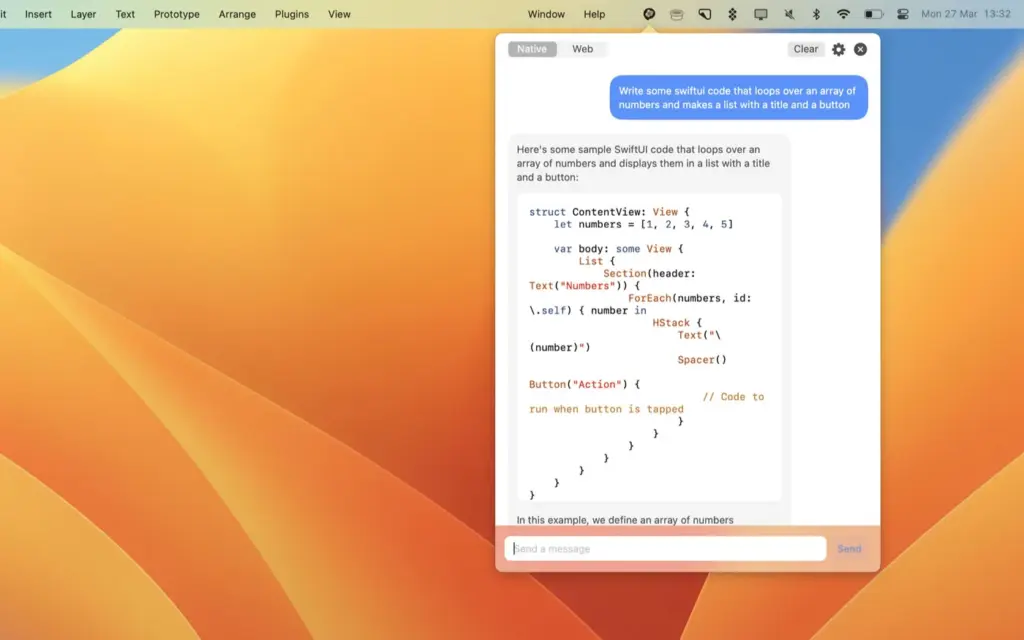
MacGPT is not a simple web wrapper. It offers two distinct connection modes. The Web Mode loads the full ChatGPT interface in a clean, dedicated window. The Native Mode connects directly to the OpenAI API. Native Mode is faster, lighter, and unlocks powerful system-wide features that make AI feel like a built-in part of macOS. The app supports GPT-4o, the latest and fastest model from OpenAI, making responses quicker and more affordable compared to older API versions.
Why MacGPT Stands Out
MacGPT is designed with one goal: speed. It does not try to do everything. It focuses on giving you the fastest possible path from your question to your answer. That is why so many Mac power users prefer it over heavier alternatives. The menu bar placement means ChatGPT is always one keystroke away, whether you are writing, coding, researching, or brainstorming. You never have to leave your current app. You never lose your workflow context.
MacGPT vs. Official ChatGPT App for Mac
OpenAI released its own official Mac app. It is polished and deeply integrated with macOS. However, it requires macOS 14 or later and an Apple Silicon chip. MacGPT supports macOS Monterey and Ventura, covering a much wider range of Mac hardware. If your Mac is a few years old or you run an Intel chip, MacGPT is often the better choice. It is also lighter on system resources, which matters if you keep many apps running at once.
Features of MacGPT for Mac
- Menu Bar Access: ChatGPT lives in your Mac menu bar. Click the icon or use a custom keyboard shortcut to open it instantly from any app.
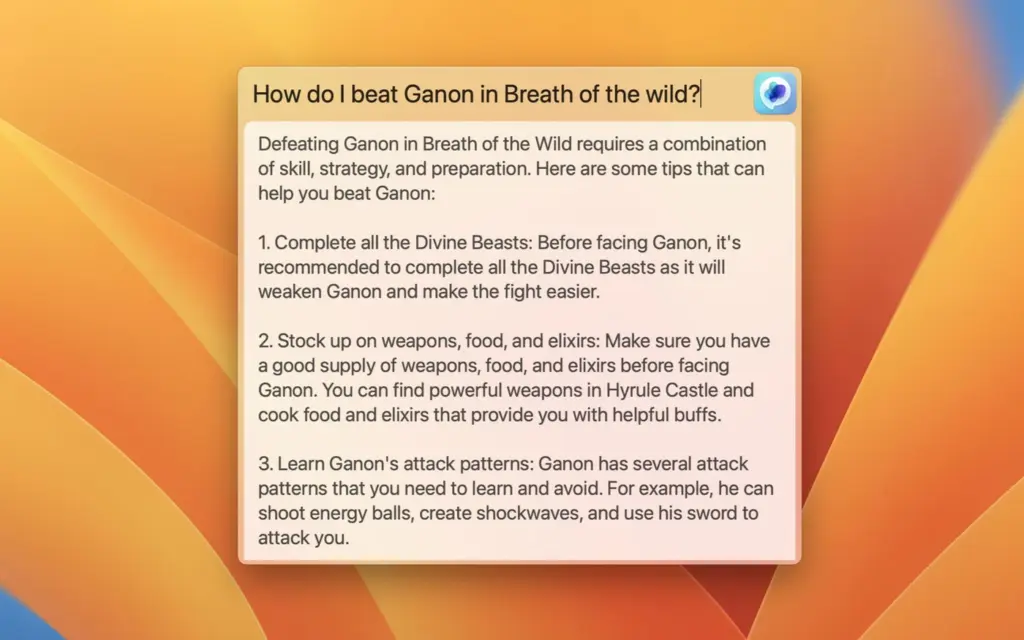
- Global Feature: Activates a floating text field in the center of your screen. You can type a prompt and get a response without switching windows. Requires macOS Ventura and an OpenAI API key.
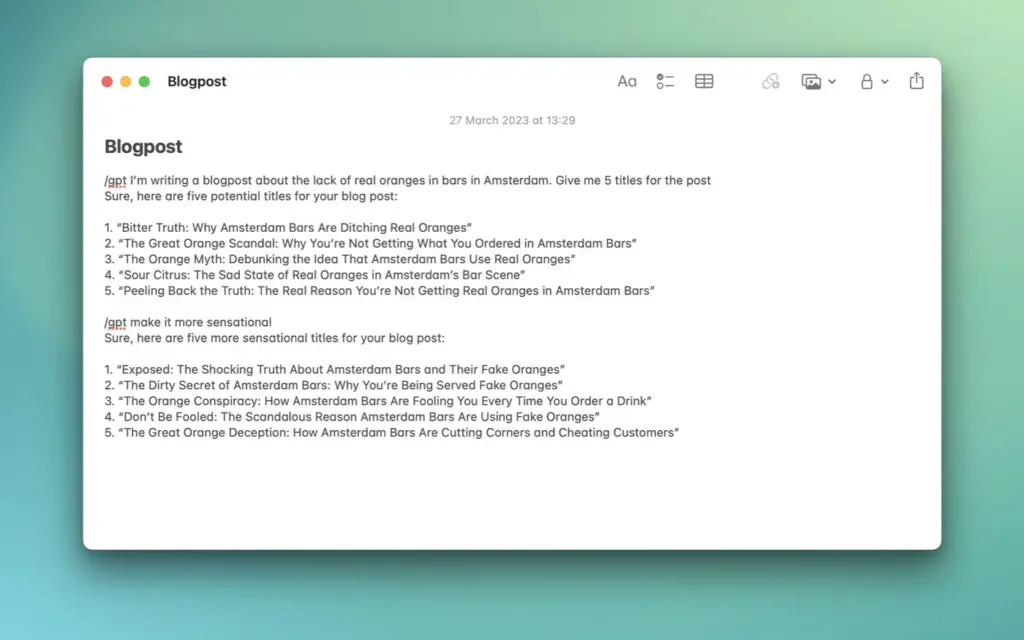
- Inline Feature: Brings ChatGPT directly into any text field. Type your trigger phrase followed by your prompt and MacGPT fills in the response for you. Great for writing emails, blog posts, and code. Requires macOS Ventura and an API key.
- Conversation Mode: Lets you talk to ChatGPT using your voice. No keyboard needed. You can have a back-and-forth conversation hands-free, which is useful when multitasking.
- GPT-4o Support: The latest update (v3.21) adds full support for GPT-4o. It is twice as fast as GPT-4 and more cost-efficient when using the API.
- ChatGPT Plus Compatibility: Log in with your existing ChatGPT Plus account credentials. You get full access to GPT-4 and all Plus features directly through the app.
- Multiple Conversation Templates: Create and save multiple conversation setups with different system prompts. Switch between them easily for different tasks like writing, coding, or research.
- Privacy First: MacGPT does not track or store your data. All connections go directly to OpenAI’s servers. Nothing passes through third-party servers.
- Adjustable Window Size: Choose between Small, Medium, and Wide menu bar window sizes. Pick the size that fits your screen and workflow.
- Chat History Sidebar: Click the menu icon inside the app to view past conversations. Easy to reference what you asked earlier.
Technical Details:
- Software Name: MacGPT
- Software File Name: MacGPT_3_21.dmg
- Version: 3.21
- File Size: 9 MB
- File Extension: DMG
- License Type: Premium
- Developer: MacGPT
System Requirements:
- Operating System: macOS Monterey (12) or later
- Installed Memory (RAM): 4 GB or more
- Free Storage Space: 50 MB free space
- Processor (CPU): Intel 64-bit or Apple Silicon (M1 / M2 / M3 / M4)
MacGPT Alternatives for Mac
MacGPT is excellent for fast, lightweight access. But some users need more features. Here are the top alternatives worth considering.
- BoltAI is a native Mac app with low CPU usage, voice transcription, and advanced chat management. It is a strong choice if you want more control over prompts and models.
- MindMac supports multiple AI providers including OpenAI, Claude, Gemini, and local models. It comes with over 150 built-in prompt templates and is free for basic use.
- Elephas goes beyond chat. It handles writing assistance, email replies, and text summarization directly in your Mac apps. It is better suited for content creators.
- ChatTab offers a multi-tab interface with iCloud sync and local data storage. It works on macOS 11 and above, making it compatible with older Macs.
- Official ChatGPT App by OpenAI offers the deepest macOS integration including a Spotlight-style overlay and screenshot context. It requires macOS 14 and Apple Silicon.
MacGPT wins for users who want the fastest and most lightweight ChatGPT access on Mac. The alternatives are better for users who need multi-model support, document chat, or more customization.
Download MacGPT 3.21 Latest Version Free
Click the button below to download MacGPT for Mac free. This is a complete offline standalone setup for macOS with a single-click download link.