 AllMacWorld MAC Apps One Click Away
Download BentoBox 2 v1.2.2 free latest full version standalone offline setup for Mac OS X. BentoBox 2026 for macOS is a window manager for macOS that improves productivity by allowing you to arrange windows into customizable zones.
BentoBox 2026 for Mac
BentoBox is designed to make window management easier on macOS. Its main purpose is to help you organize your desktop without spending time dragging and resizing windows again and again. You can also download PeakHour 6 for Mac
When you open BentoBox, you can create a layout based on how you want to use your screen. You can divide the display into different sections and place applications in those areas. For example, you can keep a browser on the left, a writing app on the right and a smaller window at the bottom for notes or messaging.
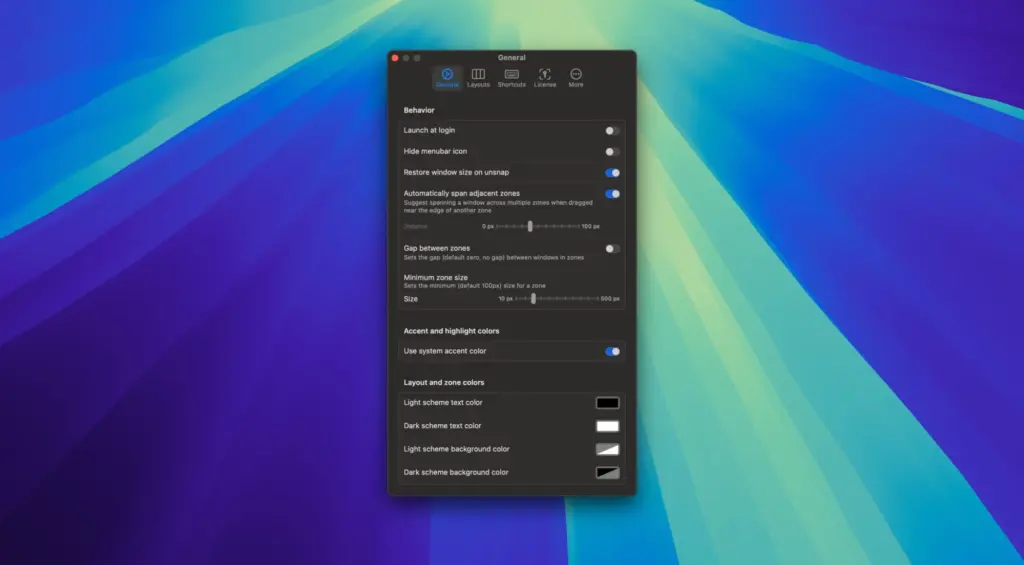
The biggest advantage of BentoBox is its custom layout system. You are not limited to the usual left, right or full-screen window positions. You can create layouts that match your screen size and daily work. This is useful for people who use large displays or ultrawide monitors because standard window positions may leave unused space.
BentoBox offers tiled and freeform layouts. Tiled layouts allow you to arrange windows in a structured way, such as rows and columns. Freeform layouts give you more flexibility. You can create areas that overlap, which can be helpful when you want one application to occupy more space than another.
The window snapping feature makes these layouts easier to use. You can reveal your zones while dragging a window by holding Shift or using the supported right-click dragging method. Once the zones appear, move the window to the area you want and release it. BentoBox places the window into that position.
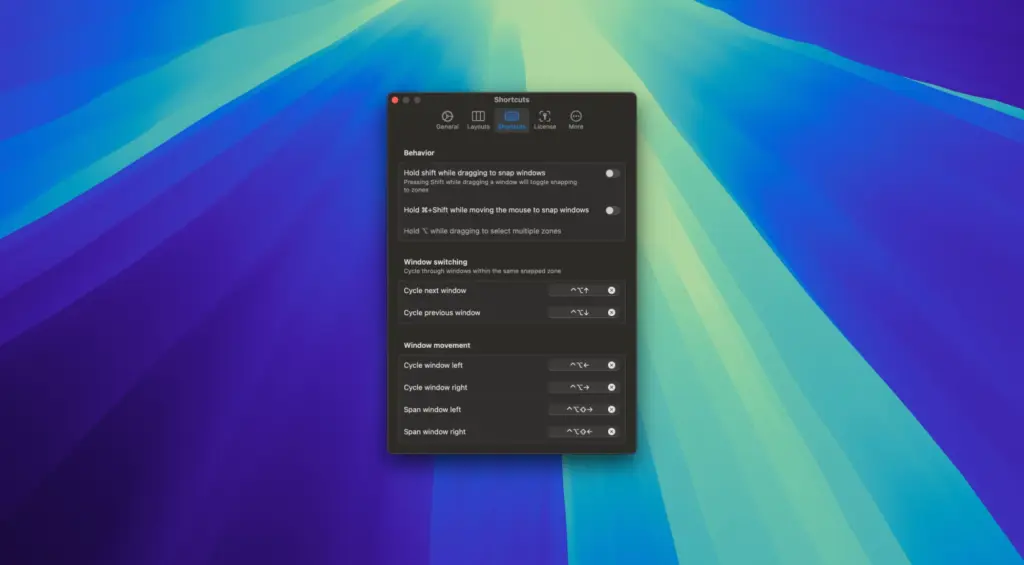
You can also use keyboard shortcuts to move windows. This is helpful when you regularly use the same layout and want to avoid moving windows with your mouse. You can assign shortcuts to specific zones and move the focused window into the selected area. BentoBox also offers an optional dragless snapping workflow.
BentoBox works with multiple displays. If you connect an external monitor to your MacBook, you can create layouts for each display. This gives you more control over how applications are arranged on different screens. It also supports macOS Spaces, allowing layouts to be associated with different desktops.
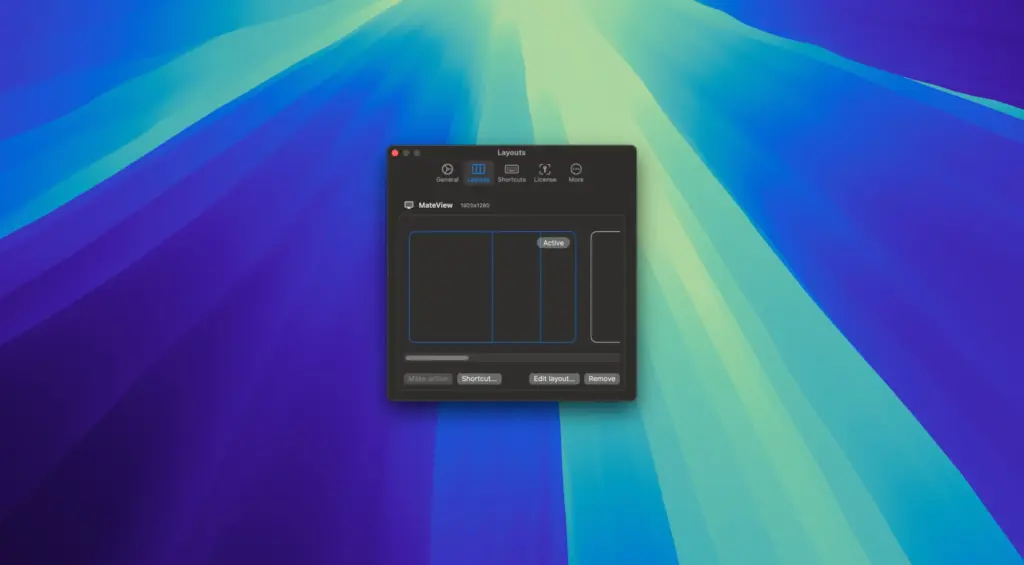
Another useful feature is the ability to stretch a window across adjacent zones. Sometimes a single area is too small for a document, spreadsheet or browser. BentoBox allows you to span a window across neighboring zones when you need more space.
The app requires Accessibility permission to move, resize and control windows belonging to other applications. This is a normal requirement for many Mac window management apps. According to the developer, BentoBox does not require Screen Recording permission to organize windows.
The latest version reviewed, BentoBox 1.1.12, requires macOS 15 or later. Users running macOS Sonoma 14.6 or later can use BentoBox 1.1.10, according to the developer’s release notes. Overall, BentoBox provides a flexible way to organize windows on Mac. It is particularly useful for people who work with multiple applications, use external monitors or want more control over their desktop layout.
Features of BentoBox for macOS
- Create custom window layouts for your Mac desktop.
- Arrange windows using tiled layouts with rows and columns.
- Create freeform layouts with overlapping zones.
- Snap windows into specific screen areas.
- Reveal zones while dragging windows.
- Assign keyboard shortcuts to window zones.
- Move windows without relying entirely on mouse dragging.
- Create different layouts for multiple displays.
- Support layouts associated with macOS Spaces.
- Stretch windows across adjacent zones.
- Organize applications without manually resizing every window.
- Support for ultrawide monitors and custom screen arrangements.
Technical Details of BentoBox for Mac
- Mac Software Full Name: BentoBox
- Version: 1.1.12
- Setup App File Name: BentoBox-v1.1.12.dmg
- Full Application Size: 9 MB
- Setup Type: Offline Installer / Full Standalone Setup DMG Package
- Compatibility Architecture: Apple-Intel Architecture
- Latest Version Release Added On: 25 November 2026
- License Type: Full Premium Pro Version
- Developers Homepage: Friendly Ventures
System Requirements for BentoBox for Mac
- OS: Mac OS 10.15 or above
- Installed Memory (RAM): 8 GB
- Free HDD: 50 MB of free hard drive space
- Processor (CPU): Intel 64-bit Processor
- Monitor: 1280×1024 monitor resolution
Alternatives of BentoBox
Rectangle is one of the most popular alternatives to BentoBox. It helps you move windows into common screen positions using keyboard shortcuts or snapping actions. Rectangle is free and open-source, making it a good choice for users who only need basic window management. BentoBox is more suitable for people who want custom zones and freeform layouts.
Magnet is another window management app for Mac. It lets you arrange windows into different screen positions and offers a simple way to manage multiple applications. Magnet is a good option if you prefer predefined window positions. BentoBox offers more flexibility when you want to design your own screen layouts.
Moom is also worth considering if you want more control over window sizes and positions. It offers custom window placement and saved arrangements. It can be useful for users who want to create detailed layouts and manage windows across multiple displays.
Amethyst is a free, open-source window manager for Mac. It focuses on automatic window arrangements and keyboard controls. It is more suitable for users who prefer keyboard-based window management and automatic tiling rather than manually creating custom zones
Download BentoBox 2026 for MacOS Free Latest Version
Download BentoBox for Mac free latest full version offline direct download link full offline setup by clicking the below button.


