AllMacWorld MAC Apps One Click Away
Download Unfold 2.8.2 for Mac free latest full version standalone setup. Unfold 2026 for MacOS is an app that dramatically expands the capabilities of the built-in Quick Look feature. If your Mac refuses to display the contents of a folder, archive, or file containing code when you press the space bar, Unfold adds support for over 250 file types that the system can’t preview by default.
Unfold 2026 for Mac Review
Unfold is a Mac app that makes Quick Look more useful. It lets you preview files that macOS normally doesn’t show very well, without opening another app. The idea is simple. Select a file in Finder, press Space, and Unfold shows you more information about it. This is especially useful for folders, ZIP and RAR files, source code, Markdown files, ebooks, and other less common file types. You can also download BetterZip for Mac
One of the best things about Unfold is that it doesn’t make you learn a new way to browse files. You continue using Finder and Quick Look as usual.
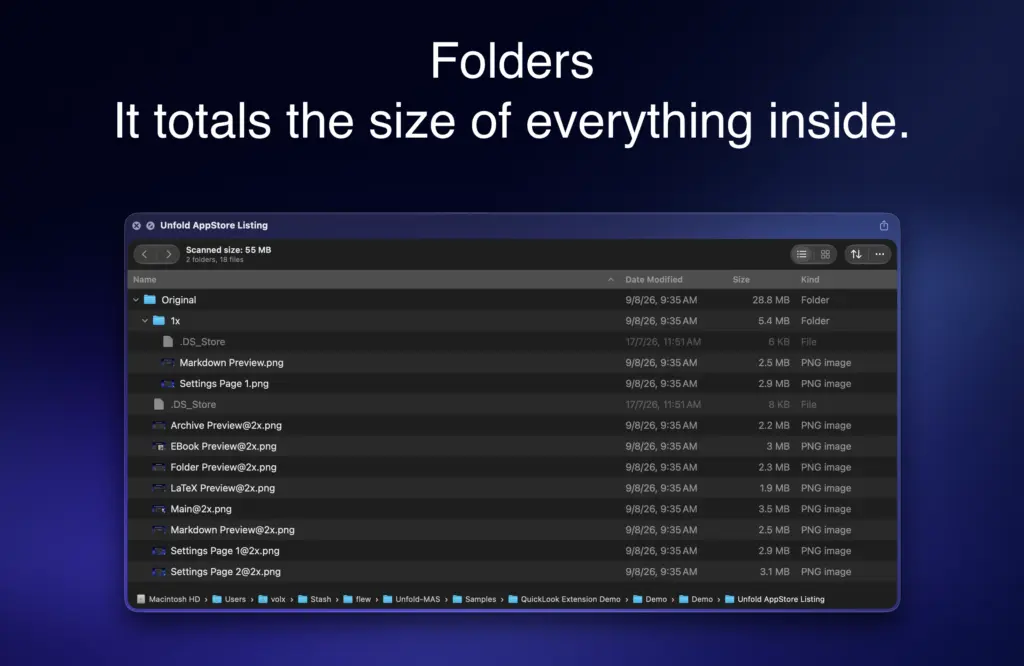
For example, imagine you’ve downloaded a ZIP file but don’t know what’s inside. Normally, you would open or extract it first. With Unfold, you can select the archive, press Space, and check its contents before extracting anything. The same idea works with folders. Instead of opening several folders to find the right one, you can preview their contents directly from Finder.
Unfold is also useful for developers and people who work with technical files. It can display source code with colors and formatting, making files such as Python, JavaScript, Swift, JSON, YAML, and many others easier to read.
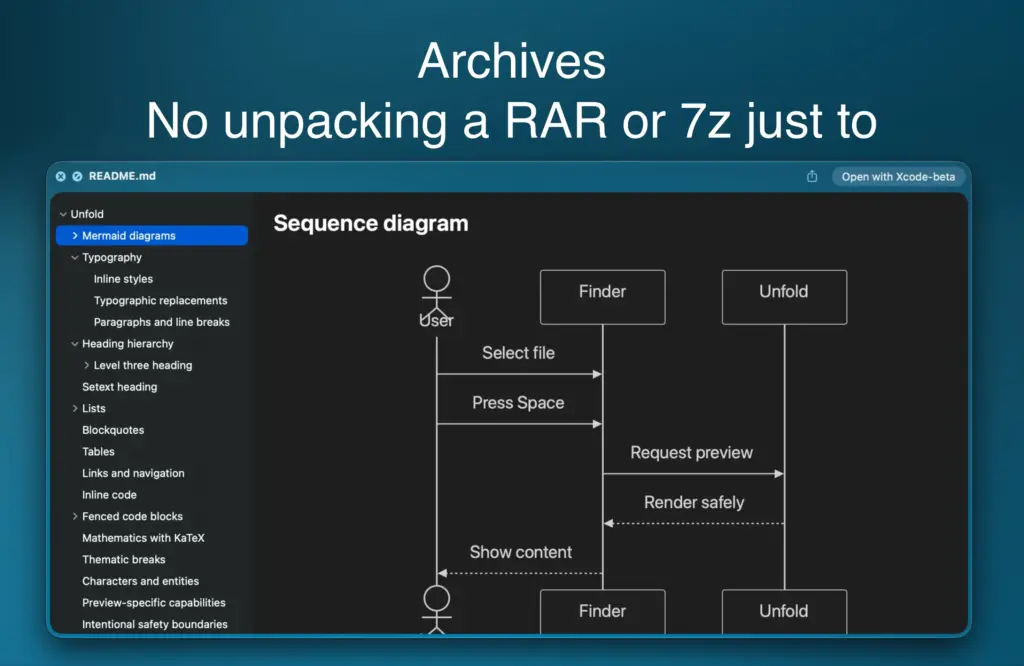
Markdown files can also be displayed in a formatted view instead of showing only the original text. Unfold also supports Mermaid diagrams and LaTeX files. The app isn’t limited to development files. It supports ebook formats such as EPUB and FB2, comic formats such as CBR and CBZ, subtitle files, torrent files, web archives, and several archive formats.
Another useful feature is control over which Unfold extensions are active. This matters because another app on your Mac may already provide a preview for the same file type. If two apps try to handle the same format, the preview may not work as expected.
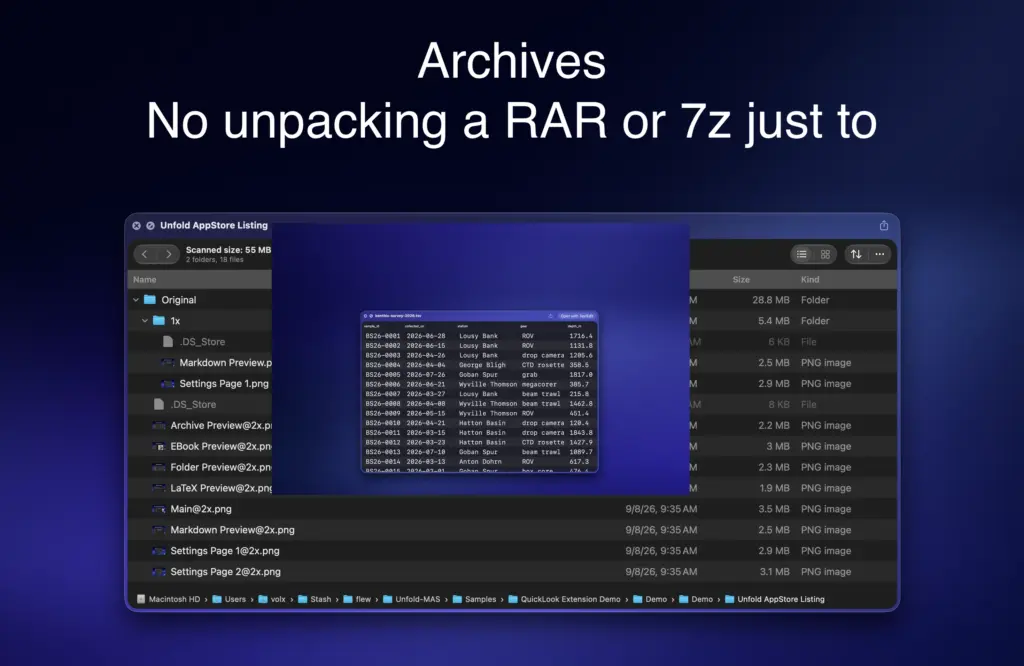
There are also some limits. Unfold is a preview tool, not a replacement for applications such as code editors, archive managers, spreadsheets, or ebook readers. You can look inside an archive, for example, but you’ll still need an archive application when you actually want to extract or manage its files.
The number of supported file types also needs some context. Unfold lists more than 250 extensions, but many of these are different types of source-code or text files that use the same general preview system. The large number shows how broad the support is, but it doesn’t mean there are hundreds of completely different features. The current macOS requirement is another consideration. If you’re using an older version of macOS, Unfold isn’t currently an option.
Overall, Unfold is most useful for people who regularly deal with files that macOS doesn’t preview properly. If you mostly work with photos, PDFs, videos, and common documents, Apple’s built-in Quick Look may already be enough.
Features of Unfold for Mac
- Preview folders without opening them
- See the total size of folders
- Browse the contents of ZIP, RAR, 7Z, TAR, and other archive files
- Preview source code with syntax highlighting
- Preview JSON and configuration files
- Read Markdown files in a formatted view
- View Mermaid diagrams
- Preview LaTeX files
- Preview EPUB and FB2 ebooks
- Preview CBR and CBZ comics
- Preview subtitle files
- Preview web archives
- Preview torrent information
- Preview tabular files such as TSV
- Support for more than 250 file extensions
- Enable or disable individual preview types
- Works directly through macOS Quick Look
Technical Details:
- Software Name: Unfold MacOS
- Software File Name: Unfold 2.8.2.dmg
- Version: 2.8.2
- File Size: 13 MB
- File Extension: DMG
- License Type: Premium
- Developer: Jacob Rizzo
System Requirements
- Operating System: macOS 10.10 or later
- Processor: Apple Silicon (M1, M2, M3, M4, M5) or Intel Core 64-bit
- RAM: 4 GB minimum, 8 GB recommended
- Storage: 100 MB free disk space
Best Alternatives to Unfold for Mac
Looq is one of the closest alternatives to Unfold. It focuses heavily on code and technical files and also offers features for viewing databases and comparing files.
Peek is another Mac app designed to improve Quick Look. It is particularly focused on text and source-code files.
BetterZip is mainly an archive-management app rather than a Quick Look tool. It is more suitable if you regularly need to extract, create, or manage compressed files. If you only want to quickly see what’s inside an archive, Unfold is a simpler solution.
Download Unfold 2.8.2 for Mac Free Latest Version
Click the button below to download Unfold for Mac latest full version setup free. It is a complete standalone installer for macOS with a single-click download link.