 AllMacWorld MAC Apps One Click Away
Download Tacque 1.2 for Mac free latest full version standalone setup. Tacque 2026 for MacOS brings the satisfying sound of a premium mechanical keyboard to any Mac. Choose from six customizable sound styles—from soft tactile to typewriter-like—and instantly change them to suit your mood.
Tacque 2026 for Mac Review
Tacque is a macOS app that adds mechanical keyboard sounds to your existing Mac keyboard. It plays sounds whenever you press a key, giving your regular typing a more mechanical feel without buying a new keyboard. You can also download MacFamilyTree 11
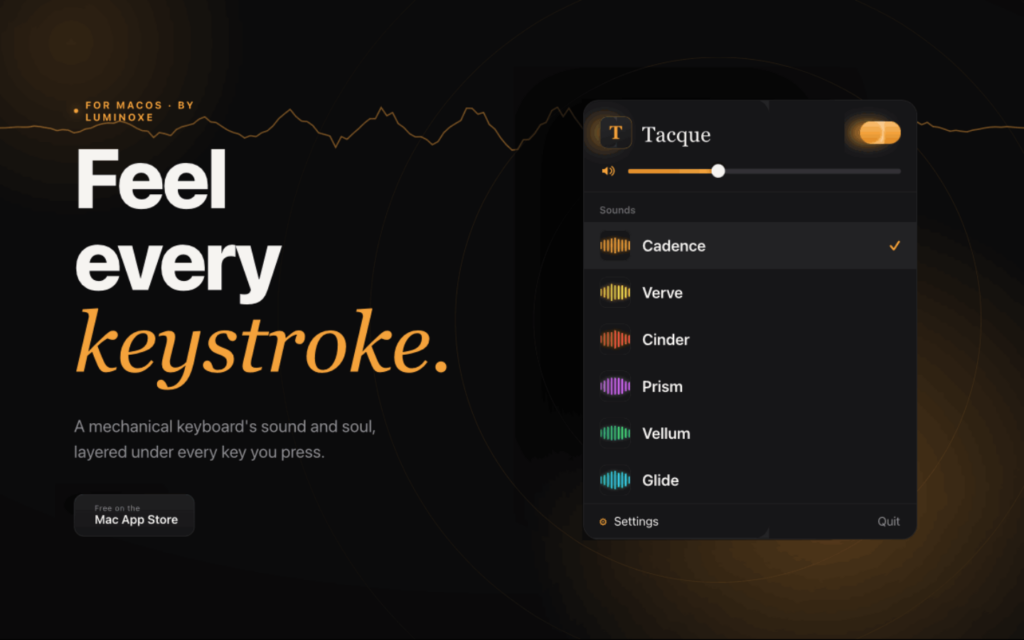
The app runs in the background, so you can type normally while Tacque handles the sounds. It is designed for Mac users who enjoy the clicks and clacks of mechanical keyboards but prefer to keep their current keyboard. One of Tacque’s main features is its collection of keyboard sounds. You can choose different sound styles based on your preference. You can also adjust the volume and pitch to create a typing sound that feels comfortable.
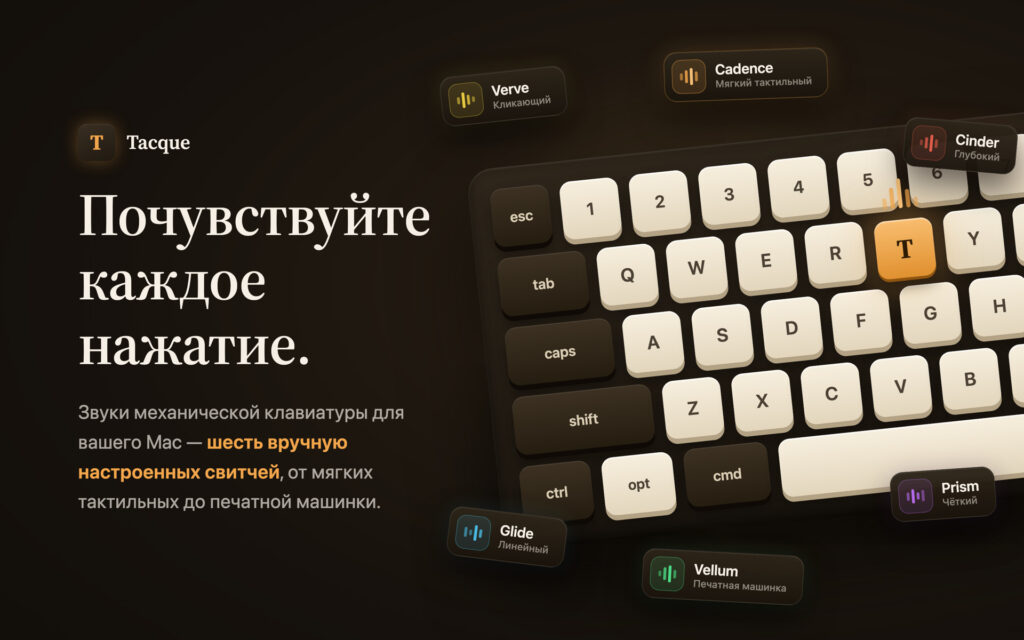
Tacque supports custom sounds, allowing you to use your own audio files or supported links. This is useful if you want something different from the built-in sounds. The app can also play different sounds for specific keys, including Space, Enter, and Backspace. This adds more variety to the typing experience.
Tacque includes stereo sound positioning, which lets you adjust where sounds appear to come from. It also provides a live waveform display to show sound activity while typing. You can access its controls from the Mac menu bar. The app can also pause keyboard sounds during calls and media playback, helping prevent unwanted noise during meetings or while watching videos.
For privacy, Tacque needs permission to detect key presses. The developer states that the app uses these events to play sounds and does not record, store, or send the text you type. You can manage Input Monitoring permissions through System Settings under Privacy & Security.
It is important to understand that Tacque does not turn your regular keyboard into a physical mechanical keyboard. It only adds sound effects. Your keyboard’s keys will feel exactly the same as before.
All in all, Tacque is a useful app for Mac users who enjoy mechanical keyboard sounds. It adds clicks and clacks to your existing keyboard without requiring additional hardware. Its sound options, custom audio support, volume controls, and menu bar access make it a practical choice for everyday typing. The option to pause sounds during calls is also helpful. However, Tacque only changes the sound of your keyboard. It does not change how the keys feel or work.
Features of Tacque for Mac
- Mechanical keyboard sounds: Tacque plays sounds when you press keys on your Mac keyboard. It gives regular typing a sound similar to a mechanical keyboard.
- Different sound styles: You can choose from available sound styles to find one that matches your preference. This is useful if you prefer soft typing sounds or louder clicks.
- Custom sound support: The app lets you add your own sounds from supported files or links. This gives you more control over the sounds you hear while typing.
- Separate sounds for different keys: Tacque can use different sounds for keys such as Space, Enter, and Backspace. This makes the typing experience more varied.
- Volume control: You can adjust the sound level to make the effects comfortable. This is helpful when working in a quiet room or shared space.
- Pitch adjustment: You can change the pitch of the sounds to make them feel higher or lower.
- Stereo positioning: This feature lets you adjust where sounds appear to come from, adding another way to change the listening experience.
- Menu bar controls: You can access the app’s controls from the Mac menu bar without opening a separate window each time.
- Live sound display: Tacque includes a live waveform display that shows sound activity while you type.
- Automatic pausing: The app can pause its sounds during calls and media playback. This helps avoid unwanted noise during meetings and while watching videos.
- Background operation: Tacque works in the background, so you can use your Mac and type normally.
- Privacy information: The developer says Tacque does not record, store, log, or transmit the text you type. It uses key-press events to trigger sounds.
Technical Details:
- Software Name: Tacque MacOS
- Software File Name: Tacque 1.2.dmg
- Version: 1.2
- File Size: 17 MB
- File Extension: DMG
- License Type: Premium
- Developer: Luminoxe
System Requirements
- Operating System: macOS 10.10 or later
- Processor: Apple Silicon (M1, M2, M3, M4, M5) or Intel Core 64-bit
- RAM: 4 GB minimum, 8 GB recommended
- Storage: 200 MB free disk space
Best Alternatives to Tacque for Mac
Tacque is not the only option for adding keyboard sounds to a Mac. If you want to compare different apps, there are a few alternatives worth exploring.
Klack is an app for people who enjoy the sound of mechanical keyboards. It adds sound effects to regular typing, giving your keyboard a different audio experience. It may be worth considering if you want a straightforward way to add typing sounds without buying a physical mechanical keyboard.
TapNoise is another option to explore. It focuses on adding sound effects to typing and may suit users who want to change the sound of their everyday keyboard. Before choosing it, check which sound options are available and whether they match the experience you want.
TypeLouder is also worth checking out if you want sound feedback while typing on your Mac. Compare its available sounds and settings with Tacque before deciding which app is better for your needs.
Tacque 1.2 for Mac Free Download
Click the button below to download Tacque 2026 for Mac latest full version setup free. It is a complete standalone installer for macOS with a single-click download link.