AllMacWorld MAC Apps One Click Away
Download Luma 1.1.1 for Mac free latest full version standalone setup. Luma 2026 for MacOS is a virtual instrument that combines a library of sophisticated sound sources and texture layers into a simple, intuitive interface.
Luma 2026 for Mac Review
Luma for Mac is a music plugin designed for producers who want to create unusual, atmospheric, and moving sounds without spending a long time building every sound from scratch. Instead of working like a traditional synthesizer, Luma gives you two main layers: a sound and a texture. You can combine them and then change how they behave using simple controls. You can also download reFX Nexus for Mac
The sound library includes instruments and recorded sounds covering analog, digital, acoustic, hybrid, and textured categories. The texture library includes sounds such as noise, natural recordings, industrial sounds, synthetic sounds, and Foley recordings. This makes Luma useful when a normal synth sound feels too clean or predictable.
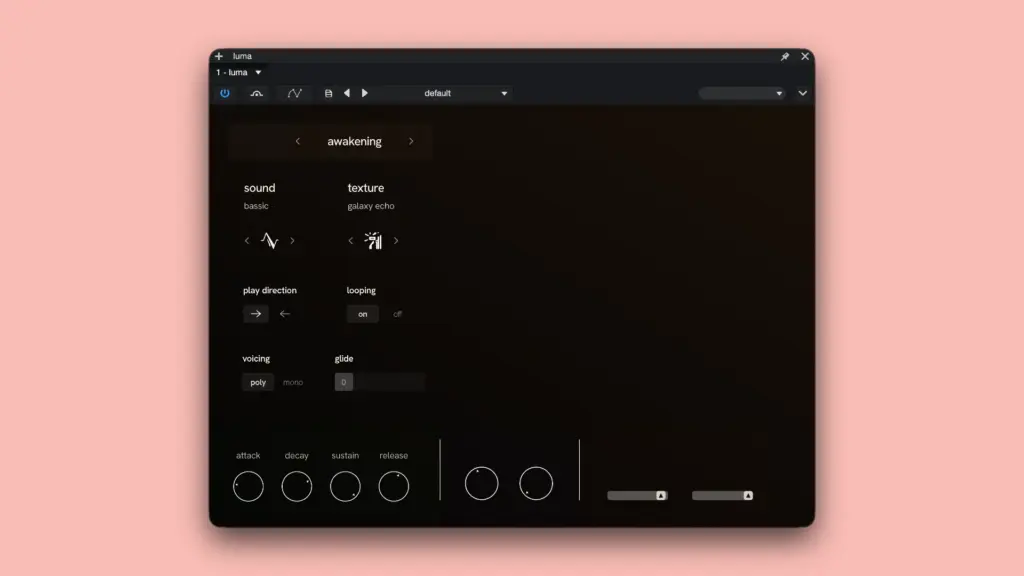
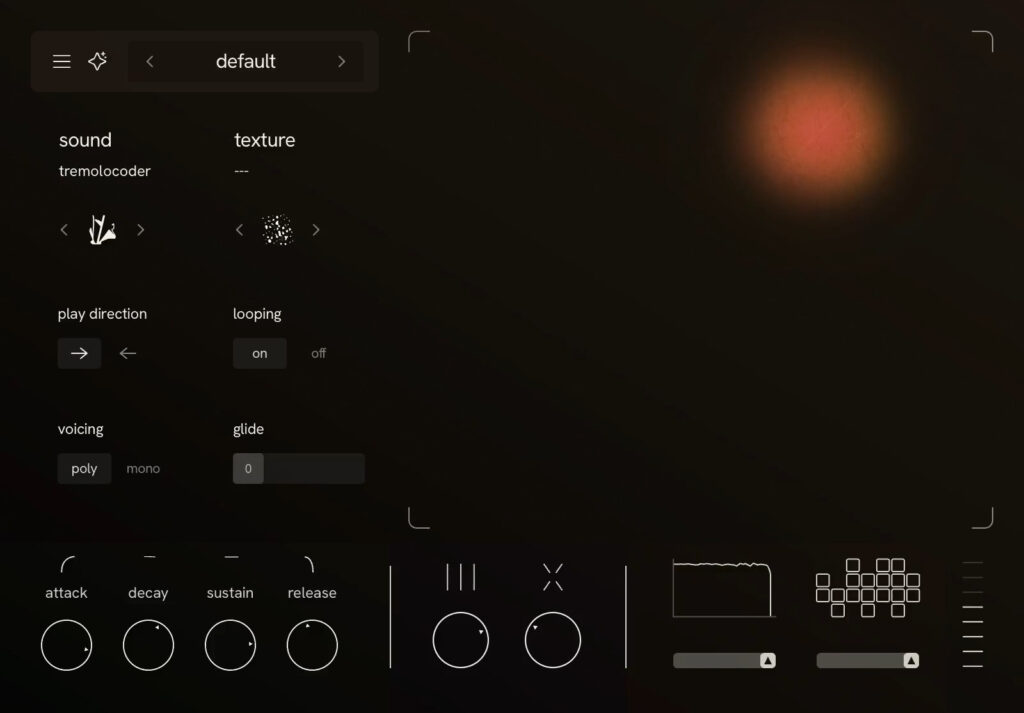
One of the most useful parts of Luma is its XY pad. Moving around the pad changes the character of the main sound and the amount of texture mixed with it. This makes it easy to move from a simple sound to something wider, darker, rougher, or more unusual.
Luma also has controls for adding small changes between notes. This can stop repeated notes from sounding exactly the same. Another control called Disturbance can create chopped and broken sounds for more experimental effects.
There are also controls for lowering the sound quality on purpose and changing parts of the sound’s frequency range. These can create rough, distant, broken, or old-school digital sounds. Luma includes a preset browser and a Generate button. Generate creates a new combination of sounds and settings, which can be useful when you don’t know exactly what sound you want.
The plugin currently advertises more than 300 presets. Its manual lists 274 sound sources and 255 texture sources. These numbers shouldn’t be added together because sound sources and textures are building blocks used to create the finished presets.
For Mac users, Luma is available as VST3, AU, and AAX. This means it can be used with popular music programs including Logic Pro, Ableton Live, FL Studio, Cubase Pro, Studio One, REAPER, and Pro Tools when the correct version is installed. Logic Pro users should use the AU version. Ableton Live, FL Studio, Cubase Pro, Studio One, and REAPER users can use the VST3 version. Pro Tools users should install the AAX version.
Luma supports Apple Silicon Macs, including M1 and newer models, as well as compatible Intel Macs. The current download and support pages list macOS 12 Monterey or newer, 8 GB of RAM, 2.5 GB of free storage, and a Metal-capable graphics system.
There is one point that Mac users should check before installing. Luma’s Explore page currently shows macOS 10.13 as a requirement, while its download and support pages list macOS 12. These pages don’t agree, so anyone using an older Mac should check the current requirement with Luma before installing.
Overall, Luma is most useful for producers who want quick access to atmospheric, textured, unusual, and experimental sounds. It isn’t designed to replace every synthesizer or sample library. Its main appeal is getting from an idea to an interesting sound quickly.
Features of Luma for Mac
- Available for Mac and Windows
- Supports VST3, AU, and AAX
- Works with Apple Silicon Macs
- Supports compatible Intel Macs
- More than 300 advertised presets
- 274 sound sources listed in the manual
- 255 texture sources listed in the manual
- Sound categories include analog, digital, acoustic, hybrid, and textured
- Texture categories include noise, natural, industrial, synthetic, and Foley
- XY pad for changing sounds and textures
- ADSR volume controls
- Velocity control
- Variance control for adding small changes between notes
- Disturbance control for creating broken and chopped sounds
- Tempo-based Disturbance settings
- Sample Rate control for creating lower-quality digital sounds
- Spectral Gate for changing parts of the sound
- Preset browser
- User preset saving
- Preset bank support
- Generate button for creating new sounds
- One license can be used on up to three devices
- Can work offline after activation
- Suitable for Logic Pro
- Suitable for Ableton Live
- Suitable for FL Studio
- Suitable for Cubase Pro
- Suitable for Studio One
- Suitable for REAPER
- Suitable for Pro Tools
Technical Details:
- Software Name: Luma MacOS
- Software File Name: Luma 1.1.1.dmg
- Version: 1.1
- File Size: 1 GB
- File Extension: DMG
- License Type: Premium
- Developer: Luma Developer
System Requirements
- Type: AU, VST3.
- OS: macOS 12 (Monterey) or later.
- Processor: Apple Silicon (M1-M6 and newer) and Intel (64-bit).
- RAM: 8/16 GB.
- Free disk space:38 GB.
- Recommended DAWs: Reaper, Logic Pro, Ableton Live, Studio One, Cubase, FL Studio.
Best Alternatives to Luma for Mac
There are several plugins worth considering if Luma isn’t the right fit.
Arturia Pigments is a better option if you want much more control over how sounds are created. It offers a large range of sound-building tools, while Luma focuses more on combining ready-made sounds and textures.
Spectrasonics Omnisphere is another option for producers who want a very large collection of sounds and many ways to change them. Omnisphere covers a much wider range of sounds and production styles, while Luma has a more focused approach.
Output Portal is worth considering if you are mainly interested in turning existing sounds into strange, moving, and heavily changed sounds. Its approach is different from Luma, but there is some overlap in the type of creative sounds you can make.
Native Instruments Kontakt is a better choice if you need a large collection of sampled instruments. Kontakt can be used with many different instrument libraries, making it much broader than Luma.
Arturia Efx FRAGMENTS is another option for experimental sound creation. It focuses on breaking sounds into smaller pieces and rearranging them, making it useful for unusual effects and sound design.
UJAM Usynth is worth looking at if you prefer choosing a preset and getting a usable sound quickly. Like Luma, it aims to make sound creation less complicated, although the two products use different approaches.
Luma 1.9.3 for Mac Free Download
Click the button below to download Luma 2026 for Mac latest full version setup free. It is a complete standalone installer for macOS with a single-click download link.