AllMacWorld MAC Apps One Click Away
Download Flutter 3.44.6 for Mac free latest stable version setup. Flutter for macOS is an open-source development toolkit built for developers who want to build native iOS, Android, web, and desktop apps from one codebase on a Mac.
Flutter 3 for Mac Review
Flutter for Mac is built around the single codebase approach. Most cross-platform tools ask you to maintain separate code for each platform. Flutter lets you write one codebase and ship it to iOS, Android, web, and desktop. Every screen you build works the same way across devices. You always know your app will look right because the framework renders its own widgets instead of relying on native components. You can also download Android Studio for Mac
The core of Flutter is its widget-based UI system. Your app is built from small, reusable pieces called widgets. You stack widgets together to build buttons, layouts, and full screens. If one part of your design changes, only that widget rebuilds. This keeps your app fast and your code easy to manage.
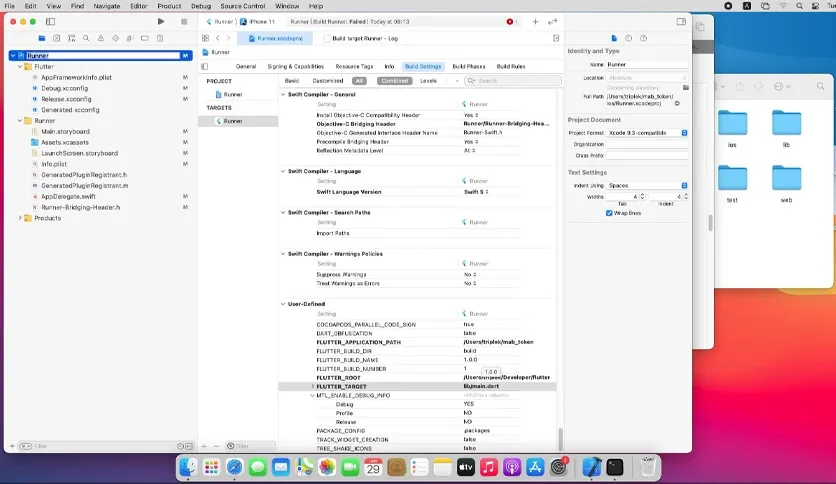
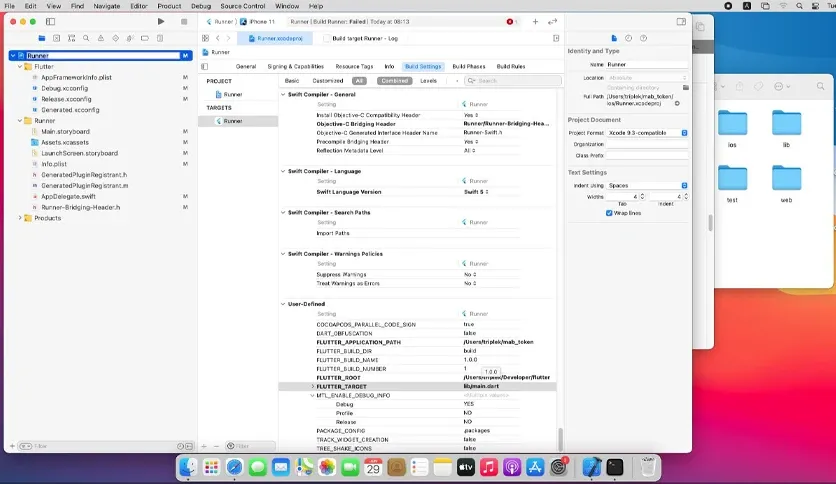
What sets Flutter apart from other cross-platform tools is its native iOS build support on Mac. The app connects directly to Xcode and the iOS simulator. Apple’s own build tools handle signing, testing, and deployment. If you write flutter run on a connected iPhone, your app launches directly on the device without extra setup. This makes Mac the only practical machine for full Flutter development.
The Flutter Doctor command is one of the most useful tools in the SDK. It runs a full check of your development environment from Terminal. You can see missing tools, license issues, and connected devices in one report. This matters for new developers especially. It removes the guesswork of figuring out what is broken and shows the exact fix needed.
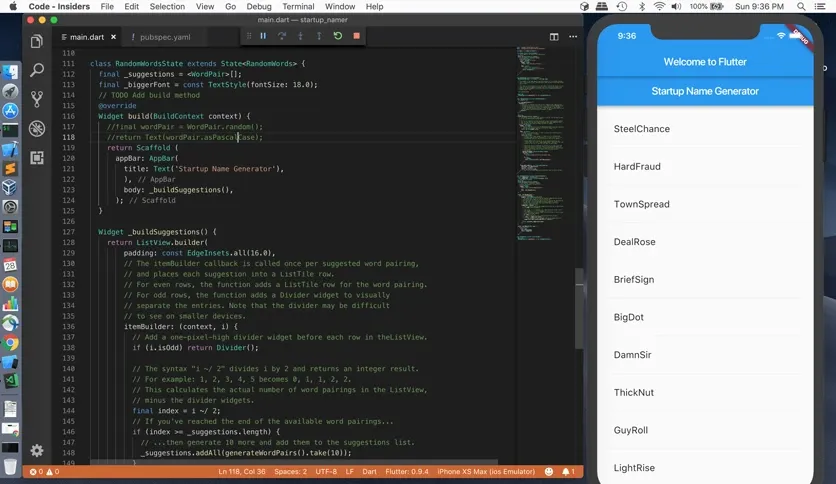
Hot reload extends the development experience with instant code updates. You change a line of code and see it reflected in the running app in under a second. You do not need to rebuild the whole app to see small changes. This saves hours of testing time during development.
Features of Flutter 2026 for Mac
- Single codebase for iOS, Android, web, and desktop apps
- Native iOS builds using Xcode on Mac
- Hot reload for instant code changes during testing
- Flutter Doctor command for environment health checks
- Large widget library for building custom user interfaces
- Dart language with strong typing and fast compilation
- Built-in support for Material Design and Cupertino styles
- Free and open source with no licensing cost
- Works with VS Code and Android Studio
- CocoaPods integration for native plugin support
- Support for Apple Silicon (M1, M2, M3, M4) and Intel Macs
- Active community with a large plugin ecosystem on pub.dev
- Built-in testing tools for widget and integration tests
- Desktop support for building native macOS apps
- Regular stable channel updates from Google
Technical Details:
- Software Name: Flutter
- Software File Name: flutter_macos-stable.zip, flutter_macos_arm64-stable.zip
- Version:44.6
- File Size:5 GB
- File Extension: DMG
- License Type: Premium
- Developer: Google
System Requirements
- Operating System: macOS 10.13 High Sierra or later
- Processor: Apple Silicon (M1, M2, M3, M4, M5) or Intel Core 64-bit
- RAM: 8 GB minimum, 16 GB recommended
- Storage: 3 GB free disk space
What are the best alternatives to Flutter for Mac?
Flutter is a strong cross-platform tool. If it does not fit your workflow, a few solid alternatives exist for Mac users:
React Native: Uses JavaScript and has a large developer community. Best for teams that already know JavaScript.
SwiftUI: Apple’s own framework for building native iOS and macOS apps. Best if you only target Apple devices.
Kotlin Multiplatform: Shares business logic across Android and iOS while keeping native UI. Good for teams that want native performance with shared code.
Xamarin: Uses C# and fits well with teams already using .NET tools.
Each option fits a different team and project type. Flutter stands out for its single codebase, fast hot reload, and strong support for both iOS and Android from one Mac.
Flutter 3.44.6 for Mac Free Download
Click the button below to download Flutter for Mac latest full version setup free. It is a complete standalone installer for macOS with a single-click download link.
Intel
Apple Silicon