 AllMacWorld MAC Apps One Click Away
Download Expenses: Spending Tracker 4.1.9 for Mac free latest full version standalone setup. Expenses: Spending Tracker 2026 for MacOS is a minimalist, private, and intuitive expense tracker. Track your expenses and income in any currency, scan receipts, analyze trends, and share budgets—all without registration, accounts, or collecting personal data.
Expenses: Spending Tracker 2026 for Mac Review
Keeping track of daily spending can be difficult, especially when you have multiple expenses to manage. Expenses: Spending Tracker is a finance app for Mac that helps you record your income, monitor your spending, and manage your money in one place. The app is developed by Blue Comet Labs LLC. It is designed for people who prefer a simple way to manage their finances without connecting their bank accounts or creating an online account. You can also download Money Pro for MacOS
Expenses uses sheets to organize financial records. You can create separate sheets for personal spending, household expenses, business costs, travel budgets, or other financial activities. This makes it easier to keep different types of expenses separate.
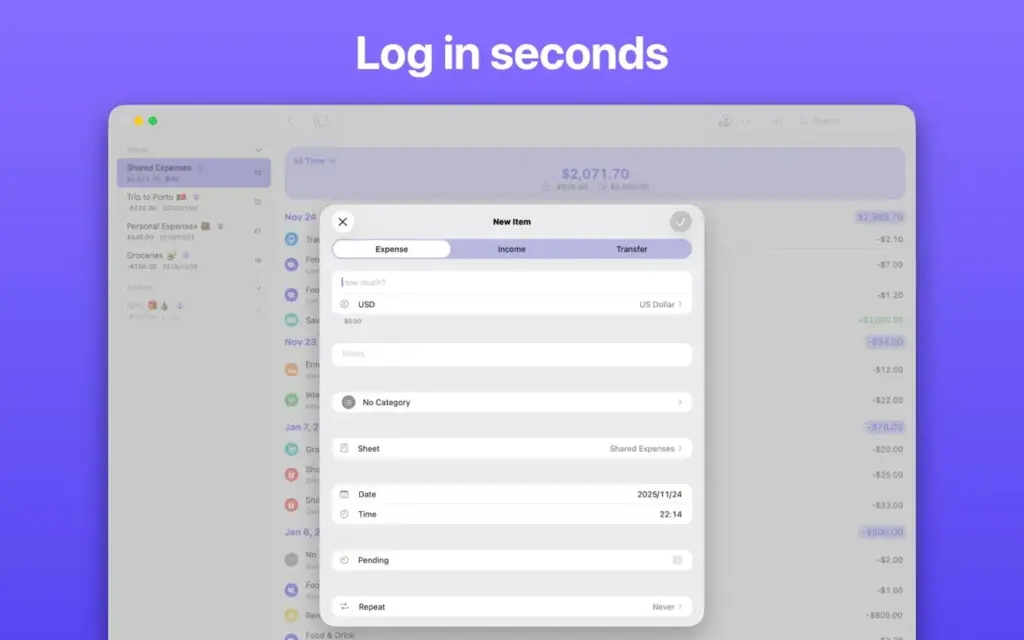
Adding a transaction is straightforward. You can enter the amount, choose a category, add a merchant, and include a note. The app also supports income records, transfers between sheets, repeat transactions, and pending payments. These features help you keep your financial records organized without relying on complicated tools.
One useful feature is receipt scanning. Instead of entering every detail manually, you can scan a receipt to make recording purchases easier. You can also import and export transactions using CSV files. PDF export and printing options are available when you need a copy of your financial records.
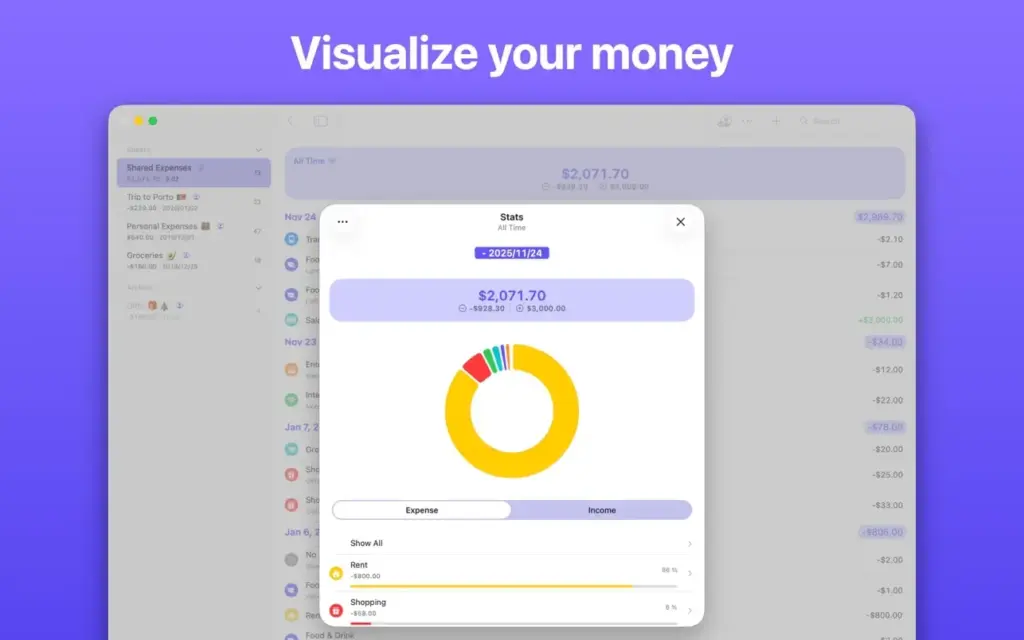
The app provides basic spending statistics and daily spending trends. These tools help you understand where your money goes and identify changes in your spending habits. However, more detailed statistics and advanced trends require the Pro plan. Expenses also supports multiple currencies in a single sheet with its paid plan. This can be useful if you travel frequently, shop internationally, or manage expenses in different currencies.
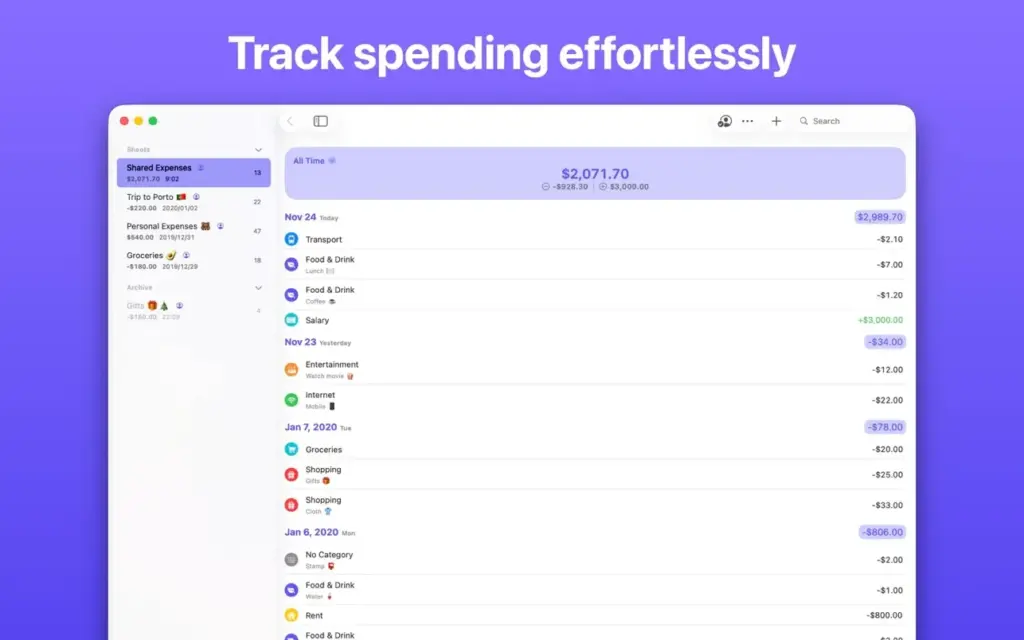
Another useful feature is iCloud sync. With a Pro subscription, you can sync your financial records across supported Apple devices. You can also share sheets with other people through iCloud. This makes the app useful for couples, families, and people who manage shared expenses.
Privacy is another important part of the app. You do not need to connect your bank account or create an account with the developer. According to the developer’s privacy policy, financial information is stored on your device and synced through Apple’s iCloud services. The developer states that it does not collect personal information through the app.
Expenses offers a free version with basic tools and a Pro plan for additional features. The free version supports up to three sheets, while Pro removes this limit and adds advanced statistics, iCloud sync, sharing, and other features.
Overall, Expenses is a useful choice for Mac users who want a straightforward way to record income and spending. It is especially suitable for people who prefer manual expense tracking instead of automatic bank connections. However, users who need detailed financial reports, investment tracking, or automatic bank updates may want to consider other finance apps.
Features of Expenses: Spending Tracker 4 for Mac
- Record daily income and expenses.
- Create separate sheets for different financial activities.
- Organize transactions using categories and merchants.
- Track repeat and pending transactions.
- Transfer money between different sheets.
- Scan receipts to record purchases.
- Import and export transactions using CSV files.
- Export financial records as PDF files.
- View your total balance.
- Check basic spending statistics.
- Monitor daily spending trends.
- Track expenses in different currencies with Pro.
- Sync financial records through iCloud with Pro.
- Share financial sheets with other people.
- Protect financial information with a passcode.
- Use Dark Mode on supported Apple devices.
- Access widgets and Shortcuts on supported devices.
- Manage spending without connecting a bank account.
- Use the app without creating an account with the developer.
Technical Details:
- Software Name: Expenses: Spending Tracker MacOS
- Software File Name: Expenses: Spending Tracker 4.1.9.dmg
- Version 4.1.9
- File Size: 154 MB
- File Extension: DMG
- License Type: Premium
- Developer: Blue Comet Labs LLC
System Requirements
- Operating System: macOS 10.10 or later
- Processor: Apple Silicon (M1, M2, M3, M4, M5) or Intel Core 64-bit
- RAM: 8 GB minimum, 16 GB recommended
- Storage: 200 MB free disk space
Best Alternatives to Expenses: Spending Tracker for Mac
If Expenses does not offer all the tools you need, there are several other finance apps worth considering.
MoneyWiz is a personal finance app for people who want to manage more than everyday spending. It offers tools for tracking accounts, budgets, bills, and financial activity. It may be a better choice if you want a broader view of your finances.
Banktivity is designed for users who need more detailed financial management. It provides tools for budgeting, account tracking, reports, and investment management. It is worth considering if you want to manage your overall financial position from your Mac.
Moneydance is another option for managing personal finances. It supports account tracking, budgeting, bill reminders, and investment records. Its desktop-focused design makes it suitable for users who prefer managing their financial information from a computer.
Money Manager Ex is a free, open-source finance tool. It helps users record income, expenses, accounts, and budgets. It is a good option for people who want a free desktop application with basic money management features.
Expenses: Spending Tracker 4.1.9 for Mac Free Download
Click the button below to download Expenses: Spending Tracker 2026 for Mac latest full version setup free. It is a complete standalone installer for macOS with a single-click download link.