 AllMacWorld MAC Apps One Click Away
Download AppZapper 3000 v1.0.1 for Mac free latest full version standalone setup. AppZapper 3000 2026 for MacOS is an updated version of the legendary uninstaller, first released in 2006. Nearly twenty years later, the app has returned with a new design, adaptation to modern Apple security requirements, and the same core promise: remove an app and all traces of it in seconds.
AppZapper 3000 2026 for Mac Review
AppZapper 3000 is a Mac application uninstaller designed to remove unwanted applications and their related files. It is the redesigned version of the original AppZapper, which first launched in 2006. You can also download CleanMyMac Free.
The software is developed by Austin Sarner and Brian Ball. Its main purpose is to make application removal easier. Instead of manually searching through different folders on your Mac, you can drag an application into AppZapper 3000 and let it search for related files.
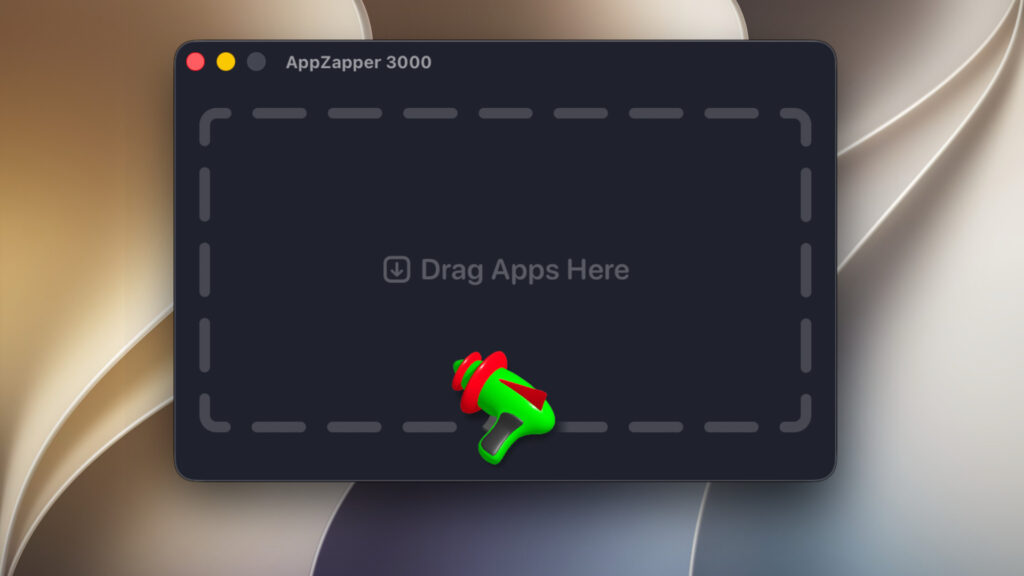
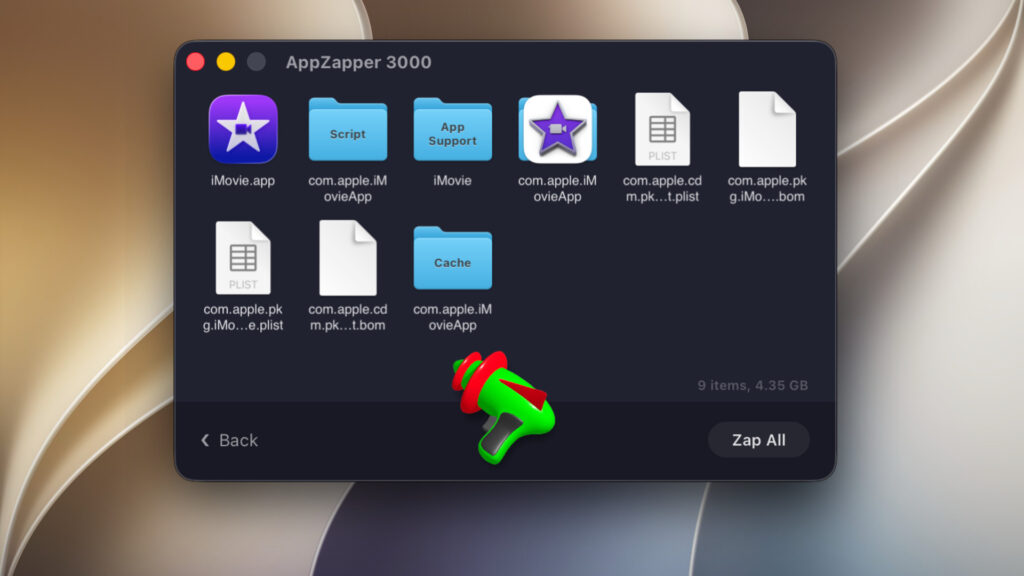
When you install a Mac application, it may create additional files outside its main application folder. These files can include preferences, caches, saved settings, and application support data. Moving the main application to Trash does not always remove these extra files. AppZapper 3000 helps find these files and displays them in one place. You can review the results and decide which items you want to remove.
One of the biggest changes in AppZapper 3000 is its redesigned interface. The application uses a 3D laser blaster to remove unwanted files. You can select individual items and zap them, or use the Zap All option to remove the selected files together. The laser effect makes the removal process different from traditional Mac uninstallers. It also includes different visual themes for users who want to change the appearance of the interface.
In everyday use, the drag-and-drop process is straightforward. You don’t need to search through the Library folder or remember where an application stores its files. This makes it useful for people who regularly install and test new Mac applications.
However, you should always review the detected files before removing them. Some applications share folders and files with other products from the same developer. Removing a shared folder could affect another application.
The application supports Apple Silicon and Intel Macs running macOS 15 or later, according to the developer’s help page. This makes it suitable for newer Mac computers, although users with older macOS versions will need another removal tool.
Privacy is another point worth considering. According to the developer’s privacy policy, AppZapper 3000 collects anonymous usage statistics through TelemetryDeck. This may include the names of applications users remove and information about which features they use. The developer says it does not send personal files, file contents, or a complete list of installed applications.
Overall, AppZapper 3000 offers a simple way to remove Mac applications and their related files. Its main strength is convenience. However, it does not guarantee that every leftover file will be found, and it does not replace the removal tools provided by some software developers.
Features of AppZapper 3000 for Mac
- Drag-and-drop removal: Drag an unwanted application into the AppZapper 3000 window to start searching for related files.
- Leftover file detection: Finds related preferences, cache files, and application support files.
- 3D laser blaster: Uses an interactive laser effect to remove unwanted application files.
- Zap All option: Removes all selected items together instead of requiring you to remove each one separately.
- Custom themes: Lets users change the appearance of the laser blaster.
- File review: Displays detected files so you can review them before removal.
- Full Disk Access support: Allows the application to inspect protected locations when the required macOS permission is enabled.
- Apple Silicon support: Works on supported Macs with Apple Silicon processors.
- Intel Mac support: Also supports compatible Intel-based Mac computers.
- Free trial: Allows three free zaps before purchasing a license.
Technical Details:
- Software Name: AppZapper 3000 MacOS
- Software File Name: AppZapper 3000 v1.0.1.dmg
- Version: 1.0.1
- File Size: 30 MB
- File Extension: DMG
- License Type: Premium
- Developer: Austin Sarner , Brian Ball , Clemens Knieper
System Requirements
- Operating System: macOS 10.10 or later
- Processor: Apple Silicon (M1, M2, M3, M4, M5) or Intel Core 64-bit
- RAM: 8 GB minimum, 16 GB recommended
- Storage: 4 GB free disk space
Best Alternatives to AppZapper 3000 for Mac
AppCleaner is one of the best free alternatives to AppZapper 3000. It helps remove unwanted applications and their related files. Simply drag an application into its window. AppCleaner searches for associated files, including preferences and caches. You can review the results before deleting them.
Pearcleaner is another free alternative for Mac users. It is an open-source application removal tool with additional cleaning features. It can search for application leftovers and help remove unwanted files. It also offers tools for finding files that remain after applications have been deleted. Pearcleaner is worth considering if you want more control over application removal and prefer open-source software.
CleanMyMac is a paid Mac maintenance application with an application removal feature. It offers more than basic application removal. Users can also find large files, manage storage, and perform other maintenance tasks. Unlike AppZapper 3000, CleanMyMac is designed as a broader Mac maintenance tool. It is a suitable option if you want several cleaning features in one application. However, it may be unnecessary if you only need to uninstall applications.
Your choice should depend on how often you uninstall applications and whether you need a dedicated removal tool or a complete Mac maintenance application.
AppZapper 3000 2026 for Mac Free Download
Click the button below to download AppZapper 3000 for Mac latest full version setup free. It is a complete standalone installer for macOS with a single-click download link.


