AllMacWorld MAC Apps One Click Away
Download FIPLAB CopyClip 2 v3.994 for Mac free latest full version standalone setup. FIPLAB CopyClip 2 2026 for MacOS stores all that you have copied or cut in the past, allowing you to find that snippet of text you need easily.
FIPLAB CopyClip 2 2026 for Mac Review
FIPLAB CopyClip 2 for Mac is a clipboard manager that saves text you copy or cut on your Mac. Normally, when you copy something new, the previous text is replaced. CopyClip 2 solves this problem by keeping a history of copied text so you can find and use it again whenever needed. It runs quietly in the menu bar and keeps your saved text within easy reach. You can also download Commander ONE Pro for MacOS.
The application has a clean and simple interface that makes it easy to manage copied content. You can open the clipboard history from the menu bar or use a keyboard shortcut. All saved text appears in a list, with the most recent entries displayed first. A built-in search option helps you find specific words, website links, addresses, and other copied information without checking each entry manually.
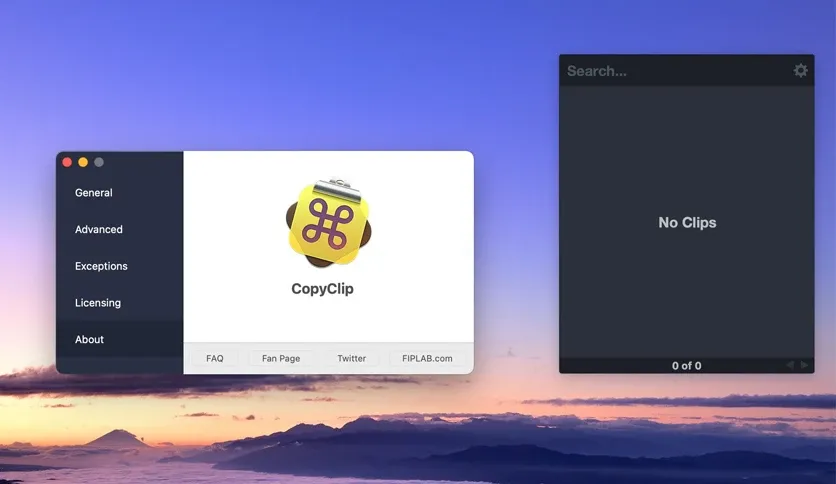
CopyClip 2 can store up to 9,999 text entries, which is useful for people who work with large amounts of information. Writers can recover paragraphs copied from websites, while developers can save and reuse pieces of code. Office workers can keep frequently used messages, email addresses, and other details ready for later use. You can also change the number of saved entries according to your needs.
Another useful feature is the ability to pin important text at the top of the clipboard list. This makes it easier to access information you use regularly. For example, you can pin an email signature, business address, or standard customer response instead of searching for it repeatedly. The app also allows you to edit and delete saved text when it is no longer needed.
Keyboard shortcuts make copying and pasting faster. You can open CopyClip 2 with a shortcut and use Command-number combinations to access saved entries. The app also supports direct pasting into other applications. This reduces the need to switch between windows when working with several pieces of text. Some direct pasting features require permission through macOS settings.
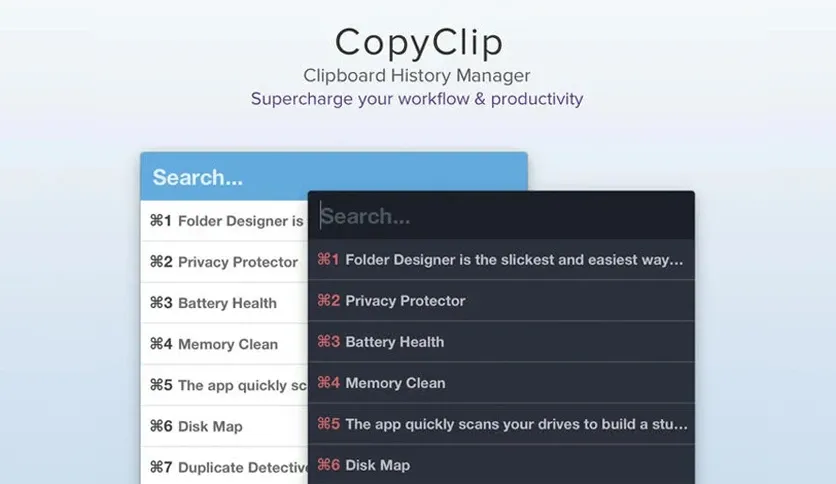
CopyClip 2 supports both formatted and plain text. You can keep supported formatting from copied content or remove it before pasting. This is helpful when moving text from websites into emails, documents, or text editors. Removing formatting can prevent unwanted fonts, colors, and text styles from appearing in your work.
Privacy is another important part of the application. CopyClip 2 lets you exclude selected apps from clipboard recording. This is useful when working with banking applications, password managers, or private information. It can also skip certain hidden password fields. However, you should still avoid storing passwords and other sensitive details in your clipboard history.
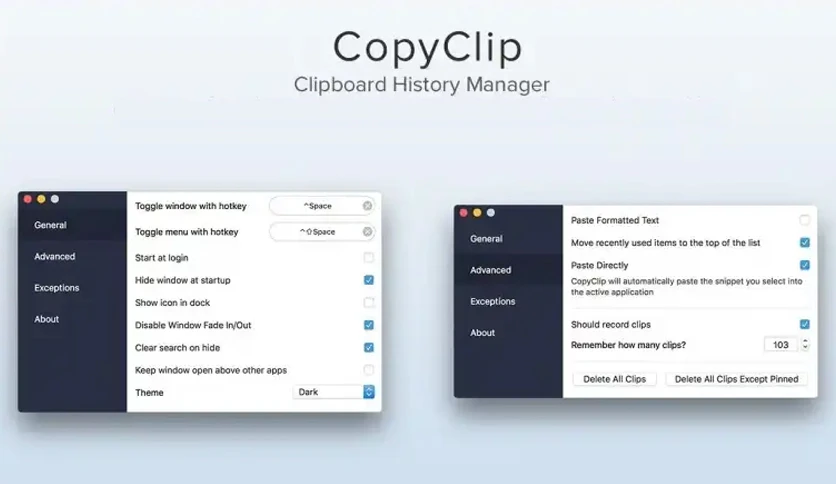
The application includes different themes and settings for changing its appearance and behavior. You can adjust the number of saved clips, choose a keyboard shortcut, and enable automatic startup when you sign in to your Mac. These options let you set up the app without dealing with complicated controls.
All in all, FIPLAB CopyClip 2 for Mac makes it easier to manage copied text without losing previous entries. Its clipboard history, search option, pinned clips, and keyboard shortcuts help users find and reuse information with less effort. The simple interface and menu bar access also make it easy to use during everyday work.
Features of FIPLAB CopyClip 2 for Mac
- Saves a history of copied and cut text on your Mac.
- Stores up to 9,999 clipboard entries.
- Provides a search option to find previously copied text.
- Keeps important clips at the top of the list using the pin feature.
- Supports keyboard shortcuts for quick access to saved text.
- Allows direct pasting into supported applications.
- Saves ordinary text, website links, and formatted text.
- Provides an option to paste text without its original formatting.
- Lets you edit and delete saved clipboard entries.
- Allows you to exclude selected apps from clipboard recording.
- Automatically skips certain hidden password fields.
- Displays information about the application from which text was copied.
- Includes different themes to change the appearance.
- Lets you choose how many clipboard entries to keep.
- Supports automatic startup when you sign in to your Mac.
- Runs from the macOS menu bar for easy access.
- Provides an option to clear saved clipboard history.
Technical Details:
- Software Name: FIPLAB CopyClip 2 MacOS
- Software File Name: FIPLAB CopyClip 2 v3.994.dmg
- Version: 3.994
- File Size: 9.8 MB
- File Extension: DMG
- License Type: Premium
- Developer: FIPLAB
System Requirements
- Operating System: macOS 10.10 or later
- Processor: Apple Silicon (M1, M2, M3, M4, M5) or Intel Core 64-bit
- RAM: 8 GB minimum, 16 GB recommended
- Storage: 4 GB free disk space
Best Alternatives to FIPLAB CopyClip 2 for Mac
NanoClip for Mac is a clipboard manager that saves copied text, images, files, and links. It also includes tools for saving frequently used text and handling repeated tasks. It is a suitable alternative for users who need more than basic text history.
SaneClip for Mac focuses on saving clipboard history while giving users more control over private information. It offers features for protecting saved content, removing unwanted text, and managing copied information. It is worth considering if privacy is an important part of your daily work.
Pastebot for Mac helps users save, organize, and reuse copied content. It includes options for changing copied text and pasting several saved entries in a chosen order. It is useful for people who regularly work with documents, emails, and repeated text.
FIPLAB CopyClip 2 v3.994 for Mac Free Download
Click the button below to download FIPLAB CopyClip 2 2026 for Mac latest full version setup free. It is a complete standalone installer for macOS with a single-click download link.