AllMacWorld MAC Apps One Click Away
Download Shottr 1.9.2 for Mac free latest full version standalone setup. Shottr 2026 for MacOS is a tiny and fast Mac screenshot tool with annotations, scrolling screenshots, and cloud upload capabilities. Designed with care and optimized for Apple processors.
Shottr 2026 for Mac Review
Shottr is a lightweight screenshot app made specifically for Mac. It gives you more control than the standard macOS screenshot tool while staying fast and simple to use. You can capture part of your screen, an entire window, the full display, or a long page that does not fit on the screen at once. You can also download 1Capture -Screenshots for Mac
One of Shottr’s most useful features is scrolling screenshots. You can capture long webpages, conversations, documents, and other content by scrolling through them and combining everything into one image. There are automatic and manual scrolling options. Manual mode can be useful when automatic scrolling does not work properly in certain apps.
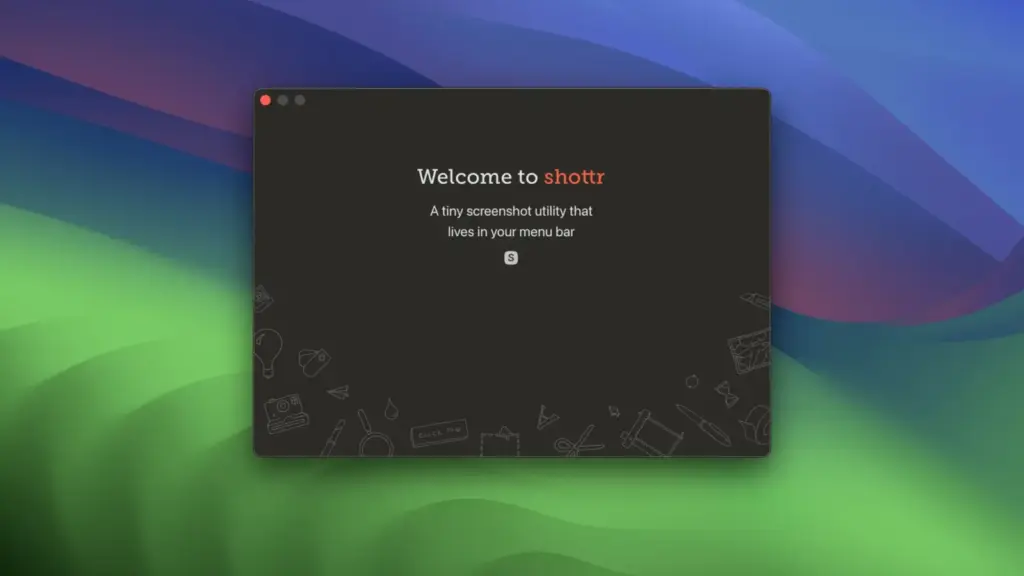
Shottr also includes built-in text recognition. You can select text from a screenshot and copy it instead of typing everything manually. It can also recognize QR codes. The text recognition is performed on your Mac, which means your screenshot does not need to be sent to an online service for this feature.
The annotation tools are another reason to use Shottr. After taking a screenshot, you can add text, arrows, lines, boxes, circles, highlights, and other markings. This is useful when explaining a problem, creating software tutorials, preparing instructions, or sending feedback to someone.
Shottr includes a screen ruler that lets you measure distances and sizes directly on your screen. This can be useful for checking spacing, margins, buttons, images, and other elements when working on websites or designs. There is also a color picker and magnifier. You can zoom in on a small part of your screen and pick a specific color from a pixel. The selected color can then be copied for use in another application.
For screenshots containing private information, Shottr provides blur and pixelation tools. You can hide names, email addresses, passwords, faces, or other sensitive details before sharing an image. It also includes tools for removing unwanted objects from screenshots.
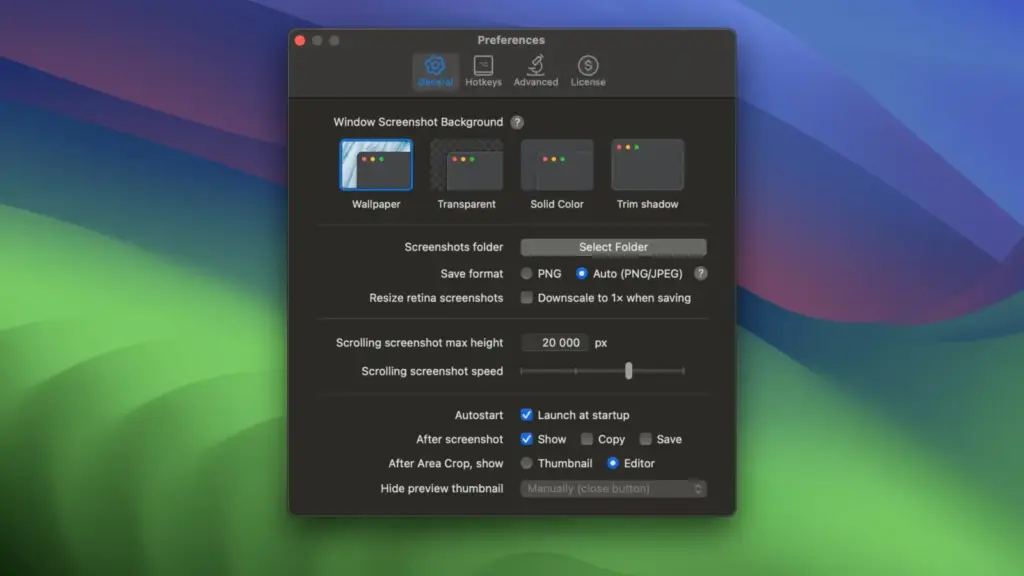
Shottr can make screenshots look cleaner before you share them. You can place a screenshot on a background, add rounded corners, and create a more polished presentation. You can also keep screenshots pinned on your screen so they remain visible while you work in another application.
For users who regularly share screenshots, Shottr supports uploads to S3-compatible storage as well as its own upload service. With S3, the screenshot can be sent directly to your storage rather than passing through Shottr’s servers. However, you should check your storage settings carefully because a publicly accessible image link can expose the screenshot to anyone who has the link.
Privacy is another strong point. Screenshots and text recognized from them are processed locally unless you choose an online upload feature. Shottr does connect to the internet for things such as license checks and updates. Optional usage information can also be sent if telemetry is enabled.
There is one important limitation to remember: Shottr is mainly a screenshot application. It does not provide the same screen recording and GIF creation features found in some competing screenshot tools. If you regularly record tutorials, demonstrations, or app walkthroughs, you may need another application.
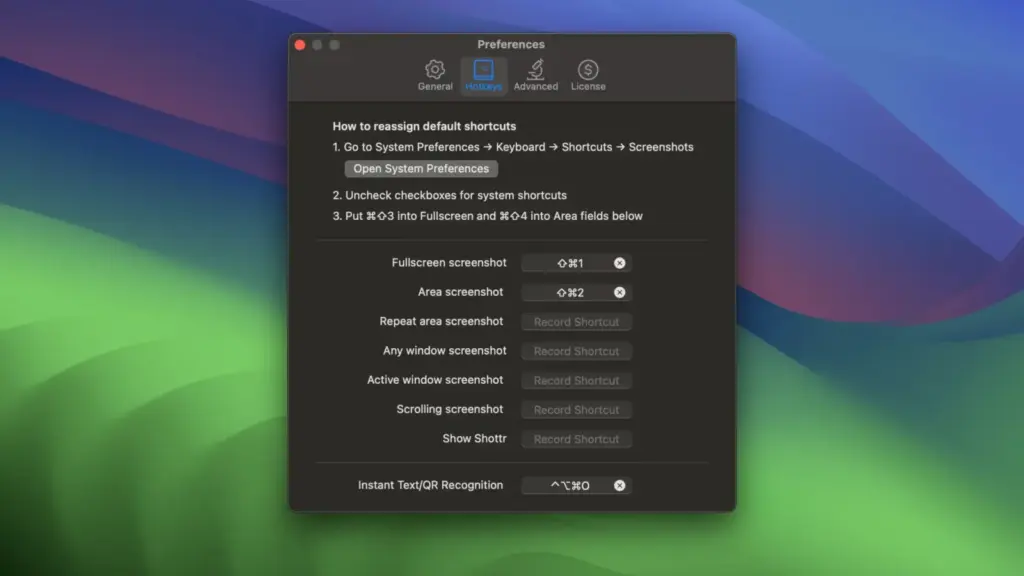
All in all, Shottr is a fast and focused screenshot tool for Mac. It goes well beyond the basic screenshot features included with macOS while remaining relatively simple to use. Its scrolling screenshots, text recognition, measurement tools, color picker, annotation options, and privacy features make it particularly useful for developers, designers, writers, support teams, bloggers, and anyone who works with screenshots regularly.
Features of Shottr for Mac
- Full-screen screenshots
- Selected-area screenshots
- Active-window screenshots
- Scrolling screenshots
- Automatic and manual scrolling capture
- OCR for copying text from screenshots
- QR code recognition
- Text and shape annotations
- Arrows, lines, boxes and circles
- Blur and pixelation
- Object removal
- Screen ruler
- Color picker
- Magnifier
- Screenshot pinning
- Screenshot resizing
- Screenshot backgrounds and presentation effects
- Keyboard shortcuts
- S3-compatible image uploads
- Shottr Cloud uploads
- Local text recognition
Technical Details:
- Software Name: Shottr MacOS
- Software File Name: Shottr 1.9.3.dmg
- Version: 1.9.3
- File Size: 4 MB
- File Extension: DMG
- License Type: Premium
- Developer: Electric Endeavors
System Requirements
- Operating System: macOS 10.10 or later
- Processor: Apple Silicon (M1, M2, M3, M4, M5) or Intel Core 64-bit
- RAM: 4 GB minimum, 8 GB recommended
- Storage: 200 MB free disk space
Best Alternatives to Shottr for Mac
CleanShot X is a strong alternative if you want screenshots together with screen recording and GIF creation. It also provides a polished workflow for capturing, editing, and sharing screen content. It may be a better fit for users who want one application for both screenshots and recordings.
Snagit is another option, particularly for people who create tutorials, training material, or detailed software documentation. It supports screenshots and screen recording and offers many editing tools.
Xnapper focuses on creating attractive screenshots for websites, social media, presentations, and product pages. It can be useful if the appearance of the final screenshot is more important than having a large number of advanced tools.
macOS Screenshot is the simplest option. It is already included with macOS and works well for basic screenshots and screen recordings. If you only take occasional screenshots, you may not need a separate application.
The choice depends on what you need If you want to fix a specific frequency, a detailed EQ such as Pro-Q 4 makes more sense. If you want to change the overall character of a vocal, guitar, bass, synth, or mix, R52 is a different type of tool and is worth trying.
Shottr 1.9.3 for Mac Free Download
Click the button below to download Shottr 2026 for Mac latest full version setup free. It is a complete standalone installer for macOS with a single-click download link.