AllMacWorld MAC Apps One Click Away
Download Cotypist 2026.2 for Mac free latest full version standalone setup. Cotypist 2026 for Mac is a system-wide writing assistant for Apple Silicon Macs that predicts your next words inside Mail, Slack, browsers, and most other text fields—without opening a chatbot or sending keystrokes to the cloud.
Cotypist 2026 for Mac Review
Cotypist is a smart autocomplete app for Mac. It does not work inside one editor like most writing tools. It works everywhere you write. This includes Mail, Slack, Notes, Word, Safari, Chrome, Messages, and even the prompt box of an AI chatbot. You start typing, a suggestion appears, and you press Tab to keep going.
The app is built around a simple idea. Most people write the same kind of sentences over and over. Emails, messages, and notes often repeat familiar patterns. Cotypist studies your writing style and predicts what comes next. Over time, it learns your voice. It carries that voice across every app instead of starting fresh each time.
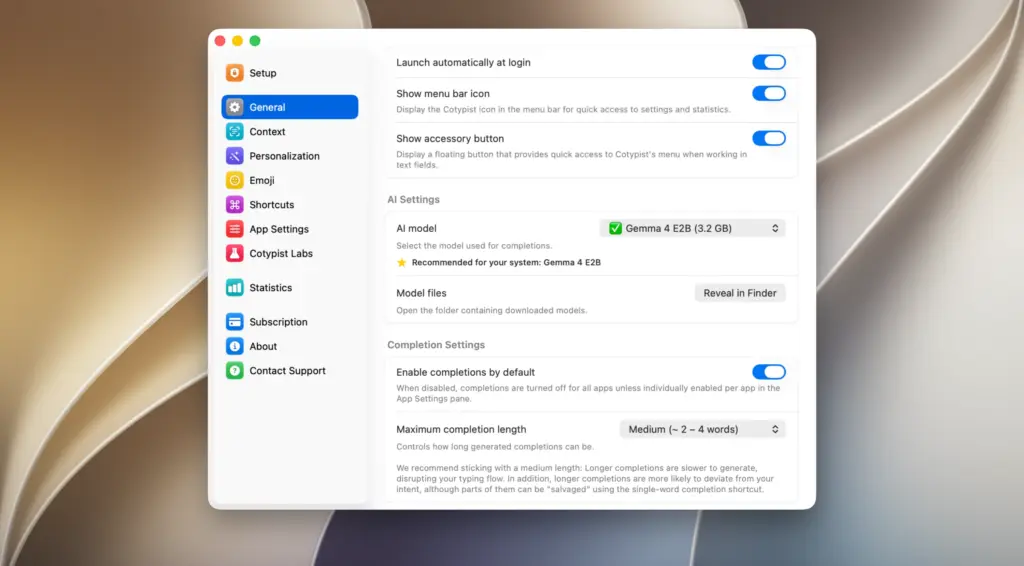
The core of the app is its local AI model. Cotypist runs a small AI model directly on your Mac using Apple Silicon. There is no cloud connection and no server involved. This means your text stays private. Nothing you type is sent to the internet. For anyone who writes sensitive emails, client messages, or personal notes, this local processing is a major advantage over cloud-based AI writing tools.
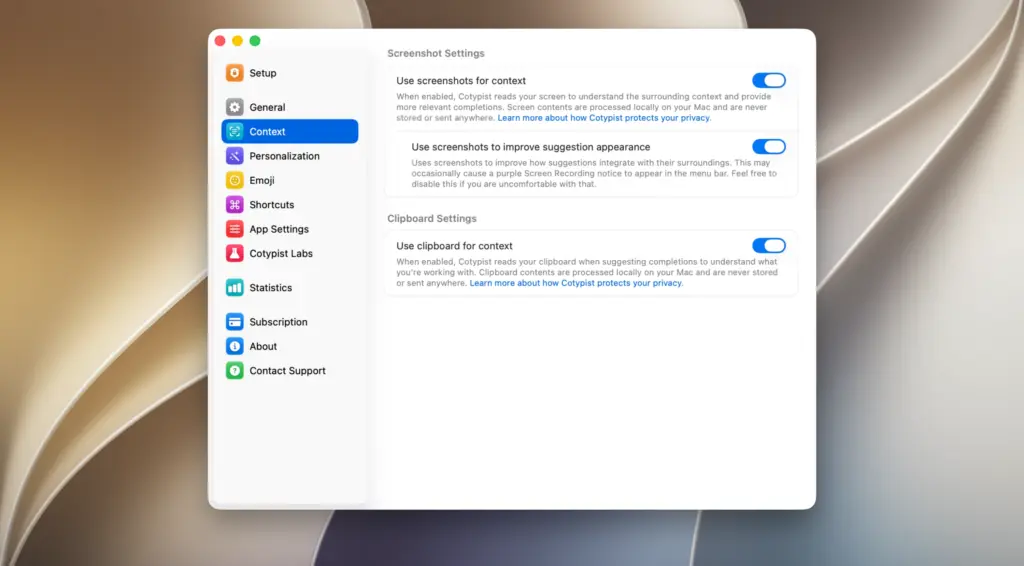
Cotypist also uses screen context to improve its suggestions. It can read what is happening on your screen to understand the situation better. This helps the app give suggestions that fit the app you are using, not just generic text completion.
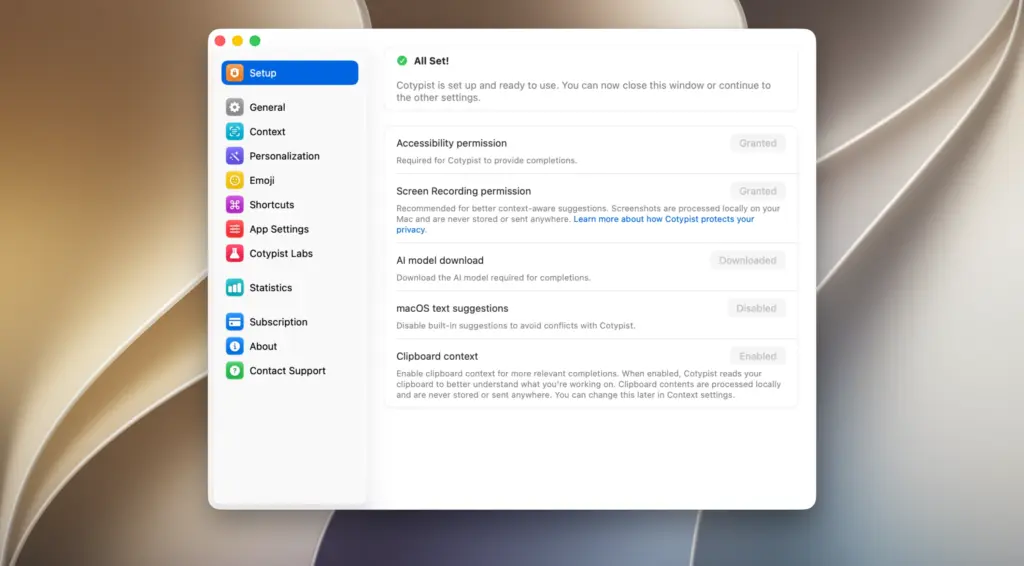
Setup is simple. You drag the app into your Applications folder, open it, and grant accessibility permissions. After that, Cotypist works quietly in the background. You do not need to open a separate window or switch tools. It sits inside the apps you already use every day.
One area where Cotypist stands out is accessibility. Typing can be tiring or difficult for some users. Cotypist reduces the amount of typing needed to finish a sentence. It also works well alongside Apple Voice Control, making spoken input faster and smoother. This makes it more than a productivity tool. It can be a real help for users who struggle with typing speed or repetitive strain.
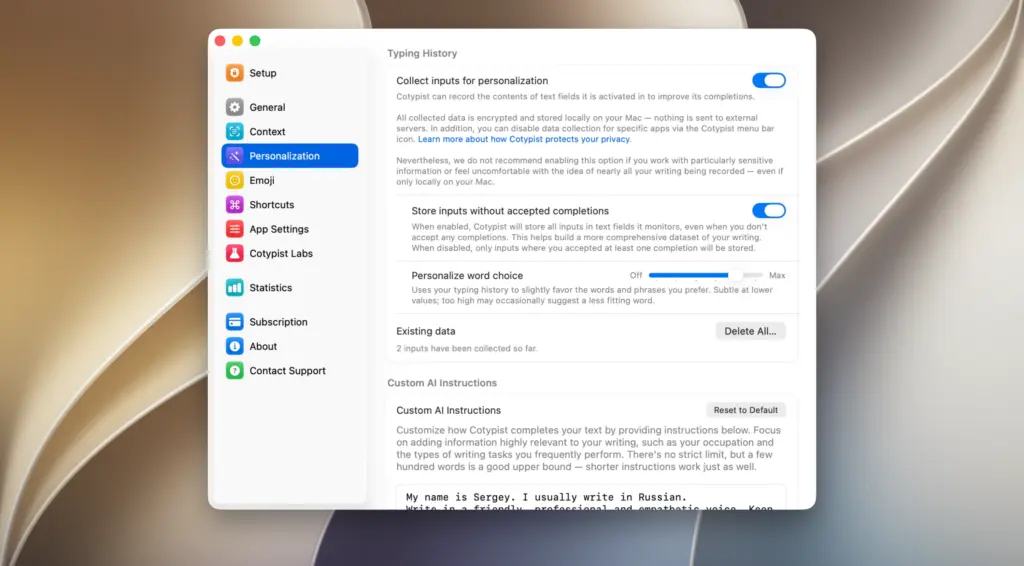
Cotypist is not perfect for everyone. It only runs on Apple Silicon Macs, so Intel Mac users cannot install it. It also does not work inside code editors like VS Code. Writers who prefer to draft first and edit later may find inline suggestions distracting. Still, for most Mac users who write across many apps every day, Cotypist saves real time.
Features of Cotypist for Mac
- Smart autocomplete that works across most Mac apps
- Local AI processing with no cloud connection
- Learns your writing voice over time
- Tab key to accept suggestions instantly
- Works in Mail, Slack, Notes, Word, Safari, Chrome, and Messages
- Supports AI chat tools like ChatGPT and terminal AI agents
- Screen context awareness for smarter suggestions
- Simple drag and drop installation
- Works quietly in the background without extra windows
- Supports Apple Voice Control for hands-free typing
- Useful accessibility tool for reducing typing effort
Technical Details:
- Software Name: Cotypist 2026 for MacOS
- Software File Name: Cotypist 2026.2.dmg
- Version: 2026.2
- File Size: 12 MB
- File Extension: DMG
- License Type: Premium
- Developer: Cotypist
System Requirements
- Operating System: macOS 10.13 High Sierra or later
- Processor: Apple Silicon (M1, M2, M3, M4, M5) or Intel Core 64-bit
- RAM: 8 GB minimum, 16 GB recommended
- Storage: 500 MB free disk space
What Are the Best Alternatives to Cotypist for Mac?
Cotypist is a strong choice for AI autocomplete, but it is not the only option. If you need something different, these alternatives are worth checking out.
WunderType: A Mac writing app that connects to Ollama for local AI processing. It also supports cloud models like OpenAI, giving you more flexibility than Cotypist’s local-only approach.
TextExpander: A classic text expansion tool. Instead of AI predictions, it uses pre-written snippets you control. Better for users who want consistent, repeatable text.
Raycast AI: A Mac productivity launcher with built-in AI writing tools. Good for users who already rely on Raycast for daily tasks.
Grammarly: A writing assistant focused on grammar and tone rather than autocomplete. Better suited for users who want editing help instead of sentence prediction.
Apple Intelligence Writing Tools: Built directly into macOS. A good lightweight option for users who want basic AI writing help without installing a separate app.
Each tool fits a different writing style. Cotypist stands out for its local AI processing, cross-app support, and simple Tab-to-accept workflow on Mac.
Cotypist 2026.2 for Mac Free Download
Click the button below to download Cotypist 2026 for Mac latest full version setup free. It is a complete standalone installer for macOS with a single-click download link.