AllMacWorld MAC Apps One Click Away
Download Blackmagic Desktop Video 16.0.1 for Mac free latest full version program standalone DMG setup. Blackmagic Desktop Video 2026 for macOS is a complete driver and utility package that helps you get the most out of your Blackmagic Design capture and playback hardware on any Mac.
Blackmagic Desktop Video for Mac Review:
Blackmagic Desktop Video is an all-in-one package developed by Blackmagic Design for Mac users who own DeckLink, UltraStudio, Intensity, or H.264 Pro Recorder hardware. When you buy one of these devices, this software is what makes everything work. It puts the right drivers on your Mac, installs useful apps for recording and monitoring video, and adds plugins so your favourite editing programs can talk to the hardware straight away.
The whole package installs in one go. You do not need to hunt for separate drivers or plugins — everything lands on your Mac in a single setup run. Once you restart and approve a couple of permission prompts, your hardware shows up and is ready to use.
What Makes It Useful:
The most important thing inside the package is the driver. On modern Macs running macOS Ventura, Sonoma, or Sequoia, Blackmagic uses a DriverKit-based system extension. This approach is safer and more stable than older kernel-level drivers. After installing, you go to System Settings, open Login Items and Extensions, and allow the Blackmagic driver to run in the background. Once that is done, your Mac can see the hardware every time you plug it in.
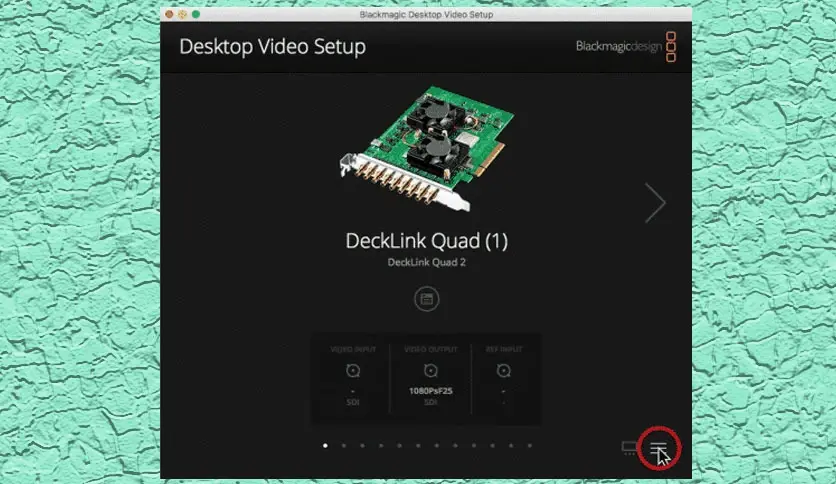
Beyond the driver, the package gives you a tool called Desktop Video Setup. This is where you control every setting on your hardware — what input to use, whether to accept HDMI or SDI video, and what frame rate to work at. It also shows a live picture of whatever is connected to your device right now, which makes it easy to confirm things are working before you open a bigger editing program.
Desktop Video Setup App
Desktop Video Setup lives in your Applications folder after the install. You can also find it by searching in Spotlight. Open it and your connected hardware appears on screen. The most important setting most people ever need to change is the input type — switching between HDMI and SDI. Change it once, and it stays that way.
The About section inside Desktop Video Setup tells you the version number of your driver and whether a firmware update is available for your device. If a firmware update appears, follow the prompts and let it finish before using the hardware with any other app. Firmware updates take just a minute or two and make the device run better.
The package also includes Blackmagic Media Express, a simple recording and playback app. It is a quick way to check that everything is working from end to end. Open it, go to the Log and Capture tab, and if your connected camera or video source appears in the preview window, your whole setup is good.
Works With Your Favourite Apps:
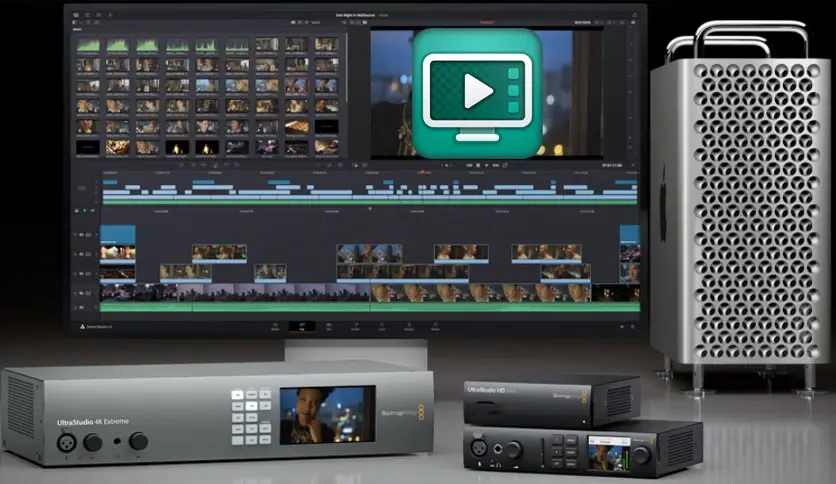
One of the biggest reasons people install Blackmagic Desktop Video is so their hardware works inside programs they already use. The installer drops in plugins for DaVinci Resolve, Apple Final Cut Pro, Adobe Premiere Pro, Adobe After Effects, Adobe Photoshop, Avid Media Composer, Avid Pro Tools, and Autodesk Flame. You do not install these plugins separately — they go in automatically.
After the install, open DaVinci Resolve or Final Cut Pro, and a new option appears in the preferences for video output. Select your Blackmagic device, and video from your timeline plays out to your connected reference monitor in real time. The same idea applies in Premiere Pro and Avid — the device becomes a video output option inside those apps.
One thing to keep in mind: only one app can use your Blackmagic device at a time. If DaVinci Resolve is open and using the UltraStudio, Premiere Pro will not be able to see it until you close Resolve first.
Conclusion:
Blackmagic Desktop Video is a straightforward, free package that makes Blackmagic hardware work on your Mac. It is not complicated software in itself — the whole point is to sit quietly in the background and let your hardware run well inside other programs. The install takes about five minutes. The biggest step people miss is approving the driver extension in System Settings, but once that is done, everything works reliably. If you own any Blackmagic capture or playback device, this download is essential.
Features of Blackmagic Desktop Video 2026 for macOS:
- Free, all-in-one driver and utility package for DeckLink, UltraStudio, Intensity, and H.264 Pro Recorder devices
- Installs all necessary drivers, plugins, and apps in a single setup run
- Includes Desktop Video Setup for configuring hardware settings and checking live input/output status
- Lets you switch between HDMI and SDI input with a single click inside Desktop Video Setup
- Checks and installs firmware updates for your connected hardware automatically
- Includes Blackmagic Media Express for recording, logging, and playing back video clips
- Includes Disk Speed Test to check whether your storage drive is fast enough for your recording format
- Installs third-party plugins for DaVinci Resolve, Apple Final Cut Pro, Adobe Premiere Pro, After Effects, Photoshop, Character Animator, Avid Media Composer, Avid Pro Tools, and Autodesk Flame
- Works with Apple Silicon Macs (M1, M2, M3, M4) and Intel-based Macs
- Supports Thunderbolt 3 and Thunderbolt 4 connections for UltraStudio devices
- Supports USB 3.0 connections on compatible devices
- Supports PCIe slot installation for DeckLink cards in Mac Pro
- Displays live video signal status on the main Desktop Video Setup screen so you can confirm connections at a glance
- Uses a modern DriverKit-based system extension for improved stability on macOS Ventura, Sonoma, and Sequoia
- Allows one-time driver extension approval in System Settings — stays approved across restarts
- Supports 4K, 8K, HD, and standard definition video formats depending on the connected device
- Compatible with DaVinci Resolve 17, 18, 19, Fusion Studio, Final Cut Pro, Adobe CC 2023 and 2024, Avid Media Composer 2024, and Autodesk Flame 2024
Technical Details:
- Mac Software Full Name: Blackmagic Desktop Video for macOS
- File Name: Desktop-Video-16.0.1.dmg
- Version: 16.0.1
- Size: 763 MB
- Setup type: Offline Installer / Full Standalone Setup DMG Package
- Compatibility: Apple Silicon (M1/M2/M3/M4) and Intel 64-bit
- License: Free
- Developer: Blackmagic
System Requirements:
- OS: Mac OS 13.0 or higher
- Free Space: 1 GB
- RAM: 8 GB
- Processor: Apple Silicon or Intel 64-bit
Download Blackmagic Desktop Video Latest Version Free:
Download Blackmagic Desktop Video 16.0.1 for Mac free latest full version program standalone DMG setup. Click the download button below to get the complete offline installer for macOS.