 AllMacWorld MAC Apps One Click Away
Download Tangrid 1.2.7 free latest full version standalone offline setup for Mac OS X. Tangrid 2026 for macOS is a window manager that makes window management a seamless part of the workflow. Designed for professionals working with multiple displays and virtual desktops (Spaces), it offers a comprehensive approach to organizing the digital workspace.
Tangrid 2026 for Mac
Tangrid is a window management app for Mac that helps users organize their open windows, switch between apps, and manage their desktop workspace. It offers automatic window arrangement, manual snapping, window grouping, search, and preview features. The app is designed for people who work with multiple windows and want to spend less time organizing their desktop. You can also download Rectangle for macOS
macOS includes basic window management tools, but they may not be enough for users who regularly work with several apps at the same time. Tangrid offers more control over how windows are arranged and how users move between them.
One of its main features is Auto Flow. It automatically arranges windows on the screen as you open or close them. Instead of manually resizing every window, Tangrid adjusts the layout to make room for other windows. This can be helpful when working with a browser, text editor, Finder, email, and other apps at the same time.
Auto Flow uses a split-based layout. It divides available screen space between open windows. You can change the arrangement, adjust window sizes, rotate the layout, and move windows using keyboard shortcuts. This makes it useful for people who prefer an organized desktop with less manual work.
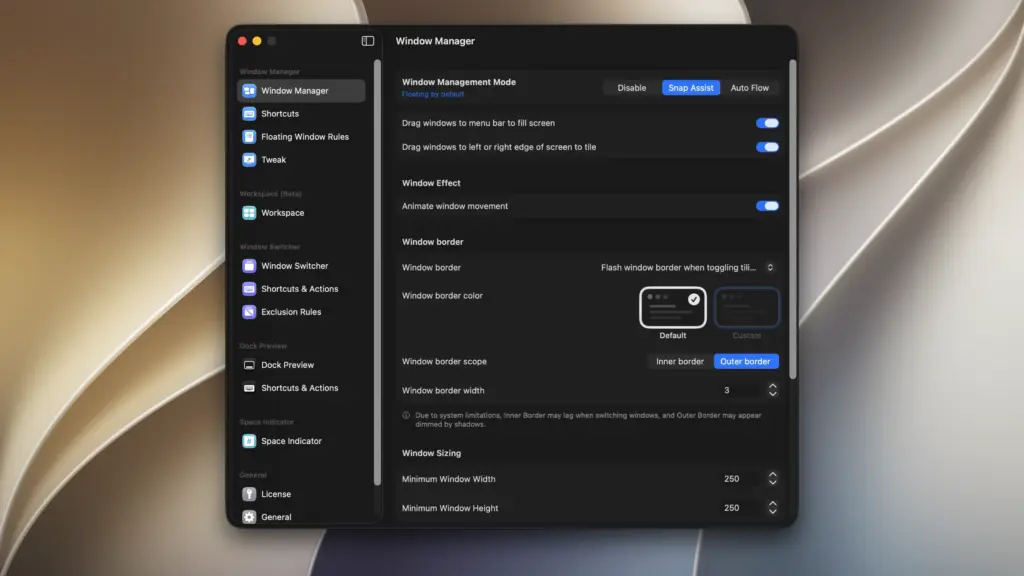
Tangrid also includes Snap Assistant, which allows users to place windows in specific screen positions. You can drag a window toward the edge of the screen or into a gap to see where it will fit. The app supports different window positions, including halves, thirds, and other arrangements. You can also use keyboard shortcuts to move windows into specific positions.
The difference between Auto Flow and Snap Assistant is simple. Auto Flow arranges windows automatically, while Snap Assistant lets you decide where each window should go. This gives users the option to choose between automatic organization and manual control.
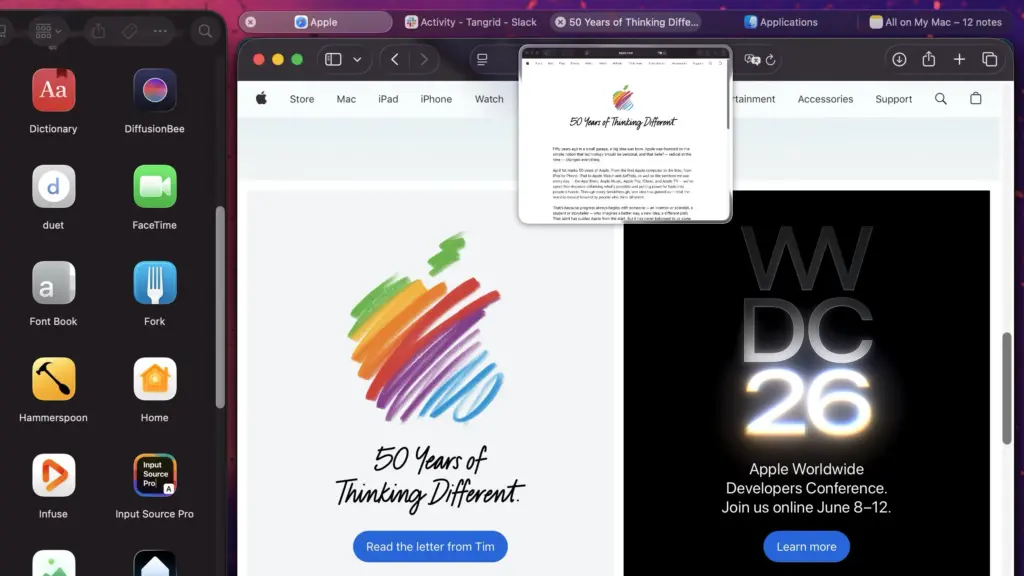
Another useful feature is window grouping. Tangrid allows users to group related windows into tabs. This can help when working on a project that requires several documents, browser windows, or other applications. Instead of managing each window separately, you can keep related windows together and switch between them more easily.
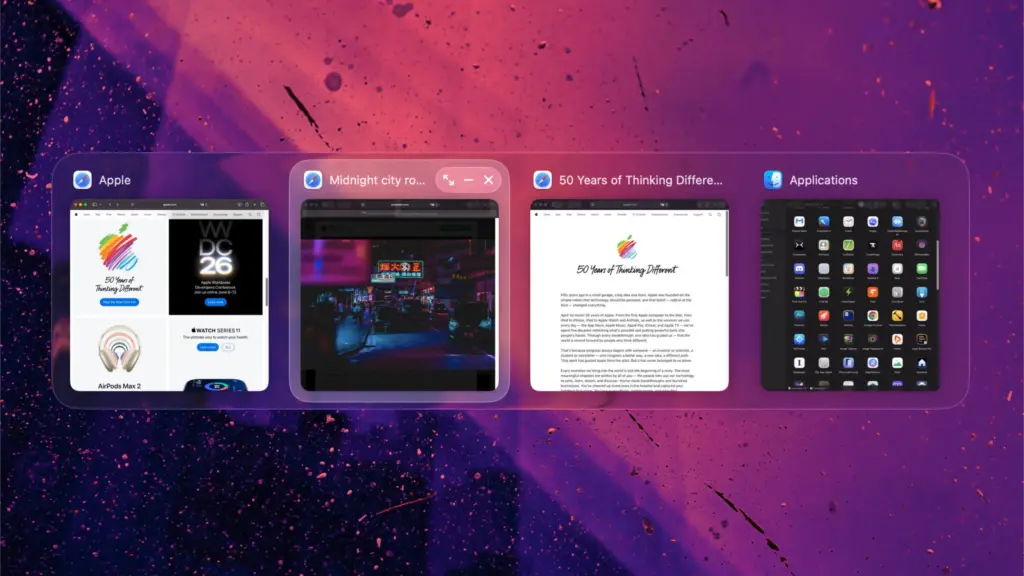
Tangrid also offers a window switcher that helps users find and open specific windows. It includes horizontal previews and a vertical searchable list. The horizontal view displays window thumbnails, while the vertical view lets you search using an app name or window title. Its fuzzy search can help locate a window even when you only remember part of its name.
The Dock preview feature is another addition. When you hover over an app icon in the Mac Dock, Tangrid can display previews of that app’s open windows. You can choose the window you need without opening the app and searching through its windows manually. The feature also supports actions such as closing or minimizing windows.
Tangrid supports multiple monitors and macOS Spaces. Users can adjust margins and spacing for different displays and organize their work across separate desktops. This is helpful for people who use a MacBook with an external monitor or keep different tasks on separate desktops.
The app also allows certain windows to remain outside the automatic layout. You can create floating rules for selected applications or windows. This is useful for small utility windows, calculators, media players, or other apps that you don’t want Tangrid to rearrange automatically.
Tangrid may not be necessary for everyone. Mac users who only need basic window snapping may find the built-in macOS tools or a simpler app sufficient. However, people who regularly work with multiple windows, documents, and displays may find its automatic layouts, window search, and grouping features useful.
Features of Tangrid for macOS
- Automatically arranges windows using Auto Flow.
- Supports manual window snapping with Snap Assistant.
- Organizes windows using split-based layouts.
- Supports different window positions, including halves and thirds.
- Allows users to rotate, flip, and rearrange automatic layouts.
- Groups related windows into tabs.
- Includes a window switcher with horizontal previews.
- Provides a searchable vertical window list.
- Supports fuzzy search for window titles and app names.
- Offers window previews when hovering over Dock icons.
- Supports multiple monitors and macOS Spaces.
- Allows custom margins and window spacing.
- Supports floating rules for selected apps and windows.
- Offers customizable keyboard shortcuts.
Technical Details of Tangrid for Mac
- Mac Software Full Name: Tangrid
- Version: 1.2.7
- Setup App File Name: Tangrid-1.2.7.dmg
- Full Application Size: 19 MB
- Setup Type: Offline Installer / Full Standalone Setup DMG Package
- Compatibility Architecture: Apple-Intel Architecture
- Latest Version Release Added On: 24 November 2026
- License Type: Full Premium Pro Version
- Developers Homepage: Tangrid
System Requirements for Tangrid for Mac
- OS: Mac OS 10.15 or above
- Installed Memory (RAM): 8 GB
- Free HDD: 50 MB of free hard drive space
- Processor (CPU): Intel 64-bit Processor
- Monitor: 1280×1024 monitor resolution
Alternatives of Tangrid
Rectangle: Rectangle is a popular Mac window manager that lets users move windows into different screen positions using keyboard shortcuts or dragging. It is a good option for users who want simple window snapping without additional features. It is also a popular choice for people looking for a free window management tool.
Magnet: Magnet helps users organize their desktop by snapping windows into different positions. It supports common window layouts and makes it easier to work with multiple apps side by side. It is suitable for users who prefer straightforward window management.
yabai: yabai is a window management tool for Mac that offers automatic window tiling and advanced customization. It is more suitable for users who are comfortable with command-line tools and configuration. It provides greater control over window layouts but may require more setup.
Raycast: Raycast is a productivity app for Mac that includes window management features. Users can move windows into different positions and create keyboard shortcuts for window actions. It is a useful option for people who already use Raycast to launch apps and manage other tasks.
Download Tangrid 2026 for MacOS Free Latest Version
Download Tangrid for Mac free latest full version offline direct download link full offline setup by clicking the below button.