 AllMacWorld MAC Apps One Click Away
Download Duplicate Detective 2 v1.0.18 for Mac free latest full version standalone setup. Duplicate Detective 2026 for MacOS is a smart and fast tool for cleaning your Mac of duplicate files. It finds identical photos, documents, videos, folders, and even apps, helping you free up valuable disk space and tidy up your file system.
Duplicate Detective 2026 for Mac Review
Duplicate Detective 2 is a Mac application developed by FIPLAB. It helps users find and remove duplicate files from their computers. Over time, Macs can collect multiple copies of the same photos, videos, documents, music files, and downloads. These files can make storage harder to manage. You can also download Duplicate File Finder for MacOS
It makes this task easier by scanning selected folders and finding files with identical content. It does not rely only on file names. This means it can find two identical files even when they have different names or are saved in different folders. The application has a simple interface. Users can select folders, start a scan, and review the results. It supports several file types, including images, documents, videos, audio files, archives, and other files.
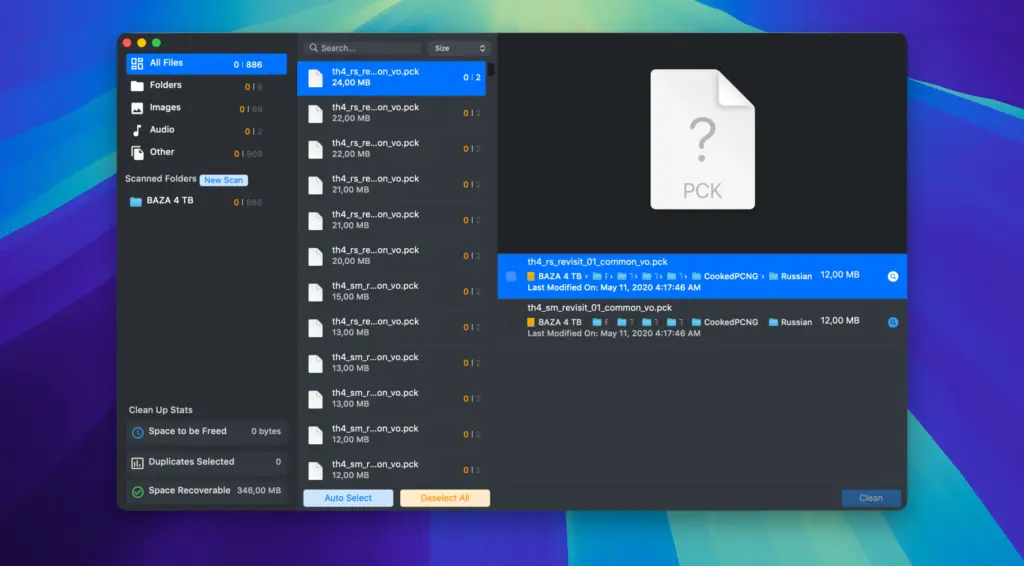
One of its main features is automatic duplicate selection. Instead of selecting every unwanted file manually, users can let the application select duplicate copies while keeping one version. You can also choose whether to keep the oldest or newest file.
However, users should review these selections before deleting anything. The newest file is not always the most important one. For example, an older document may contain information that is missing from a newer copy.
It also includes file previews. This feature allows users to check a file before removing it. You can view its details and open its location in Finder. This is helpful when duplicate files have different names or are stored in separate folders.
The application can scan internal storage, external USB drives, and network locations. This makes it useful for people who regularly transfer files between different computers and storage devices. Users can also filter scan results by file type and sort them by name, size, and other details.
Another useful feature is its support for Apple Photos libraries. Users can scan their photo collections to find identical images. However, macOS also includes a built-in Duplicates feature in the Photos app. If you only want to remove duplicate photos, Apple’s own tool is worth trying first.
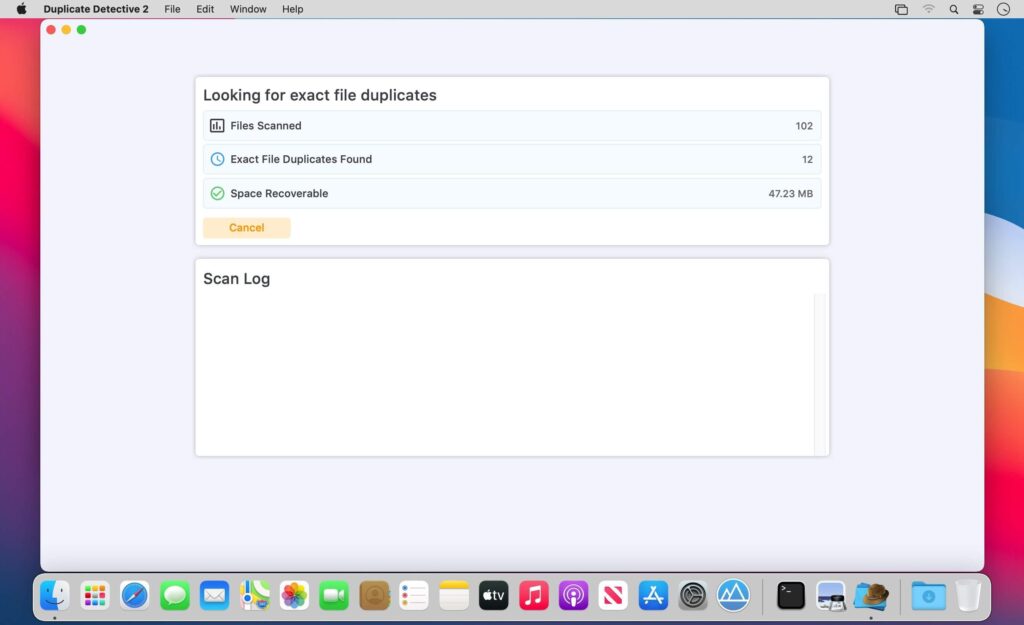
Duplicate Detective 2 uses file content to identify exact duplicates. It is important to understand that it does not find every similar file. For example, two photographs of the same subject may look identical but have different sizes or formats. The application may not identify them as duplicates because their actual contents are different.
The scanning process can take time, especially when checking a large drive. The time depends on the number of files, storage speed, and connection type. The developer recommends granting Full Disk Access for more complete scan results. This permission allows the application to access additional protected locations on your Mac.
File removal is another important part of the application. By default, Duplicate Detective 2 moves selected files to the Trash. This gives users a chance to restore files if they remove something by mistake. There is also an option to delete files permanently, but using it requires extra care.
One point Mac users should understand is that deleting duplicate files does not always recover the full amount of storage shown by a cleaner. Modern Mac storage uses a system called APFS. It can allow copied files to share storage space when their contents are unchanged. As a result, removing a copy may free less space than its displayed file size suggests.
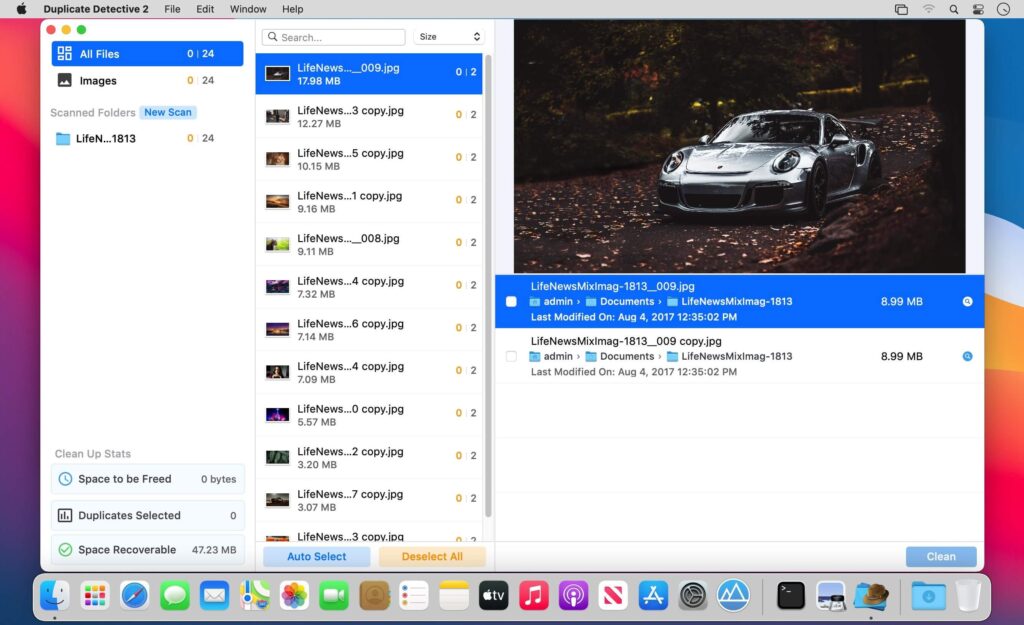
Overall, Duplicate Detective 2 is a useful choice for users who want a straightforward way to find identical files. It works well for checking downloads, documents, videos, and external drives. However, users looking for advanced photo comparison or automatic removal of similar images may prefer another application.
Features of Duplicate Detective 2 for Mac
- Find Duplicate Files: Scans selected folders and identifies files with identical content.
- Content-Based Matching: Finds duplicate files even when they have different names.
- Automatic Selection: Selects duplicate copies while keeping one version of each file.
- Oldest and Newest File Selection: Lets users choose which version to keep based on file dates.
- File Preview: Allows users to check files before removing them.
- File Type Filters: Organizes results into images, documents, videos, audio, folders, and other files.
- Search and Sorting: Helps users find files by name, size, type, and other details.
- Apple Photos Support: Allows users to scan their Apple Photos library for duplicate images.
- External Drive Support: Scans USB drives and other connected storage devices.
- Network Drive Support: Checks files stored on supported network locations.
- Minimum File Size Filter: Excludes smaller files to focus on larger duplicates.
- Excluded File Types: Allows users to skip selected file extensions during scans.
- Trash Option: Moves unwanted files to Trash instead of deleting them permanently.
- Dark and Light Modes: Supports both macOS appearance settings.
- Folder and Application Detection: Can identify duplicate folders and applications.
Technical Details:
- Software Name: Duplicate Detective 2 MacOS
- Software File Name: Duplicate Detective 2 v1.0.18.dmg
- Version: 1.0.18
- File Size: 14 MB
- File Extension: DMG
- License Type: Premium
- Developer: FIPLAB Ldt
System Requirements
- Operating System: macOS 10.10 or later
- Processor: Apple Silicon (M1, M2, M3, M4, M5) or Intel Core 64-bit
- RAM: 4 GB minimum, 8 GB recommended
- Storage: 200 MB free disk space
Best Alternatives to Duplicate Detective 2 for Mac
Gemini 2 is a duplicate file finder developed by MacPaw. It can identify identical files and similar photos. Its Smart Select feature helps users choose files for removal. It is a suitable option for people who want more photo-cleaning features.
dupeGuru is a free, open-source duplicate file finder. It supports different scanning modes for general files, music, and pictures. Users can adjust its matching settings to find duplicate content. It is a good choice for people who prefer free software.
Duplicate File Finder by Nektony helps Mac users find repeated files and manage storage. It also offers features for finding similar photos and duplicate folders. It is worth considering if you want additional file management options.
PhotoSweeper X is designed for photographers and people with large photo collections. It can find identical and similar images. Users can compare pictures and select unwanted copies. It is a better option for managing large photo libraries.
Duplicate Detective 2026 for Mac Free Download
Click the button below to download Duplicate Detective 2 for Mac latest full version setup free. It is a complete standalone installer for macOS with a single-click download link.


