AllMacWorld MAC Apps One Click Away
Download Audirvāna Studio 5.17.4 for Mac free latest full version standalone setup. Audirvāna Studio 2026 for MacOS is a professional audio player that turns your computer into a high-quality digital audio source. It’s designed for audiophiles who want to combine their local music library and streaming services in a single application with the highest playback quality.
Audirvāna Studio 2026 for Mac Review
Audirvāna Studio for Mac is a music player designed for people who care about sound quality. It lets you play music stored on your Mac and access supported music streaming services from one place. It also offers tools to adjust playback to match your headphones, speakers, and listening preferences. You can also download Swinsian for MacOS
Unlike a basic music player, Audirvāna Studio gives you more control over how your music plays. You can organize your music library, create playlists, search for tracks, and adjust sound settings. It works with Apple Silicon Macs and supports many common audio file types.
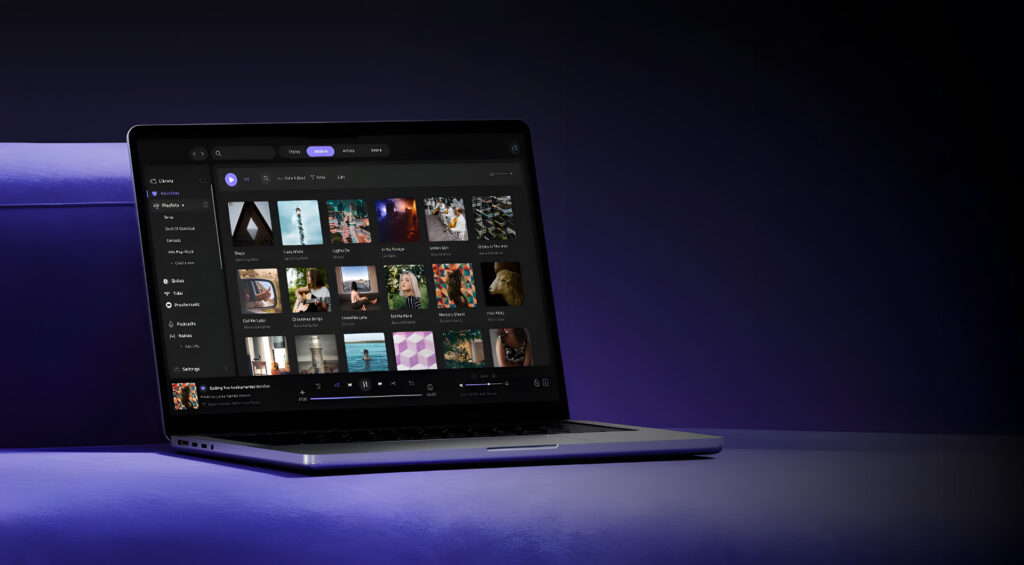
The app is a good option for people who keep a large music collection on their computer. It can also suit listeners who use supported streaming services and want to manage their music in one place.
Audirvāna Studio supports services such as Qobuz, TIDAL, Presto Music, and HRA Streaming. However, it does not offer direct integration with Apple Music or Spotify. If you mainly use these services, you may prefer another music player.
One of the main benefits of Audirvāna Studio is its range of sound settings. You can adjust the sound with a 10-band equalizer, change the left and right audio balance, and use other playback tools. These options help you adjust music to your preferences and listening setup.
The app also supports many audio formats, including FLAC, WAV, AIFF, ALAC, MP3, AAC, DSF, and DFF. This makes it useful for people who have music saved in different formats. However, DRM-protected files, such as protected Apple Music downloads, are not supported.
Audirvāna Studio can also play music through several audio outputs. It supports up to eight separate playback zones, each with its own output settings and playlist. These zones are not designed for synchronized multiroom playback, so keep that limitation in mind if you want the same music to play across several rooms at once.
The interface may take some time to understand if you are used to a simple music player. Audirvāna Studio includes more settings and playback options than many basic apps. Once you become familiar with it, the extra controls can be useful.
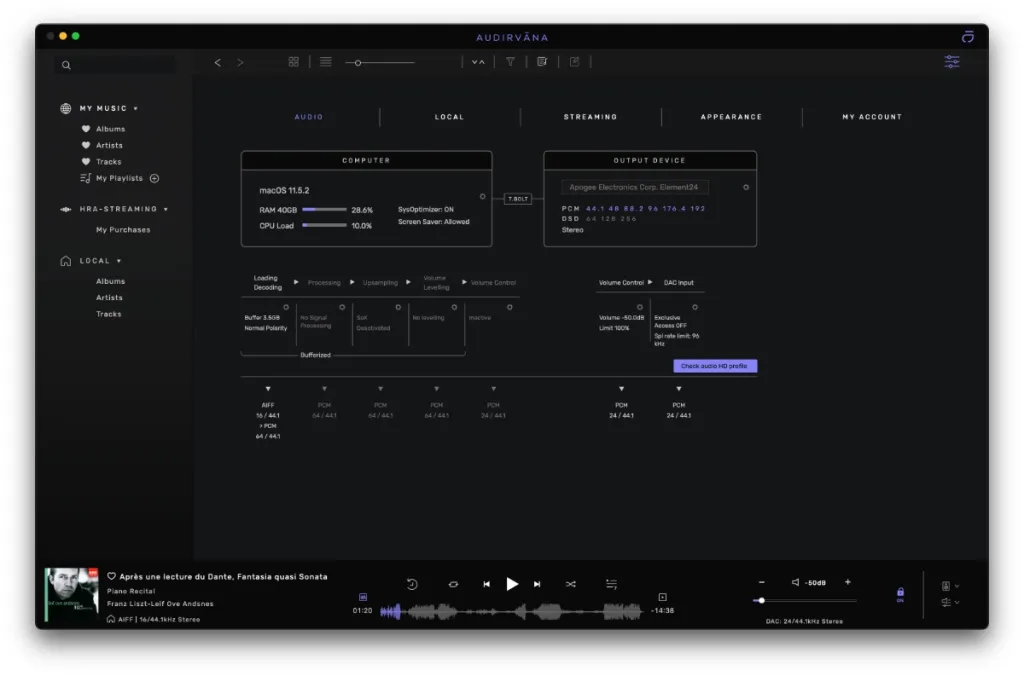
Sound quality depends on your music files, audio equipment, playback settings, and other factors. Audirvāna Studio provides tools for controlling playback, but it does not guarantee that every track will sound better than it does in another player.
Overall, Audirvāna Studio is worth considering if you want more control over music playback on your Mac. It is especially useful for people with large local music libraries, supported streaming accounts, and dedicated audio equipment. If you only need a simple player for everyday listening, a free or built-in option may be enough.
Features of Audirvāna Studio 2 for Mac
- Local music playback: Play music files stored on your Mac.
- Streaming service support: Connect supported services, including Qobuz, TIDAL, Presto Music, and HRA Streaming.
- Wide file support: Play formats such as FLAC, WAV, AIFF, ALAC, MP3, AAC, DSF, and DFF.
- 10-band equalizer: Adjust different parts of the sound to suit your preferences.
- Extra sound settings: Use tools such as sound correction, crossfeed, and volume balance.
- Music library management: Organize your collection and create playlists.
- Combined music search: Find tracks across your local library and supported streaming sources.
- Multiple playback zones: Set up as many as eight separate audio outputs with individual settings.
- Apple Silicon support: Run the app on compatible Macs with Apple Silicon processors.
- Remote control: Control playback through the companion remote app while the main app is running.
- Radio and podcasts: Access supported radio stations and podcasts.
- Music library scanning: Review your collection with the app’s Audio Scan feature.
Technical Details:
- Software Name: Audirvāna Studio MacOS
- Software File Name: Audirvāna Studio 3.4.0.dmg
- Version: 3.4.0
- File Size: 154 MB
- File Extension: DMG
- License Type: Premium
- Developer: Audirvāna
System Requirements
- Operating System: macOS 10.10 or later
- Processor: Apple Silicon (M1, M2, M3, M4, M5) or Intel Core 64-bit
- RAM: 8 GB minimum, 16 GB recommended
- Storage: 2 GB free disk space
Best Alternatives to Audirvāna Studio for Mac
Apple Music is a practical choice for people who want a large streaming library, playlists, recommendations, and access to their music through Apple’s ecosystem. It is easier to use for everyday listening, but it does not offer the same set of playback controls as Audirvāna Studio.
Roon is designed for people who want to organize and explore a large music collection. It provides detailed information about artists, albums, and related music. It may suit listeners who want more information about their music, but its features and pricing may be more than casual users need.
Audirvāna Origin is another option from the same developer. It focuses on music stored locally rather than the full streaming-focused experience of Audirvāna Studio. It may be a better fit if you mainly play files saved on your Mac. Check the current feature comparison before choosing between the two products.
JRiver Media Center is a music and media management app for people who want control over their local collections. It supports many file types and offers a range of playback and library settings. Its interface may take time to learn, especially for new users.
VLC is a free player that supports many audio and video formats. It is useful for opening files quickly without paying for a subscription. However, it does not focus on music library management and advanced listening controls to the same extent as Audirvāna Studio.
Audirvāna Studio 3.4.0 for Mac Free Download
Click the button below to download Audirvāna Studio 2026 for Mac latest full version setup free. It is a complete standalone installer for macOS with a single-click download link.