AllMacWorld MAC Apps One Click Away
Download Tinkerwell 5.17.4 for Mac free latest full version standalone setup. Tinkerwell 2026 for MacOS is a powerful sandbox editor (scratchpad) for PHP developers that lets you run your application code in real time, without switching to a browser or creating temporary routes or controllers.
Tinkerwell 2026 for Mac Review
Tinkerwell is a code editor and testing tool for developers who work with PHP. It lets you write and run PHP code without creating a full project or opening a large development environment. It is available for Mac, Windows, and Linux. You can also download Laravel Herd Pro for MacOS
Tinkerwell is useful when you want to test a small piece of code, check a result, or try a new idea. You can write code in the app and see the output quickly. This saves time when working on websites and web applications.
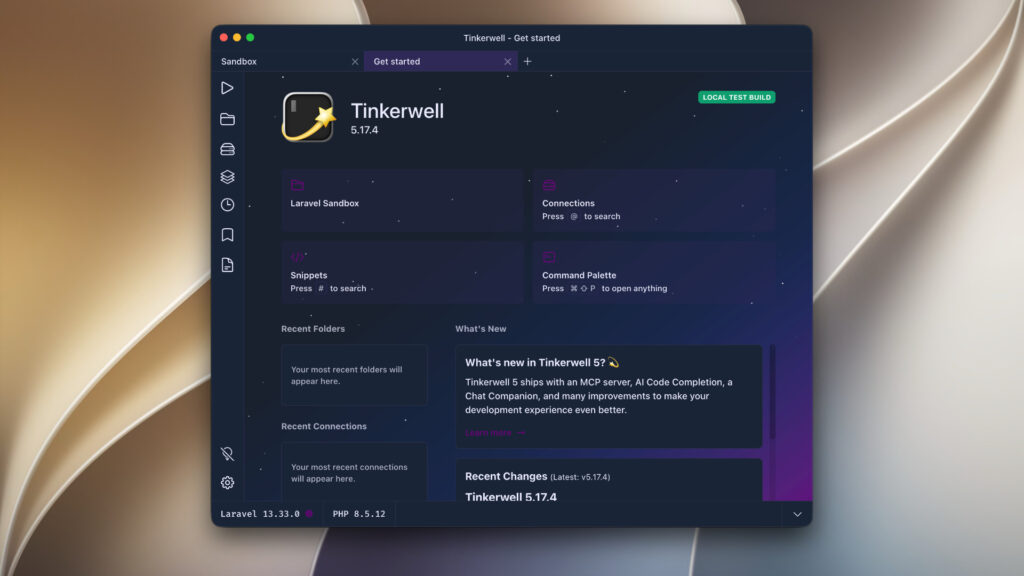
The app is especially useful for Laravel developers. It lets you run code within a Laravel project and check how different parts of the application work. You can test database queries, explore application data, and try changes before adding them to your main code.
Tinkerwell also supports other PHP projects, including Symfony, WordPress, Magento, and Statamic. You can use it with local projects and supported remote environments. The interface is designed to make code testing simple. You can write several lines of code, run them, and review the results in one place. This is more convenient than running small tests through a command line for some tasks.
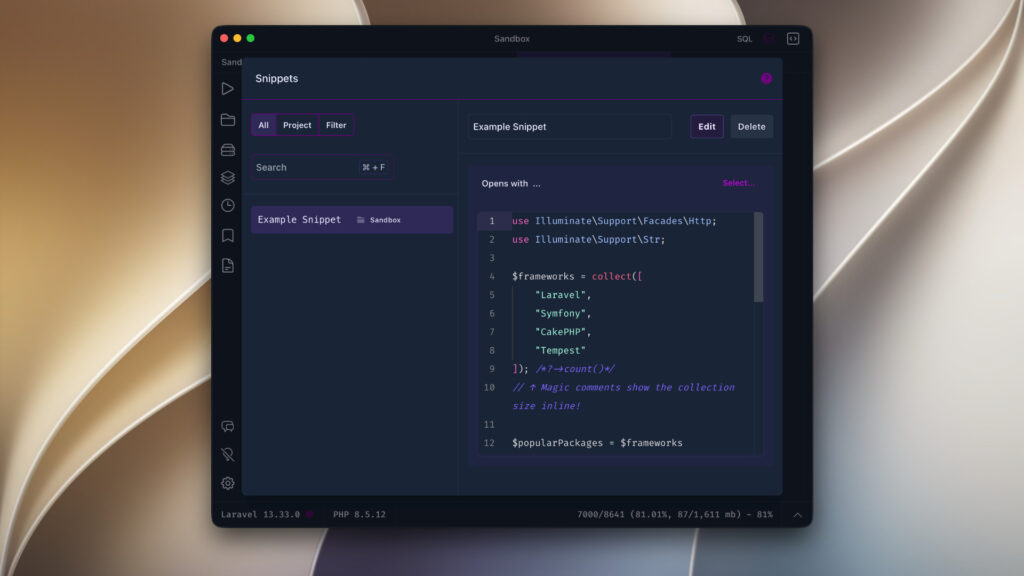
All in all, Tinkerwell for Mac is a useful tool for PHP developers who want to test code quickly. It is particularly helpful for Laravel projects because you can run code in the context of your application and check the results without creating extra test files. Its code testing, log viewing, saved snippets, and remote execution features can make everyday development tasks easier.
It also supports several other PHP frameworks and platforms However, Tinkerwell is a paid app. If you only need to run a few PHP commands, Laravel Tinker or PsySH may be enough. If you need a complete development environment, PhpStorm is worth considering.
Features of Tinkerwell 2 for Mac
- Multi-line PHP editor: Write, edit, and execute several lines of PHP in a dedicated workspace.
- Laravel integration: Work with Eloquent models, collections, helpers, and other components in a Laravel application.
- Laravel sandbox: Test PHP code and Laravel features without opening your own project.
- Framework support: Work with supported projects built using Laravel, WordPress, Magento, Drupal, Statamic, and other PHP platforms.
- Code autocompletion: Get editor assistance when PHP is installed and configured correctly.
- Magic Comments: Inspect variable values and intermediate results while experimenting with code.
- Table Mode: View suitable data in a tabular format for easier inspection.
- Remote execution: Connect to supported remote environments through SSH and run code in the application’s context.
- Docker workflow support: Work with projects running in containerized environments, with the appropriate configuration.
- Reusable snippets: Save frequently used code for common development tasks.
- Command palette: Access available actions through a central command interface.
- API testing: Experiment with HTTP requests and inspect responses using PHP or Laravel’s HTTP client.
- Database inspection: Run queries against an application’s configured database and examine the returned data.
Technical Details:
- Software Name: Tinkerwell MacOS
- Software File Name: Tinkerwell 5.17.4.dmg
- Version: 5.17.4
- File Size: 154 MB
- File Extension: DMG
- License Type: Premium
- Developer: Beyond Code GmbH
System Requirements
- Operating System: macOS 10.10 or later
- Processor: Apple Silicon (M1, M2, M3, M4, M5) or Intel Core 64-bit
- RAM: 8 GB minimum, 16 GB recommended
- Storage: 1 GB free disk space
Best Alternatives to Tinkerwell for Mac
Laravel Tinker is a free option for developers who work with Laravel. It lets you run PHP code inside a Laravel application. It is useful for testing commands, checking database records, and trying out small changes. However, it mainly works through a command-line interface rather than a dedicated graphical app.
PsySH is a free interactive PHP shell. It lets you run PHP commands and check their results directly. It is a good choice for developers who are comfortable using a terminal and want a simple way to test code.
PhpStorm is a full development environment for PHP. It includes tools for writing, testing, and managing larger projects. It offers more features than Tinkerwell, but it may take more time to learn and is designed for broader development work.
Laravel Playground lets you try Laravel code in a browser. It is useful for quick experiments when you do not want to set up a local project. However, it does not replace every feature available in a desktop tool such as Tinkerwell.
Tinkerwell 5.17.4 for Mac Free Download
Click the button below to download Tinkerwell 2026 for Mac latest full version setup free. It is a complete standalone installer for macOS with a single-click download link.
ARM
INTEL