AllMacWorld MAC Apps One Click Away
Download Cap Screen Recorder 0.4.84 for Mac free latest full version standalone setup. Cap Screen Recorder 2026 for MacOS is a beautiful, fast, shareable screen recording and built for teams that want to own their data.
Cap Screen Recorder 2026 for Mac Review
Cap Screen Recorder for Mac is made for people who want to record their Mac screen without dealing with a confusing setup. It is an open-source screen recorder with a clean and simple approach. You can use it to record tutorials, explain a problem, show how an app works, or send a quick video to someone. You can also download Matte for MacOS
The main thing that stands out about Cap is how little you need to learn before you can start recording. There are no unnecessary controls getting in the way when all you want is to capture your screen. This makes Cap a good choice for everyday screen recording.
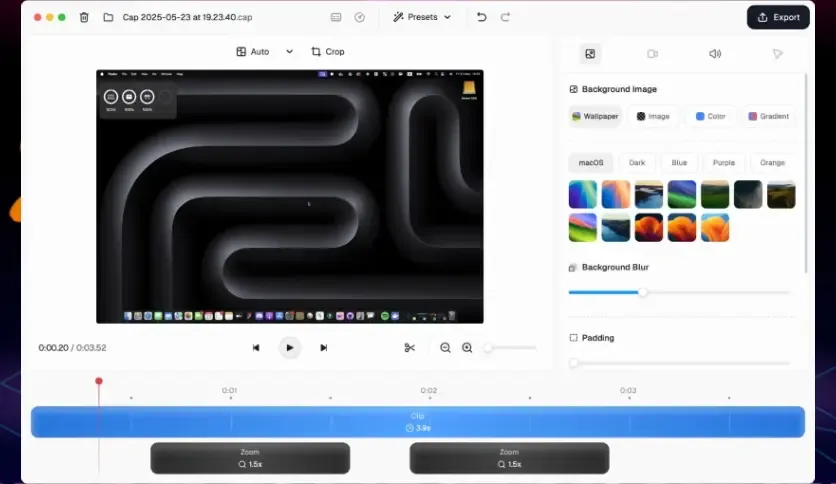
For example, if an app isn’t working correctly, you can record the steps that cause the problem. Instead of sending several screenshots and explaining everything in a long message, you can simply show what happens on your Mac. It is also useful for tutorials. You can record yourself using an application and explain each step as you go. This can be helpful when teaching someone how to use new software.
Cap can also work well for work-related tasks. You might need to explain a website change to a client, show a colleague how to complete a task, or record a quick presentation. A short screen recording can often explain these things more clearly than a written message. Another reason some users may prefer Cap is its open-source nature. People who like having more transparency around the software they use may appreciate this approach.
However, Cap isn’t designed to replace professional video software. If you want to create highly edited videos, livestreams, gaming videos, or complex presentations, you may need a different application. Cap is better suited to people who want to record their screen and get the job done without spending time learning a large number of features.
Mac users should also remember that Apple already provides screen recording. The Screenshot tool can record your screen without installing anything. QuickTime Player can also be used for basic screen recording.
So why use Cap?
The answer depends on your workflow. If you only need to record your screen once in a while, Apple’s built-in tools may be enough. If you regularly record your screen and want a dedicated application with a simple recording and sharing experience, Cap becomes more useful.
Audio is another area worth checking before you start recording. Your Mac microphone and the sound coming from your applications are two different things. If you want to speak while recording, check that Cap has permission to use your microphone and that the correct microphone is selected.
If you need to capture sound from an application, check the current audio options as well. These settings can depend on your Mac and the version of macOS you’re using. You should also check macOS permissions if Cap cannot record your screen. Apple requires applications to have permission before they can capture screen content.
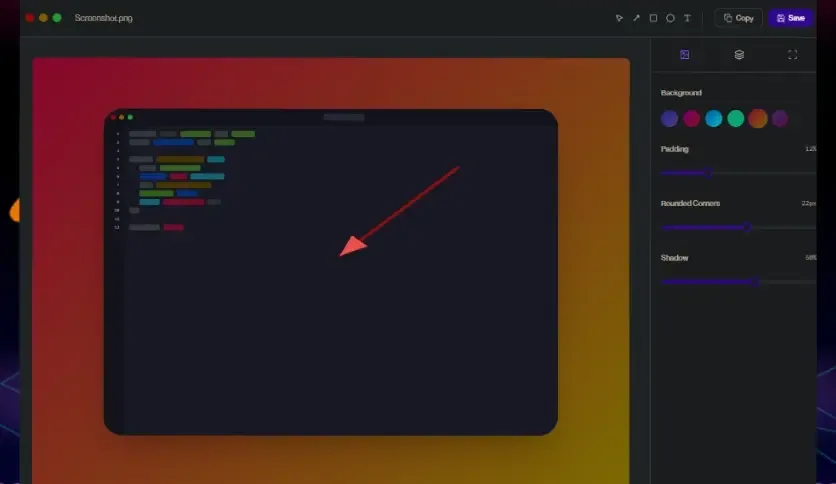
A quick test recording is always a good idea. Record for a few seconds and watch it back. Check the picture, microphone, and sound before recording a longer video. Cap is most useful when you don’t want to turn a simple screen recording into a complicated project. That is really where it makes sense.ap Screen Recorder 2026 for Mac Review
Features of Cap Screen Recorder for Mac
- Screen Recording: Record activity on your Mac screen for tutorials, demonstrations, and explanations.
- Simple Interface: The basic recording process is easy to understand.
- Open Source: Cap has an open-source project, which may appeal to users who prefer this type of software.
- Microphone Recording: You can use your microphone when making recordings where voice explanation is needed.
- Tutorials: Record the steps involved in using an application or website.
- Bug Reports: Show exactly what happens when an application or website has a problem.
- Work Communication: Send short recordings instead of writing long explanations.
- Product Demonstrations: Show how software or an online service works.
- Mac Support: Designed for use on macOS.
- Simple Sharing: Useful for people who regularly create screen recordings to share with others.
- Suitable for Beginners: You don’t need advanced video-recording knowledge to get started.
- Good for Short Videos: Works particularly well when you need to explain something quickly.
Technical Details:
- Software Name: Cap Screen Recorder MacOS
- Software File Name: Cap Screen Recorder 0.4.84.dmg
- Version: 0.4.84
- File Size: 107 MB
- File Extension: DMG
- License Type: Premium
- Developer: Cap Software
System Requirements
- Operating System: macOS 10.10 or later
- Processor: Apple Silicon (M1, M2, M3, M4, M5) or Intel Core 64-bit
- RAM: 4 GB minimum, 8 GB recommended
- Storage: 200 MB free disk space
Best Alternatives to Cap Screen Recorder for Mac
If Cap doesn’t match your needs, there are several other ways to record a Mac screen.
macOS Screenshot is the first option to consider. It is already included with macOS, so there is nothing else to install. You can record the entire screen or a selected part of it. For occasional screen recordings, this may be all you need.
QuickTime Player is another built-in Mac option. It can record your screen and is useful when you only need basic recording. It doesn’t try to be a complete video editing application, which can actually be an advantage for simple jobs.
OBS Studio is better suited to people who need more control. It can record your screen, camera, microphone, and other sources. It is also widely used for livestreaming. The downside is that it takes longer to learn. If you only want to record a quick tutorial, Cap may feel easier.
Loom focuses heavily on recording and sharing videos. It is useful for people who regularly send screen recordings to coworkers, customers, or clients. Its online features make it different from a simple local screen recorder.
ScreenFlow is a better choice if you want to record and edit videos in the same application. It offers more editing tools than Cap and is useful for creating polished tutorials and courses. The extra features also make it more complicated and may be unnecessary for a simple recording.
Cap Screen Recorder 0.4.84 for Mac Free Download
Click the button below to download Cap Screen Recorder 2026 for Mac latest full version setup free. It is a complete standalone installer for macOS with a single-click download link.