AllMacWorld MAC Apps One Click Away
Download Shortery 9.1 for Mac free latest full version standalone setup. Shortery 2026 for MacOS is a convenient application for automating routine tasks and quickly accessing frequently used actions using custom keyboard shortcuts (hotkeys) and process automation.
Shortery 2026 for Mac Review
Shortery is a Mac app that helps you run Apple Shortcuts automatically. Instead of opening the Shortcuts app every time you want to run a shortcut, you can set Shortery to start it for you. The idea is simple.
You create a shortcut in Apple’s Shortcuts app and then use Shortery to decide when that shortcut should run. For example, suppose you have a shortcut that opens the apps you use every morning. You can set it to run at a specific time instead of opening the shortcut yourself each day.
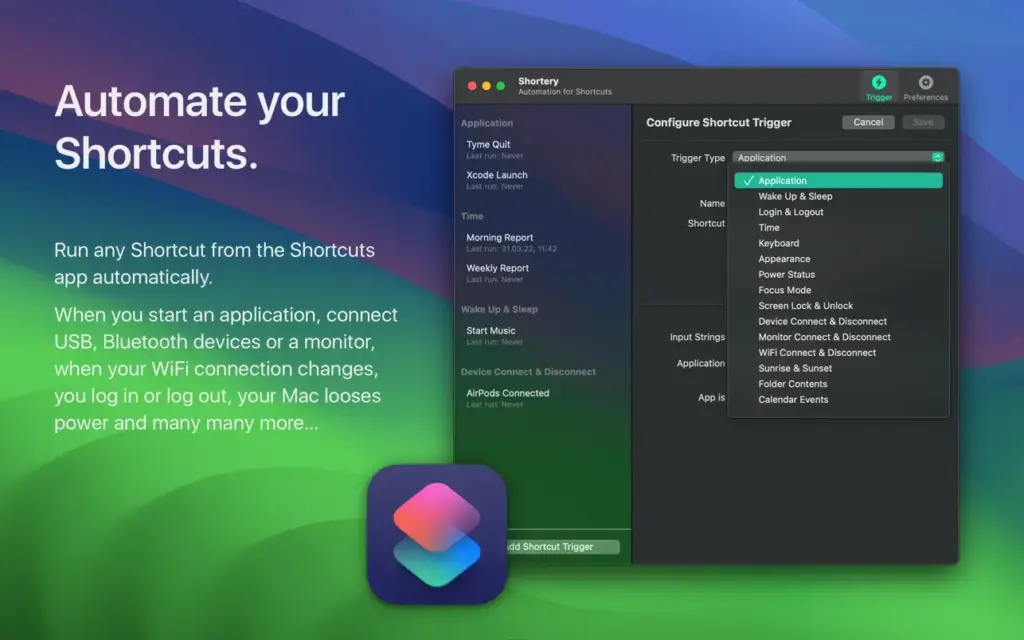
This can be useful for people who perform the same tasks regularly. You might want to open a group of apps when you start work, launch certain files at a set time, or run a shortcut as part of your daily routine. Shortery doesn’t replace Apple’s Shortcuts app. You still use Shortcuts to create the actual workflow. Shortery simply gives you another way to start it.
This makes the app easy to understand if you already use Apple Shortcuts. You don’t have to learn a completely different automation system. Another advantage is that you can start with a simple shortcut. Once you know that the shortcut works correctly, you can connect it to Shortery and let it run automatically. There are some limitations, though.
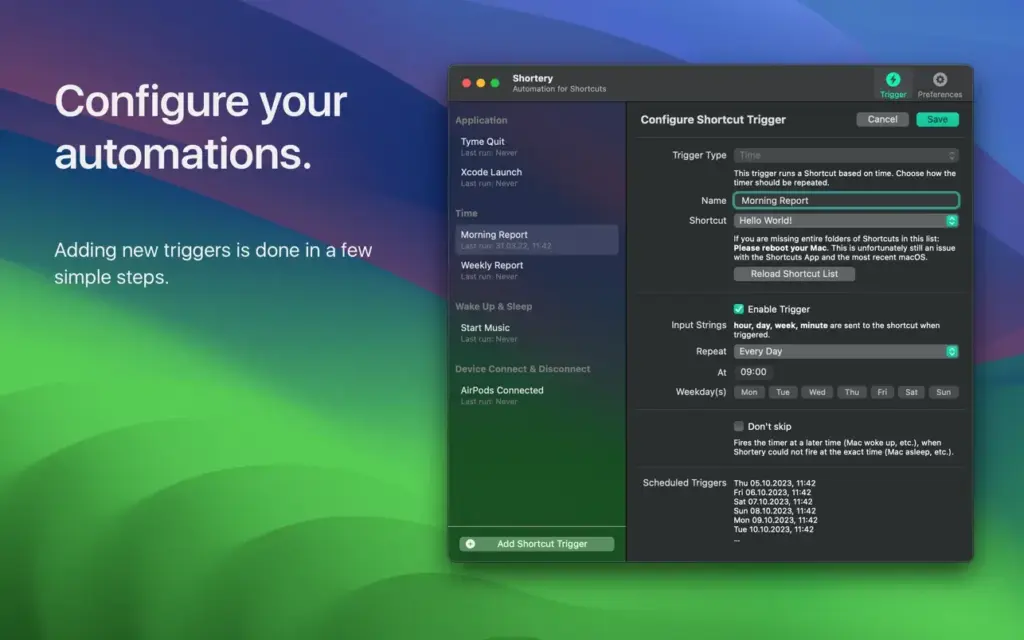
Shortery depends on what Apple Shortcuts can do. If Shortcuts can’t perform a particular task, Shortery won’t add that ability. Some actions may also require permission from macOS before they can work. For example, a shortcut that needs access to certain files or apps may ask you to allow that access in your Mac’s settings.
It’s also a good idea to test every shortcut before setting it to run automatically. A mistake in a shortcut could cause unwanted actions, especially if the workflow changes or involves files. For simple and repeated tasks, however, Shortery can be a useful addition to the Mac.
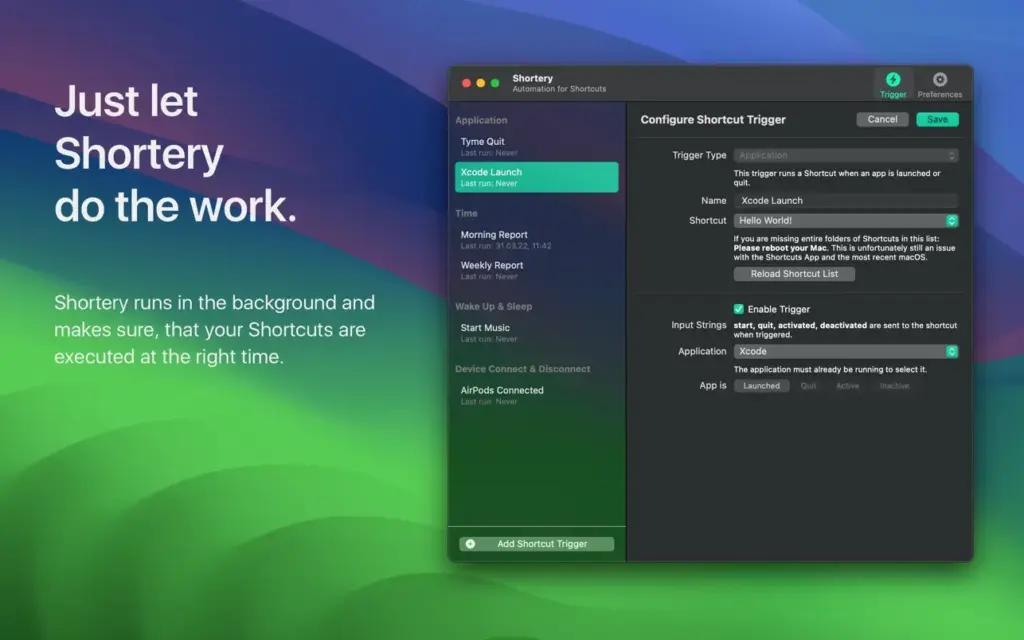
Features of Shortery for Mac
- Works With Apple Shortcuts: Use your existing shortcuts instead of creating everything again.
- Automatic Shortcut Running: Start shortcuts without opening the Shortcuts app each time.
- Time-Based Tasks: Run supported shortcuts at a set time.
- Regular Schedules: Set up shortcuts for tasks that happen repeatedly.
- Simple Setup: The app provides a straightforward way to connect a trigger with a shortcut.
- Works With Existing Workflows: You can use shortcuts you’ve already created in Apple’s Shortcuts app.
- Useful for Daily Tasks: Good for routines that involve the same actions again and again.
- Mac Support: Built specifically for running shortcuts on macOS.
- Less Manual Work: Reduces the need to remember and start repetitive tasks yourself.
- Different Uses: Useful for work routines, opening apps, managing files, and other tasks supported by Apple Shortcuts.
Technical Details:
- Software Name: Shortery MacOS
- Software File Name: Shortery 9.1.dmg
- Version: 9.1
- File Size: 4 MB
- File Extension: DMG
- License Type: Premium
- Developer: Unit Number five oHG
System Requirements
- Operating System: macOS 10.10 or later
- Processor: Apple Silicon (M1, M2, M3, M4, M5) or Intel Core 64-bit
- RAM: 4 GB minimum, 8 GB recommended
- Storage: 100 MB free disk space
Best Alternatives to Shortery for Mac
Keyboard Maestro: Keyboard Maestro is a popular Mac automation app that can handle many different types of tasks. It can control apps, windows, keyboard actions, text, and other parts of your Mac. It is a better choice if you want to build more detailed automations. Shortery is simpler if your main goal is to automatically run Apple Shortcuts.
Automator: Automator is Apple’s older automation app for Mac. It can still be useful for people who have existing Automator workflows. However, Apple now puts more focus on the Shortcuts app for many everyday automation tasks. If you’re already using Shortcuts, Shortery may be a more convenient choice for automatically starting those shortcuts.
AppleScript: AppleScript lets you control supported Mac apps through written commands. It can do things that are difficult to achieve with a simple automation app. The downside is that you need to learn how to write and understand scripts. For users who don’t want to deal with scripting, Shortery is easier to approach.
Launchd: macOS includes a built-in system called launchd that can start programs and scripts at scheduled times. It can be useful for advanced Mac users, but setting it up isn’t as simple as using a normal Mac app. If you only want to run Apple Shortcuts automatically, Shortery provides a much easier starting point.
Shortery 9.1 for Mac Free Download
Click the button below to download Shortery 2026 for Mac latest full version setup free. It is a complete standalone installer for macOS with a single-click download link.