AllMacWorld MAC Apps One Click Away
Download Screen Studio 3.7.3 for Mac free latest full version standalone setup. Screen Studio 2026 for macOS is a native screen recording and automated video editing app built for creators, developers, and educators who need polished, professional recordings without spending hours in a video editor.
Screen Studio for Mac Review
Most screen recorders capture your screen and stop there. The editing is your problem. You spend 5 minutes recording and 45 minutes in a video editor adding zoom keyframes, cleaning up cursor jitter, adjusting backgrounds, and normalizing audio. The final result still looks rough. Screen Studio fixes this problem at the recording level. You can also download
Screen Studio is a macOS-exclusive screen recording app built by indie developer Adam Pietrasiak. It was designed from the ground up for one purpose: to turn raw screen captures into cinematic, professional-looking videos automatically. You press record, do your work on screen, and stop. The app handles everything else.
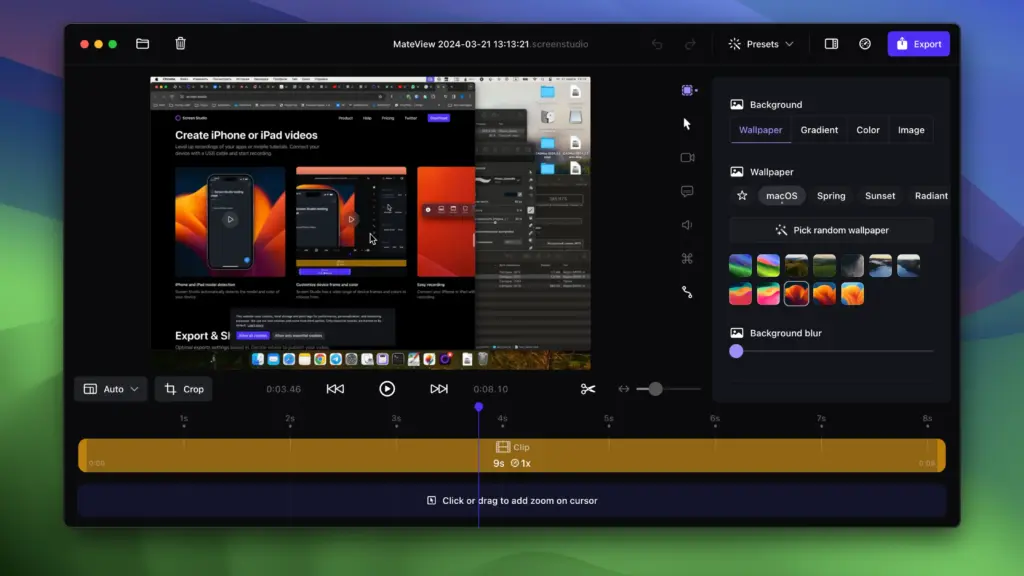
The flagship feature is automatic zoom. Screen Studio detects every click and cursor movement during your recording. It then adds smooth zoom animations that follow your actions exactly. The result looks like a video editor spent hours manually keyframing every zoom. It happens in seconds with no manual input from you.
Cursor smoothing is built in at the same level. Raw mouse movements are converted into fluid, professional glides. Click highlights are added automatically. You can also increase or decrease cursor size after recording, which is useful for tutorials viewed on smaller screens.
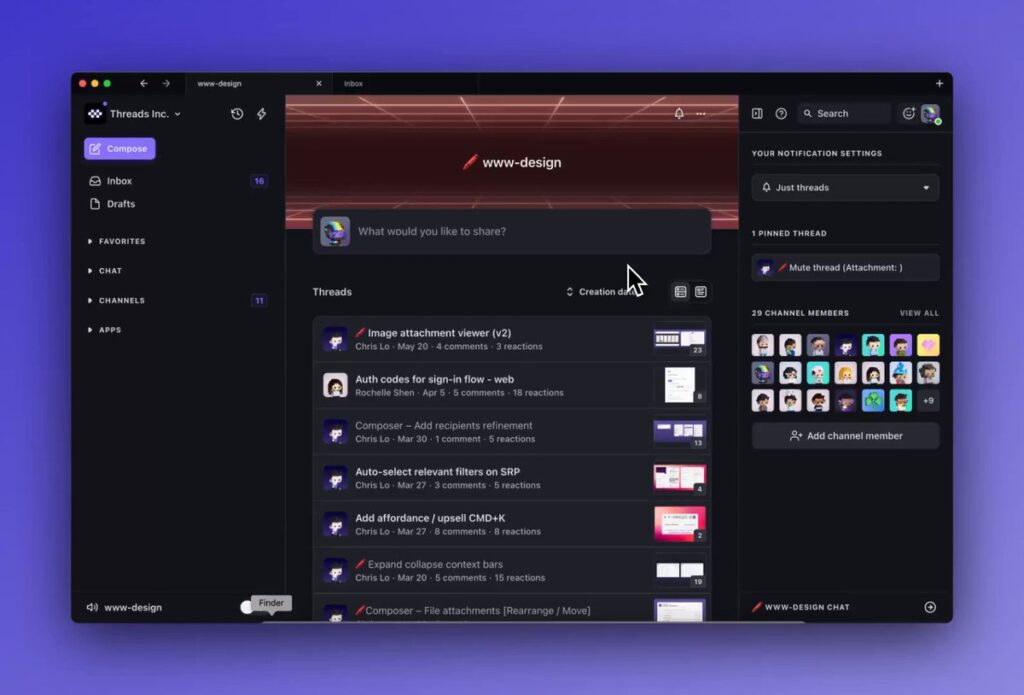
The interface stays out of your way. The recording controls are minimal. The editing timeline is simple. Most of the work happens automatically, so you are not looking at a complex panel of settings. You choose your recording area, configure your background style and zoom sensitivity once, then record. The polished video is ready to export in minutes.
Background styling is another strong point. You can apply gradient or solid color backgrounds, set padding around the recording window, and add a drop shadow. The result is the “framed” look you see in product demos from companies like Stripe and Linear. You do not need a graphic designer. The app does it for you.
iOS recording is included. Connect your iPhone or iPad via USB cable and Screen Studio records your device screen alongside your Mac. The same auto-zoom and cursor effects apply to the mobile footage. This makes it practical for developers and marketers who need to show both a Mac dashboard and an iOS app in a single recording.
Export quality is high. The app records and exports in 4K. You can choose from horizontal or vertical aspect ratios with one click, which covers YouTube, TikTok, X, and LinkedIn without re-editing. Audio normalization and background noise removal run automatically. AI-generated captions and transcripts are built in for accessibility and social video use.
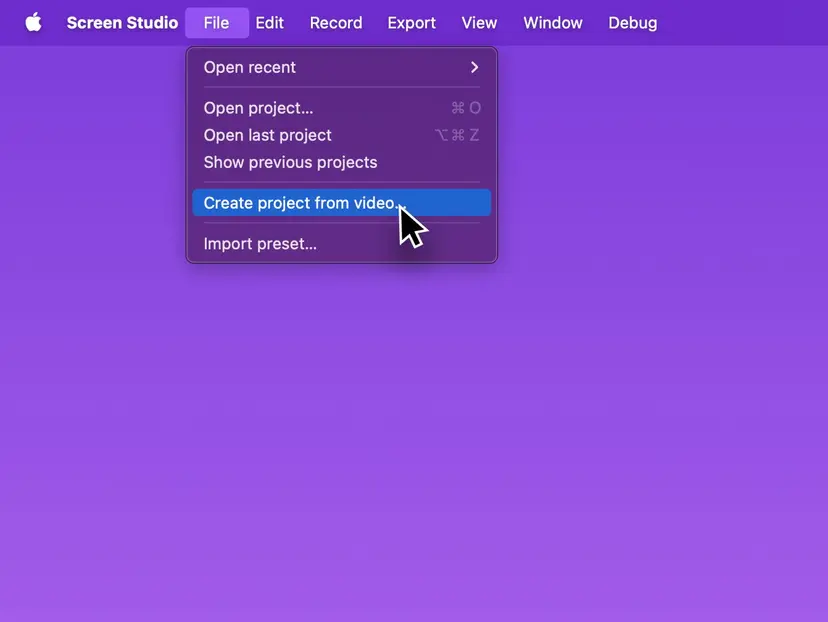
Screen Studio does not try to be a full video editor. You cannot do complex multi-track editing or add motion graphics. But it does not need to. For tutorials, product demos, code walkthroughs, and educational content, the automated workflow produces results that a basic manual edit in another app cannot match for speed.
Features of Screen Studio for Mac
- Automatic zoom and pan follows your cursor clicks and movements with smooth animations
- Cursor smoothing removes jitter and converts raw mouse movements into fluid glides
- Click highlight effects are added automatically during recording
- Custom backgrounds including gradients, solid colors, padding, and drop shadows
- iOS device recording via USB with auto-zoom and effects applied to mobile footage
- 4K export with H.264 and ProRes codec support
- One-click vertical and horizontal aspect ratio presets for all major platforms
- AI-generated captions and transcripts built directly into the app
- Webcam overlay with picture-in-picture support
- Automatic audio normalization and background noise removal
- App window, full screen, and custom region recording options
- Instant shareable links added in Screen Studio
- Covers up to 3 Macs under a single annual subscription
- Universal Binary with native Apple Silicon and Intel Mac support
- No internet connection required during recording or export
Technical Details:
- Software Name: Screen Studio
- Software File Name: Screen Studio v3.7.3-4475 macOS.dmg
- Version:v3.7.3-4475
- File Size: 723 MB
- File Extension: DMG
- License Type: Premium
- Developer: Screen Studio
System Requirements
- Operating System: macOS 10.13 High Sierra or later
- Processor: Apple Silicon (M1, M2, M3, M4, M5) or Intel Core 64-bit
- RAM: 8 GB minimum, 16 GB recommended
- Storage: 500 MB free disk space
Best Alternatives to Screen Studio for Mac
Screen Studio is the best automated screen recorder for Mac creators. If you need something different for a specific workflow, here are the strongest alternatives.
Loom is a cloud-based screen and camera recorder built for async team communication. It records quickly and generates a shareable link immediately. It does not offer auto-zoom or automated cursor effects. It is the better choice for teams that need quick video messaging rather than polished tutorial content.
Camtasia is a full non-linear video editor with built-in screen recording. It gives you complete frame-by-frame control over every element in your video. It works on both Mac and Windows. The tradeoff is complexity. Camtasia has a steep learning curve and takes significantly longer to produce a finished video. It is the better choice for complex productions with motion graphics and annotations.
OBS Studio is a free and open-source screen recorder and live streaming tool. It is extremely powerful and highly configurable. It does not include auto-zoom or any automated post-production. Producing a polished video with OBS requires manual editing in a separate app. It is the right choice for live streamers and users who need a free tool and are comfortable with manual editing workflows.
Tella is a screen and camera recorder that supports interactive presentations and multi-platform recording. It offers a lifetime pricing option, which Screen Studio currently does not. It is a good fit for educators and marketers who want interactive video content rather than purely polished screen captures.
Screen Charm is the closest direct competitor to Screen Studio. It uses the same automated zoom-and-cursor-follow approach. It runs on Mac and supports similar background and export options. It is worth comparing directly if you want an alternative with different pricing.
Each of these tools serves a specific need. Screen Studio stands out for Mac users who want the highest visual quality from screen recordings with the least amount of manual editing.
Screen Studio 3.7.3 for Mac Free Download
Click the button below to download Screen Studio for Mac latest full version setup free. It is a complete standalone installer for macOS with a single-click download link.