AllMacWorld MAC Apps One Click Away
Download AudiBar 2.2.0 for Mac free latest full version. AudiBar 2026 for macOS is a lightweight menu bar audio player and internet radio streamer built for Mac users who want instant audio playback without library imports, cloud sync, or bloated music apps getting in the way
AudiBar for Mac Review
You open your Mac to play one audio file. Apple Music asks you to sign in. Spotify wants you to import a library. Every app wants setup before it lets you hear a single note. That is the problem AudiBar solves.
AudiBar lives in your Mac menu bar. It does not open windows. It does not ask you to build a library. You drag an audio file onto the menu bar icon and it plays. That is, it. No import dialogs, no onboarding screens, no friction at any step. You can also download Structured for Mac

AudiBar handles far more than single-file playback. You can stream internet radio stations directly from the menu bar by pasting a station URL. You can add podcast RSS feeds, browse episodes, and resume playback exactly where you left off. You can even paste a YouTube URL and play its audio without opening a browser or logging into any account. All of this happens from one small icon in your menu bar.
The multi-playlist system lets you create separate named playlists for tracks, streams, and YouTube audio. Each playlist has its own sort preferences. You switch between them instantly from the playlist picker. Drag a folder of audio files onto the panel and AudiBar builds a playlist automatically.
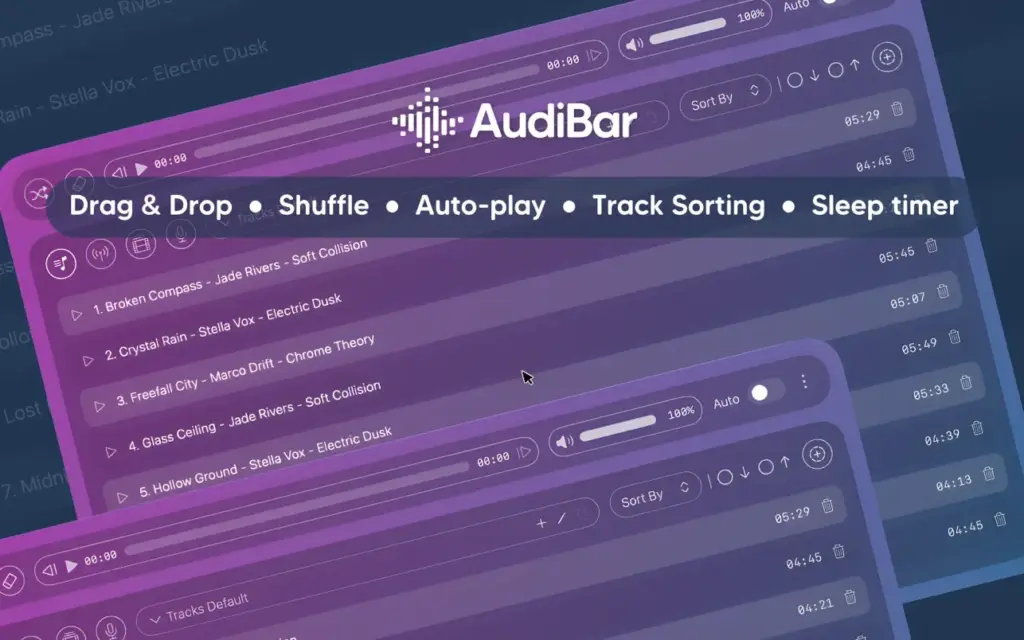
Playback controls go beyond the basics. Speed control runs from 0.5x to 2x with pitch correction so audio stays natural at any rate. A sleep timer stops playback after 15 minutes, 30 minutes, 45 minutes, one hour, or two hours with a smooth fade out. Media keys work even when AudiBar is not in focus. Current track and stream information appear in macOS Control Center with native playback controls.
Privacy is built into the foundation of the app. AudiBar runs entirely on your Mac. No account is required. No data is collected. No tracking runs in the background. Your audio files, radio stations, and listening habits never leave your device.

AudiBar is ideal for Mac users who play individual audio files, listen to internet radio, manage podcasts without a dedicated app, or want a clean iTunes alternative without subscriptions or iCloud lock-in.
Features of AudiBar for Mac
- Instant drag-and-drop playback from the macOS menu bar
- Supports MP3, WAV, FLAC, M4A, AAC, AIFF, AIF, CAF, and MP4 via Core Audio
- Internet radio streaming with M3U, M3U8, PLS, XSPF, ASX, RSS, and direct URL support
- Live track and artist info in the menu bar via ICY metadata
- YouTube audio playback by pasting any YouTube URL
- Podcast RSS feed support with per-episode position saving and auto-refreshing feeds
- Multi-playlist support with named playlists and individual sort preferences
- Drag folders to build playlists instantly with unlimited tracks
- Shuffle, auto-play next track, and seek slider with previous and next controls
- Playback speed from 0.5x to 2x with pitch correction across seven presets
- Sleep timer with smooth fade out from 15 minutes up to two hours
- Independent volume control separate from your Mac system volume
- Media key support for play, pause, and skip even when AudiBar is not in focus
- macOS Control Center integration with native playback controls
- Full keyboard shortcut support with a built-in shortcuts help window
- Finder integration via Open With for double-click playback from any folder
- iCloud Drive support with smart loading state during background file download
Technical Details
- Software Name: Audiobar
- Software File Name: AudiBar 2.2.0 [EDiSO].dmg
- Version:2.0
- File Size: 7 MB
- File Extension: DMG
- License Type: Premium
- Developer: Codel Dev
System Requirements
- Operating System: macOS Sonoma 14.0 or later
- Processor: Apple Silicon (M1, M2, M3, M4) or Intel Core i5 or later
- RAM: 4 GB minimum, 8 GB recommended
- Storage: 150 MB free disk space
- Internet: Required for Structured Cloud sync and AI planning features
What Are the Best Alternatives to AudiBar for Mac?
AudiBar is built for simplicity. If you need something different, these are the strongest alternatives for Mac users.
Vinyls: A menu bar audio player similar in concept to AudiBar. Vinyls puts more emphasis on album artwork display. It is a good pick if you want visual track information as a priority. AudiBar wins on raw performance and streaming flexibility.
IINA: A full-featured media player for Mac with a beautiful native interface. IINA handles video as well as audio and supports far more file formats. It opens a full window rather than living in the menu bar. Better for users who want a dedicated media player, not a lightweight background tool.
Foobar2000 for Mac: A powerful audio player with advanced playback options and format support. It is better suited to audiophiles and power users who want deep control over playback. More complex to set up than AudiBar.
Apple Music: Apple’s native music app with full library management, iCloud sync, and a subscription streaming catalogue. Best for users who want an organized music library and are comfortable with the Apple ecosystem. Not a match for users who just want to play individual files quickly.
RadioBar: A dedicated Mac menu bar app for streaming internet radio with access to over 50,000 global stations. A stronger choice if radio streaming is your primary use case and you want a larger station directory than AudiBar provides.
AudiBar stands out for users who want fast file playback, radio, podcasts, and YouTube audio from a single lightweight menu bar app with no subscriptions and no library management.
Audiobar 2.2.0 for Mac Free Download
Click the button below to download Audiobar 2 for Mac latest full version setup free. It is a complete offline DMG installer for macOS with a single-click download link.